
Why Every Megabyte Matters for Your Install Rate
Let’s be real: nobody likes a bloated app. We’ve all seen the data—for every 6MB increase in APK size, you can expect a 1% drop in install conversion rates. In emerging markets, that number is even more brutal. Yet, as developers, we keep adding libraries like they’re free candy, and before we know it, our “simple” utility app is pushing 50MB.
For a long time, ProGuard was the “scary” part of the build process. It was that thing you turned on right before release that inevitably broke your JSON parsing and made your app crash on startup. But in 2026, we have R8, and it’s time we stop fearing the minification process and start using it to ship leaner, faster code.
R8 vs. ProGuard: What’s the Deal?
First, a quick sanity check. You’ll hear people use these terms interchangeably, but here’s the breakdown: ProGuard is the legacy tool, while R8 is the modern replacement integrated into the Android Gradle Plugin.
R8 does everything ProGuard did—shrinking, optimizing, and obfuscating—but it does it faster and often more efficiently. The catch? We still call the configuration files proguard-rules.pro. So, if I say “ProGuard rules,” just know I’m talking about the instructions we give to R8 to tell it what to keep and what to toss.
Step 1: Finding the Low-Hanging Fruit
Before you start hacking away at your rules, you need to know what you’re fighting. I always start with the APK Analyzer (Build > Analyze APK in Android Studio).
When I first audited our flagship app, I realized that 30% of our size wasn’t even our code—it was unused transitive dependencies and massive localized resources we didn’t need.
The goal of “Tree Shaking”: You want R8 to traverse your code graph and snip off any branch (class or method) that isn’t reachable from your entry points (Activities, Services, etc.). If you don’t see your app size shrinking, it’s usually because a rule is forcing R8 to keep a whole “tree” of dead code.
Step 2: Stop Using the “Nuclear” -keep Rule
The most common mistake I see in PRs is a lazy -keep rule. I get it; you’re frustrated because a library is crashing, so you do this:
Code snippet
# DON'T DO THIS! This keeps EVERYTHING in the package.
-keep class com.thirdpartylibrary.** { *; }
This effectively tells R8: “Don’t touch this library. Don’t shrink it, don’t optimize it.” You just lost all the benefits of tree shaking.
Instead, be surgical. If you only need to preserve the data models for serialization, target them specifically:
Code snippet
# DO THIS: Keep only the models that use reflection
-keepclassmembers class com.spiritcode.models.** {
    <fields>;
}
Step 3: Handling the Reflection Trap (Gson & Retrofit)
Reflection is the natural enemy of code shrinking. Tools like Gson or Retrofit look at your code at runtime to figure out how to map JSON to objects. Since R8 can’t always “see” these connections during the build, it might think your data classes are unused and delete them.
If your app works in debug but crashes in release with a NullPointerException or a “Missing field” error, reflection is your culprit.
Pro-tip: Use @Keep annotations directly in your Kotlin/Java code if you want to avoid touching the ProGuard file for every new model. It makes your intentions clear to the rest of the team.
A Hard-Learned Lesson: The “Production Blackout”
Early in my career, I got a bit too aggressive. I enabled fullMode in R8 and didn’t thoroughly test our payment gateway. Because I didn’t account for a specific reflection-heavy SDK, the app crashed the moment a user hit “Buy.”
I couldn’t debug it because I didn’t have the mapping.txt file synced with that specific build version.
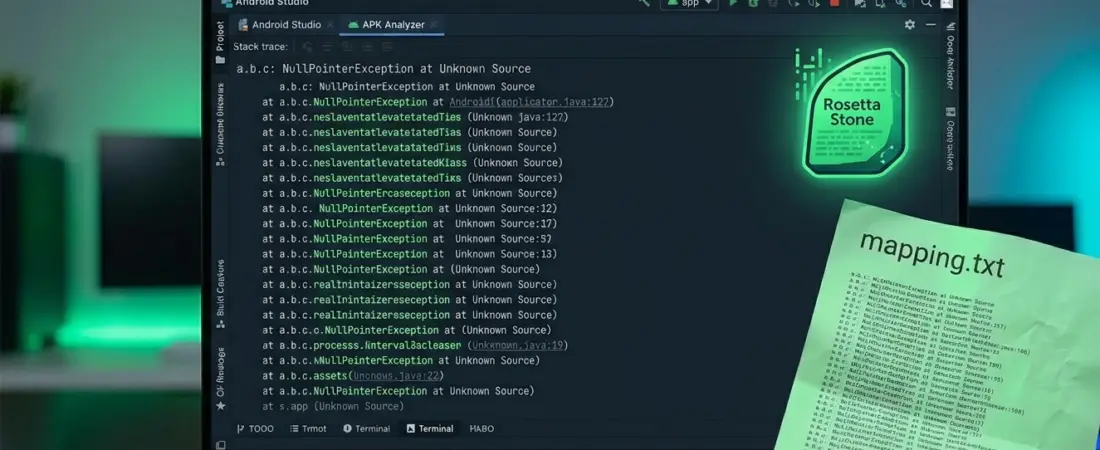
The Lesson: Always keep your mapping.txt (found in build/outputs/mapping/release/). This file is the “Rosetta Stone” that turns obfuscated stack traces (like a.b.c(Unknown Source)) back into human-readable code. Without it, you are flying blind in production.
The Quick Wins Checklist
If you want to drop your app size today, run through this list:
- [ ] Enable
shrinkResources: SetshrinkResources truein yourbuild.gradle. It works alongside R8 to remove unused drawables and layouts. - [ ] Use Android App Bundles (.aab): If you’re still shipping APKs, you’re shipping density-specific resources (like
hdpivsxxhdpi) that the user’s phone doesn’t need. - [ ] Check for
-dontoptimize: Some old templates include this. Remove it! R8’s optimizations are stable and can significantly reduce method counts. - [ ] Audit
proguard-android-optimize.txt: Ensure you are using the optimized default file provided by the SDK, not the basic one. - [ ] Use
@Keepjudiciously: Instead of broad rules, annotate the specific classes that must survive the shrinker.
By being intentional with our ProGuard rules, we aren’t just saving disk space; we’re respecting our users’ data plans and device storage.
How much did you manage to shave off your last build? Let’s talk about your “nightmare” ProGuard bugs in the comments.