
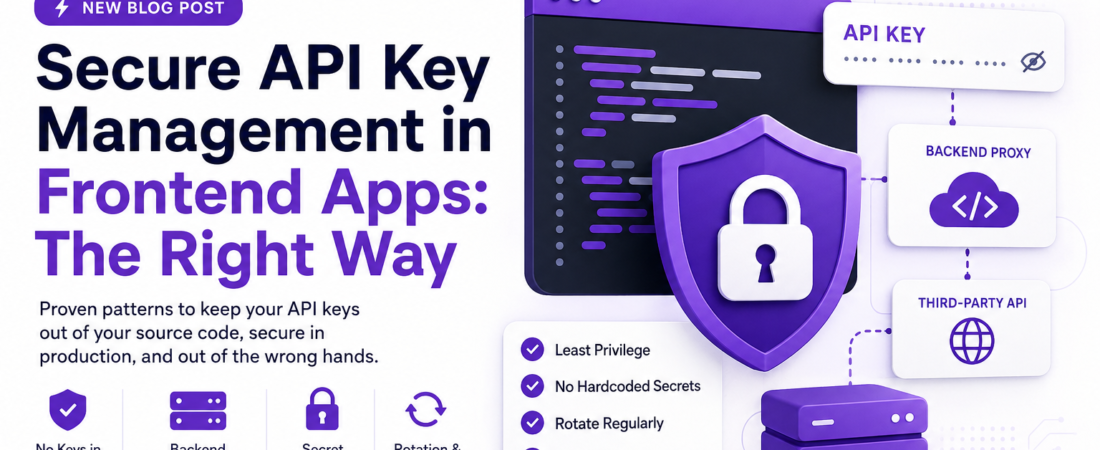
Meta description: I’ve seen too many leaked API keys in production. Here’s how I lock down frontend apps with proven patterns — no more keys in your source code, ever.
Last updated: May 25, 2025
A few years ago, I was reviewing a pull request from a junior dev on my team. The code looked clean. The feature worked. And buried inside a utility file, sitting completely exposed, was a live Stripe secret key — hard-coded directly into a React component. It was already in the commit history. We had to rotate it, audit our logs, and explain to our client why their billing key had been exposed. That incident cost us hours of damage control and a lot of embarrassment. The scary part? I’ve seen this exact mistake hundreds of times since then, across codebases of every size. This article is what I wish I had shared with that developer before it happened.
TL;DR
- Never store API keys in frontend source code — they are always visible to anyone who opens DevTools.
- Use a backend proxy layer (serverless function or dedicated API route) to make authenticated requests on behalf of the client.
- Rotate keys regularly, scope permissions to the minimum needed, and use environment variable management tools like Vault or your cloud provider’s secret manager.
Why API Key Leaks in Frontend Apps Are So Common
API key management is one of those problems that feels solved until it isn’t. The root cause is almost always convenience: a developer is prototyping, they paste a key into a .env file, ship it, and the pattern gets copied across the team.
What makes frontend apps uniquely dangerous is that there is no server-side boundary. Everything your JavaScript touches is eventually accessible to the end user — through DevTools, through the network tab, through bundle analysis tools like webpack-bundle-analyzer. Even variables prefixed with REACT_APP_ or VITE_ are compiled into your static bundle and served to every visitor.
I’ve audited codebases where teams believed their .env file was “secure” because it wasn’t committed to Git. The build artifact sitting on their CDN told a different story. The key was right there in plain text inside the minified bundle.
[SOURCE: https://owasp.org/www-project-top-ten/]
Prerequisites
Before implementing the patterns below, make sure you have:
- A basic understanding of REST APIs and HTTP request headers
- A backend runtime available — Node.js, Python, or access to serverless platforms (Vercel, AWS Lambda, Cloudflare Workers)
- Access to your cloud provider’s secret management service (AWS Secrets Manager, GCP Secret Manager, or Azure Key Vault)
- Your current
.envfile and a list of every key it contains
Step-by-Step: Locking Down Your API Keys
Step 1 — Audit Every Key in Your Current Frontend
Before you can fix the problem, you need to know its full scope. Run this command against your source directory to find any exposed secrets patterns:
grep -rn "sk_live\|api_key\|apiKey\|API_KEY\|Authorization.*Bearer" ./src --include="*.js" --include="*.ts" --include="*.jsx" --include="*.tsx"
Also scan your built output:
grep -o '"[A-Za-z0-9_\-]{20,}"' ./dist/assets/*.js | sort | uniq
I ran this on a legacy codebase last year and found four separate third-party keys embedded across three different files. Two of them were from APIs the team had stopped using entirely — but the keys were still active and never rotated.
Step 2 — Move All Authenticated Requests to a Backend Proxy
The single most impactful change you can make is creating a backend proxy that your frontend talks to, and that proxy handles all authenticated external API calls. The client never sees or needs the real key.
Here’s a minimal example using a Vercel serverless function (Next.js API route):
// pages/api/openai-proxy.js
export default async function handler(req, res) {
  if (req.method !== 'POST') {
    return res.status(405).json({ error: 'Method not allowed' });
  }

  const response = await fetch('https://api.openai.com/v1/chat/completions', {
    method: 'POST',
    headers: {
      'Authorization': `Bearer ${process.env.OPENAI_API_KEY}`,
      'Content-Type': 'application/json',
    },
    body: JSON.stringify(req.body),
  });

  const data = await response.json();
  res.status(response.status).json(data);
}
Your frontend now calls /api/openai-proxy — no key, no exposure. The environment variable OPENAI_API_KEY lives only on the server.
Security Note: This proxy pattern also lets you add rate limiting, input validation, and user authentication checks before the request ever reaches the third-party API. That layer of control is something you can never get if the client calls the external API directly.
Step 3 — Store Secrets in a Proper Secret Manager
Environment variables in a .env file are a start, but they’re not a solution for production. For anything customer-facing, I use AWS Secrets Manager or Vercel’s encrypted environment variable store.
Here’s how to retrieve a secret from AWS Secrets Manager in a Node.js function:
import { SecretsManagerClient, GetSecretValueCommand } from "@aws-sdk/client-secrets-manager";

const client = new SecretsManagerClient({ region: "us-east-1" });

async function getSecret(secretName) {
  const command = new GetSecretValueCommand({ SecretId: secretName });
  const response = await client.send(command);
  return JSON.parse(response.SecretString);
}

const secrets = await getSecret("prod/myapp/openai");
const apiKey = secrets.OPENAI_API_KEY;
This keeps your keys out of your codebase entirely, rotatable without a redeploy, and auditable through CloudTrail logs.
[SOURCE: https://docs.aws.amazon.com/secretsmanager/latest/userguide/intro.html]
Step 4 — Scope Every Key to the Minimum Required Permissions
One mistake I kept making early in my career was generating master keys out of convenience. Most APIs now support scoped tokens or restricted keys. Use them.
In practice, this means:
- Stripe: create a restricted key with only the permissions your app actually needs (e.g., read-only for customer data if you’re not creating charges)
- OpenAI: use project-level API keys introduced in 2024, which are scoped to a specific project and usage tier
- GitHub: use fine-grained personal access tokens that expire and target only the exact repositories needed
I enforce this through a simple checklist we run before any new integration: What is the minimum scope this key needs to do its job? Can it be read-only? Does it expire?
Step 5 — Implement Key Rotation and Monitoring
Static keys that never rotate are a liability. Even if a key isn’t leaked today, the longer it exists, the higher the risk. I set calendar reminders and, for critical integrations, automated rotation using AWS Lambda triggers.
At minimum, set up alerting for abnormal usage. Most API providers offer webhook alerts or dashboard notifications. For OpenAI, I set a hard usage limit in the billing dashboard the same day I create any new key.
For rotation in your CI/CD pipeline with GitHub Actions:
# .github/workflows/rotate-secrets.yml
name: Monthly Secret Rotation Reminder

on:
  schedule:
    - cron: '0 9 1 * *'  # First of every month at 9am UTC

jobs:
  notify:
    runs-on: ubuntu-latest
    steps:
      - name: Send Slack reminder
        run: |
          curl -X POST ${{ secrets.SLACK_WEBHOOK_URL }} \
            -H 'Content-type: application/json' \
            --data '{"text":"🔑 Monthly reminder: rotate all production API keys."}'
Real-World Tips I Use in Production
Use a .env.example file, never .env in version control. Commit the example with all keys blanked out. Run git rm --cached .env if the file was ever committed, then add .env* to your .gitignore.
Scan your git history. A key removed in a new commit is still visible in the history. Use git log -S "sk_live" to check. If you find one, use git filter-repo or BFG Repo Cleaner to purge it, then rotate the key immediately.
Add a pre-commit hook with gitleaks. This open-source tool scans for secrets before every commit:
brew install gitleaks
gitleaks protect --staged
I added this to our team’s setup script two years ago. It has caught at least six near-misses since.
[INTERNAL LINK: related article]
Common Errors and How I Fixed Them
Error: 401 Unauthorized after moving key to backend proxy This almost always means the environment variable isn’t being picked up by the serverless runtime. On Vercel, variables added after a deployment are only available after a redeploy. Run vercel env pull .env.local to sync them locally, then trigger a fresh deployment.
Error: CORS blocked when hitting your own proxy Your API route isn’t setting the right response headers. Add:
res.setHeader('Access-Control-Allow-Origin', 'https://yourdomain.com');
res.setHeader('Access-Control-Allow-Methods', 'POST, OPTIONS');
Never set Access-Control-Allow-Origin: * on a proxy that makes authenticated calls.
Error: Secret Manager timeout in Lambda cold starts The first call to AWS Secrets Manager on a cold Lambda start can add 300–500ms of latency. I cache the secret in module scope (outside the handler function) so it’s only fetched once per Lambda instance lifecycle.
FAQ
Q: Is it safe to use VITE_ or REACT_APP_ prefixed environment variables for API keys? A: No. These prefixes tell the bundler to expose those variables in the compiled output sent to the browser. They are suitable only for non-sensitive config like a public analytics ID or a Stripe publishable key — never for secret keys.
Q: What is the safest way to store API keys for a purely static frontend with no backend? A: If you have no backend at all, you need to add one — even a minimal serverless function. There is no safe way to authenticate against a third-party API from a static frontend without exposing credentials. Services like Cloudflare Workers or Vercel Edge Functions are free at low usage and take minutes to set up.
Q: How do I find out if my API key has already been leaked? A: Check your API provider’s usage logs for unexpected activity, search your full git history with git log -S "your_key_here", and scan your build artifacts. Tools like GitGuardian can also monitor your GitHub repos continuously for leaked secrets.
Q: Should I use a different API key for development and production? A: Always. Development keys should have restricted permissions, lower rate limits, and point to sandbox environments where available. This limits blast radius if a dev key leaks, and it prevents accidental charges or data writes to your production systems.
Q: What’s the difference between an API key and an OAuth token, and which is more secure? A: An API key is a static credential — if leaked, it works until revoked. An OAuth token is time-limited and scoped to a specific user session, making it inherently safer for user-facing flows. Wherever the API supports OAuth, prefer it over long-lived API keys.
Conclusion
Secure API key management isn’t glamorous work, but it’s the kind of thing that separates professional engineering from cowboy coding. The patterns here — proxy layer, secret manager, scoped keys, rotation — aren’t complex to implement. They become habits quickly, and they save you from the kind of 2am incident I described at the top of this post.
If this helped you find a gap in your current setup, share it with your team. One developer reading this could prevent a real breach.
About the Author
I’m a full-stack engineer with over nine years of experience building production applications in Node.js, React, and Python, with a heavy focus on API security and cloud infrastructure on AWS. I’ve led security audits for SaaS products handling millions of users and consult for teams building their first scalable backends. I write about the mistakes I’ve made and the patterns that actually work in the real world.