
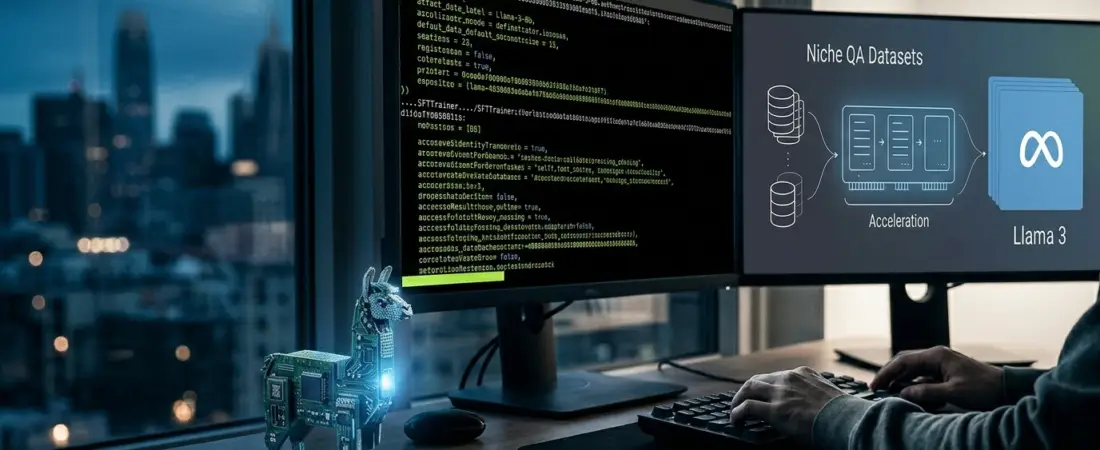
Fine-Tuning Llama 3 on a Single GPU: Stop Burning Cash and Start Building Niche AI
Let’s be real: generic GPT-4 is great at writing poems about pizza, but it’s often terrible at answering specific technical questions about your proprietary SaaS or niche hardware. When your customers start asking about “Error Code 402 on the legacy v3 firmware,” a general-purpose model usually hallucinates a generic (and wrong) answer.
You could throw $50k at a cluster of H100s, or you could do what the smart devs are doing: fine-tuning Llama 3 on a single consumer GPU.
If you’ve got a “niche” business, you don’t need a massive model that knows everything about the Roman Empire. You need a model that knows your docs, your tone, and your customers. Here’s how to get maximum bang for your buck without melting your motherboard.
The Hardware Reality: Can Your Rig Handle It?
Before we dive into the weights, let’s talk iron. You don’t need a server farm, but you can’t do this on an integrated graphics chip.
- The Gold Standard: An RTX 3090 or 4090. Why? The 24GB of vRAM. That vRAM overhead is the difference between a successful training run and the dreaded
OutOfMemoryError. - The Budget Play: An RTX 3080 (12GB). It’s tight, but with heavy quantization (down to 4-bit), you can make it work.
- The Cloud Alternative: If you’re on a MacBook, just rent an A6000 or an A10G on Lambda Labs or RunPod for less than a buck an hour.
Key Takeaway: vRAM is your most precious resource. Every gigabyte matters when you’re loading Llama 3’s 8B parameters plus your gradients.
The Stack: Unsloth, PEFT, and QLoRA
If you try to fine-tune Llama 3 using vanilla PyTorch, you’re going to have a bad time. The “secret sauce” for single-GPU efficiency is a combination of three things:
- Unsloth: This is currently the GOAT for local fine-tuning. It makes training 2x faster and uses 70% less memory than the standard Hugging Face stack.
- QLoRA (Quantized Low-Rank Adaptation): Instead of updating all billions of parameters, QLoRA freezes the main weights and only trains a tiny “adapter” layer. It’s like surgery with a scalpel instead of a sledgehammer.
- Hugging Face TRL: The “Transformer Reinforcement Learning” library handles the heavy lifting of the training loop.
The Secret Sauce: Your Dataset
Your model is only as good as the data you feed it. For niche customer support, you need high-quality QA pairs. Don’t just dump your Zendesk history into a JSON file; you’ll just teach the AI to be as frustrated as your previous support agents.
- Format: Use the Alpaca or ChatML format.
- Quality over Quantity: 500 hand-curated, perfect examples of “Problem -> Solution” are better than 10,000 messy chat logs.
- Tone Injection: Include your brand’s specific “voice.” If you’re a “we say ‘Howdy’” company, make sure the training data reflects that.
The Code Snippet (The “How-To”)
Here is the high-level flow you’ll use in your Jupyter Notebook.
Python
# Placeholder for implementation
from unsloth import FastLanguageModel
import torch

# 1. Load Model and Tokenizer (4-bit quantization)
model, tokenizer = FastLanguageModel.from_pretrained(
    model_name = "unsloth/llama-3-8b-bnb-4bit",
    max_seq_length = 2048,
    load_in_4bit = True,
)

# 2. Add LoRA Adapters
model = FastLanguageModel.get_peft_model(
    model,
    r = 16, # Rank
    target_modules = ["q_proj", "k_proj", "v_proj", "o_proj"],
    lora_alpha = 16,
    lora_dropout = 0,
)

# 3. Kick off the SFTTrainer (Supervised Fine-Tuning)
# [Insert your training loop here]
Measuring Success (Is It Actually Better?)
Don’t just look at the loss curve. A declining loss curve just means the model is getting better at predicting the next word in your dataset; it doesn’t mean it’s actually helpful.
- The “Vibe Check”: Run the same 10 “hard” customer questions through the base Llama 3 and your fine-tuned version.
- Benchmarking: Use a small “eval” set that the model didn’t see during training. If it can answer a question it hasn’t “memorized” using your niche logic, you’ve won.
Your Turn
Fine-tuning Llama 3 on a single GPU isn’t just about saving money—it’s about data sovereignty and building a tool that actually understands your business. You don’t need a PhD; you just need a decent GPU and a clean dataset.
Have you hit a vRAM wall yet? Drop a comment or let us know what you’re building.
Hungry for more down-to-earth AI tutorials?Subscribe to the SmartScript Newsletterfor weekly deep dives into the stack, without the corporate fluff.