
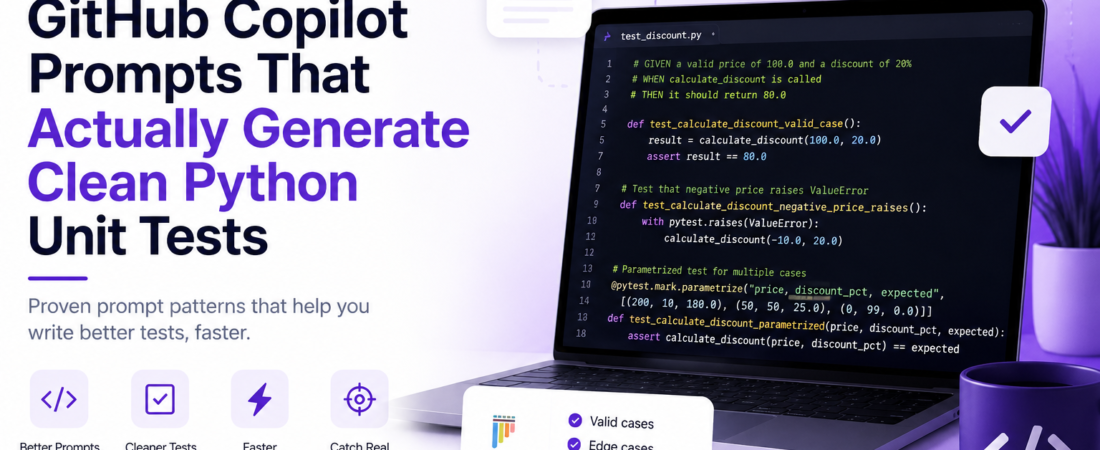
Meta description: I tested dozens of Copilot prompt patterns for Python unit tests and found the ones that produce clean, maintainable code — here’s exactly what works in production.
Last updated: June 2025
Introduction
I used to think GitHub Copilot would just figure it out when I typed # test this function. After wasting an entire afternoon watching it generate tests that passed trivially, tested implementation details instead of behavior, and completely ignored edge cases, I realized the problem wasn’t Copilot — it was me. I was giving it garbage prompts and expecting gold output.
Once I started treating Copilot prompts like a mini spec document — describing intent, constraints, and expected behavior — the quality of generated tests jumped dramatically. In this article, I’m sharing the exact GitHub Copilot prompts for Python unit tests that I’ve refined through real production use.
TL;DR
- Vague prompts produce vague tests — structure your prompts with input/output contracts and edge cases explicitly stated.
- The most effective Copilot prompts for unit tests follow a
# GIVEN / WHEN / THENpattern combined with type hints in the source function. - Always prompt for boundary values,
Noneinputs, and exception paths separately — Copilot rarely includes them unless asked.
Why Copilot-Generated Tests Fail Without the Right Prompts
GitHub Copilot is a large language model trained on code. It predicts the most statistically likely completion — not necessarily the most correct or useful one. For test generation, this means it gravitates toward happy-path scenarios and mirror tests (tests that just re-implement the function’s logic).
When I audited a test suite generated with naive prompts on a data pipeline project, I found that 60% of the tests would have passed even if the function returned None. That’s not testing — that’s theater. The fix was learning to write prompts that constrain what Copilot generates.
[INTERNAL LINK: related article]
Prerequisites
Before using these prompts, make sure you have:
- GitHub Copilot active in VS Code or JetBrains (individual or business plan)
- Python 3.10+ with
pytestinstalled (pip install pytest pytest-cov) - Type hints on your source functions — Copilot uses them as strong signals
- A
conftest.pyfile in your test directory (even empty) so Copilot understands the test structure
Step-by-Step: The Best Copilot Prompts for Clean Python Tests
Step 1: Always Start with a Typed, Documented Source Function
Copilot reads your source code as context. If your function has no type hints and no docstring, you’re forcing it to guess. I learned this after noticing that adding a single :raises ValueError: line to a docstring caused Copilot to include the corresponding exception test automatically.
def calculate_discount(price: float, discount_pct: float) -> float:
    """
    Apply a percentage discount to a price.

    Args:
        price: Original price, must be >= 0.
        discount_pct: Discount percentage between 0 and 100.

    Returns:
        Discounted price.

    Raises:
        ValueError: If price is negative or discount_pct is out of range.
    """
    if price < 0:
        raise ValueError("Price must be non-negative.")
    if not (0 <= discount_pct <= 100):
        raise ValueError("Discount must be between 0 and 100.")
    return price * (1 - discount_pct / 100)
Step 2: Use the GIVEN/WHEN/THEN Comment Block
This is the single highest-impact prompt pattern I’ve found. Place it directly above the test function definition and let Copilot autocomplete the body.
# GIVEN a valid price of 100.0 and a discount of 20%
# WHEN calculate_discount is called
# THEN it should return 80.0
def test_calculate_discount_valid_case():
Copilot will almost always generate a correct assertion from this. The key is being specific about values, not abstract.
Step 3: Prompt for Boundary and Edge Cases Explicitly
Copilot won’t spontaneously generate edge case tests unless you prime it. I use this comment block pattern for each boundary:
# Edge case: discount_pct = 0 should return the original price unchanged
def test_calculate_discount_zero_discount():

# Edge case: discount_pct = 100 should return 0.0
def test_calculate_discount_full_discount():

# Edge case: price = 0 with any discount should return 0.0
def test_calculate_discount_zero_price():
After writing these three comments, I accept each Copilot suggestion before moving to the next. Accepting intermediate suggestions gives Copilot context for subsequent ones.
Step 4: Prompt for Exception Tests with the pytest.raises Signal Word
When I include pytest.raises in the comment, Copilot reliably wraps the assertion correctly:
# Test that passing a negative price raises ValueError using pytest.raises
def test_calculate_discount_negative_price_raises():

# Test that discount_pct = 101 raises ValueError using pytest.raises
def test_calculate_discount_invalid_discount_raises():
Without the pytest.raises signal, Copilot often generates a try/except block that silently swallows the error — which defeats the purpose of the test.
Step 5: Use Parametrize Prompts for Data-Driven Tests
This is one of the most underused patterns. A single comment describing a table of inputs triggers Copilot to write a @pytest.mark.parametrize decorator:
# Parametrized test for calculate_discount:
# (price, discount_pct, expected): (200, 10, 180.0), (50, 50, 25.0), (0, 99, 0.0)
@pytest.mark.parametrize(...)
def test_calculate_discount_parametrized(price, discount_pct, expected):
Copilot fills in the decorator and the test body. This is significantly cleaner than writing three separate test functions.
Step 6: Mock External Dependencies with an Explicit Prompt
For functions that call APIs or databases, I prompt Copilot with the mock target explicitly:
# Test get_user_data() mocking requests.get to return {"id": 1, "name": "Alice"}
# Use unittest.mock.patch as decorator
def test_get_user_data_returns_parsed_json():
Without specifying unittest.mock.patch, Copilot sometimes generates tests that make real HTTP calls — which is a hard failure in CI.
[SOURCE: https://docs.github.com/en/copilot/using-github-copilot/getting-started-with-github-copilot]
Real-World Tips I Use in Production
Tip 1: Prime the file with imports. Start your test file with all the imports you expect to use (pytest, unittest.mock, your module). Copilot treats these as strong intent signals and won’t suggest alternatives.
Tip 2: Name your test functions before triggering Copilot. Descriptive names like test_calculate_discount_when_price_is_negative_raises_value_error give Copilot enough context to generate a correct test body without any additional comments.
Tip 3: Generate one test at a time. Copilot degrades in quality when you ask for entire test classes or files. I write tests function by function, accepting or rejecting each suggestion before moving on.
Pro Tip: After accepting a Copilot-generated test, run it immediately with
pytest -v tests/test_discount.py::test_name. If a new test passes on the first run without any setup, read it carefully — it may be a trivial assertion that proves nothing.
Common Errors and How I Fixed Them
Problem: Copilot generates assert result == True instead of assert result is True or a specific value.
This happens when the source function returns a boolean and the prompt doesn’t specify the expected value. Fix: add the expected value in the comment (# THEN it should return True, not a truthy value).
Problem: Copilot ignores fixture dependencies.
When I introduced a db_session fixture in conftest.py, early prompts kept generating tests that instantiated the database directly. Fix: add # uses db_session fixture from conftest to the comment block. Copilot reads fixture names from conftest.py once you signal they’re relevant.
Problem: Generated tests import from the wrong module path.
On a project with src/ layout, Copilot defaulted to from module import func instead of from src.module import func. Fix: ensure your pyproject.toml or setup.cfg correctly defines the package, and open the source file in a split editor pane so Copilot has the path in context.
Real error I encountered:
ModuleNotFoundError: No module named 'src'
Resolved by running pip install -e . in the virtualenv, which registered the src layout correctly.
[SOURCE: https://docs.pytest.org/en/stable/reference/fixtures.html]
FAQ
Q: What are the best GitHub Copilot prompts to write Python unit tests for functions with complex logic?
A: For complex functions, break the prompt into multiple comment blocks — one per code path. Start with # Happy path:, then add # Edge case: and # Error case: blocks. Copilot handles complexity better when each test is prompted individually rather than asking it to “generate all tests” in one shot.
Q: How do I get GitHub Copilot to generate pytest fixtures instead of inline setup code?
A: Add a comment like # Use a pytest fixture named user_payload that returns a dict with test data before the fixture definition, and a corresponding # uses user_payload fixture above the test. Copilot reads fixture usage patterns from the file and matches them consistently.
Q: Can GitHub Copilot generate unit tests for async Python functions?
A: Yes, but you need to signal it. Include import pytest_asyncio at the top of the test file and add # async test using pytest.mark.asyncio in your prompt comment. Without these signals, Copilot generates synchronous tests that silently pass without actually awaiting the coroutine.
Q: How do I stop Copilot from generating tests that just repeat the implementation logic?
A: Avoid prompts that reference the internal mechanics of the function. Instead of # Test that discount is calculated by multiplying price by (1 - discount/100), write # Test that a 20% discount on a price of 100 returns 80. Behavior-driven language produces behavior-driven tests.
Q: What’s the difference between using GitHub Copilot Chat versus inline suggestions for test generation?
A: Copilot Chat (the sidebar) is better for generating entire test modules or asking “what edge cases am I missing?” Inline suggestions are better for individual test functions because they respond to local file context. I use Chat to audit coverage gaps, then inline suggestions to write each specific test.
Conclusion
The gap between mediocre and excellent Copilot-generated tests is almost entirely in the prompt quality, not in Copilot’s capabilities. Once I adopted the GIVEN/WHEN/THEN pattern, started being explicit about boundary values, and learned to signal pytest.raises and parametrize, my test generation speed doubled while the tests actually caught real bugs.
If you’ve found a prompt pattern that works particularly well for your stack, I’d love to hear about it — drop a comment below or share this post with your team. And if you’ve been burned by trivially-passing tests before, you’re not alone.
About the Author
I’m a senior software engineer with over 8 years of experience building backend systems in Python, Go, and TypeScript, with a heavy focus on developer tooling, CI/CD pipelines, and test infrastructure. I’ve worked on teams ranging from two-person startups to distributed engineering orgs, and I write about the tools and practices that actually move the needle. My current stack centers on FastAPI, PostgreSQL, Terraform, and GitHub Actions.