
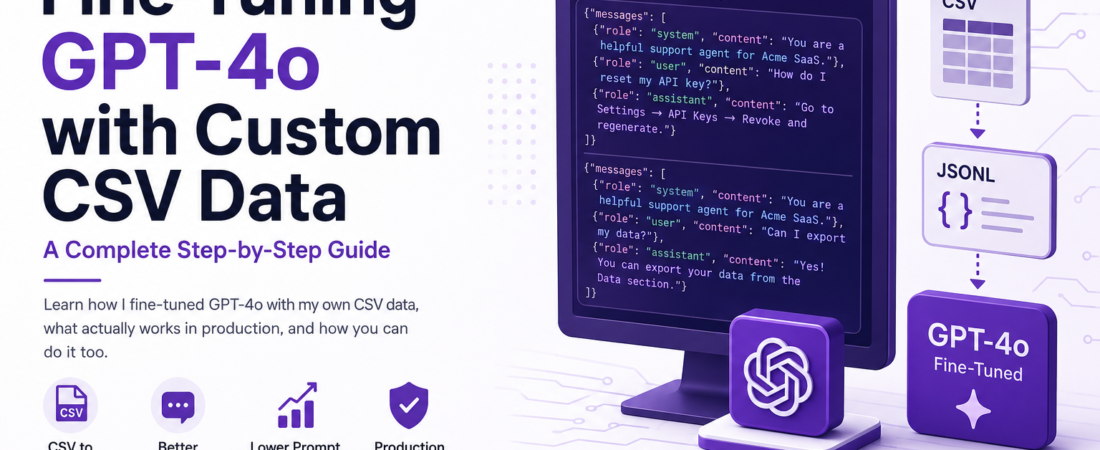
Meta description: I fine-tuned GPT-4o using my own CSV data and learned what actually works in production — here’s the complete step-by-step guide I wish I’d had from day one.
Last updated: June 2026
The Problem I Hit Before I Knew Fine-Tuning Existed
Fine-tuning GPT-4o with custom CSV data solved a problem I couldn’t fix with prompts alone. A few months ago I was building a customer support bot for a SaaS product. The base GPT-4o model was smart, but it kept giving generic answers that didn’t match our product’s tone, terminology, or edge cases. I threw increasingly complex system prompts at it. Nothing worked well enough. Then I discovered fine-tuning GPT-4o with custom data — and it changed the entire project.
If you’re in a similar spot — your prompts are getting bloated, responses feel off-brand, or the model just doesn’t “know” your domain — this guide is exactly what you need.
TL;DR
- Fine-tuning GPT-4o lets you bake domain knowledge and tone directly into the model weights, reducing reliance on large system prompts.
- Your training data must be in JSONL format (not raw CSV) — the CSV-to-JSONL conversion step is where most people get stuck.
- OpenAI charges per training token and per inference token on the fine-tuned model, so data quality beats data quantity every time.
Why Fine-Tuning GPT-4o Actually Matters
Fine-tuning is the process of continuing a pre-trained model’s training on your own dataset, so it learns patterns, vocabulary, and response styles specific to your use case.
With GPT-4o, fine-tuning is particularly powerful because you’re starting from an already-capable base. You’re not teaching it English or reasoning — you’re teaching it your English and your reasoning patterns.
In my experience, fine-tuning GPT-4o with custom data is the right choice when:
- You need consistent output formatting the model keeps getting wrong.
- You have domain-specific terminology or abbreviations not in the base model.
- You want to reduce prompt length (and cost) at inference time.
- Your RAG pipeline isn’t enough because the issue is style, not knowledge retrieval.
[INTERNAL LINK: related article on prompt engineering for GPT-4o]
Prerequisites
Before you start, make sure you have:
- An OpenAI API key with fine-tuning access enabled ([SOURCE: https://platform.openai.com/docs/guides/fine-tuning])
- Python 3.9+ with
openaiSDK v1.x installed (pip install openai>=1.0.0) - A CSV file with at least 50–100 high-quality examples (OpenAI recommends 50 minimum, but I found 200+ gives noticeably better results)
- Basic familiarity with
pandasfor data wrangling
How to Fine-Tune GPT-4o Step by Step with Your CSV
Step 1: Understand the Required JSONL Format
OpenAI’s fine-tuning API does not accept CSV directly. You need to convert your data to JSONL (JSON Lines), where each line is a complete training conversation.
Each line must follow this structure:
json
{"messages": [
  {"role": "system", "content": "You are a helpful support agent for Acme SaaS."},
  {"role": "user", "content": "How do I reset my API key?"},
  {"role": "assistant", "content": "Go to Settings → API Keys → Revoke and regenerate."}
]}
Every example needs at minimum a user turn and an assistant turn. The system message is optional but highly recommended — it sets the persona for every training example.
Step 2: Prepare Your CSV
Your CSV should have columns that map to the conversation structure. The most common layout I use:
user_message, assistant_response, system_promptIf you only have input/output pairs without a system column, you’ll inject a fixed system prompt at conversion time. That’s perfectly fine.
Example CSV (training_data.csv):
user_message,assistant_response
"How do I cancel my subscription?","You can cancel from the Billing section under Account Settings. Changes take effect at the end of your billing period."
"Is there a free trial?","Yes — we offer a 14-day free trial with full feature access. No credit card required."
Pro Tip: Aim for consistency in your assistant responses. Fine-tuning amplifies whatever patterns exist in your data. If half your answers end with a period and half don’t, the model learns that inconsistency.
Step 3: Convert CSV to JSONL with Python
python
import pandas as pd
import json

SYSTEM_PROMPT = "You are a helpful customer support agent for Acme SaaS. Be concise and accurate."

df = pd.read_csv("training_data.csv")
output_lines = []

for _, row in df.iterrows():
    example = {
        "messages": [
            {"role": "system", "content": SYSTEM_PROMPT},
            {"role": "user", "content": str(row["user_message"]).strip()},
            {"role": "assistant", "content": str(row["assistant_response"]).strip()}
        ]
    }
    output_lines.append(json.dumps(example))

with open("training_data.jsonl", "w") as f:
    f.write("\n".join(output_lines))

print(f"Converted {len(output_lines)} examples.")
Run it:
bash
python convert_csv_to_jsonl.py
# Output: Converted 214 examples.
Step 4: Validate Your JSONL File
Before uploading, use OpenAI’s official validation script to catch format errors early. I learned this the hard way after uploading a malformed file and getting a cryptic 400 error back.
python
import json

with open("training_data.jsonl", "r") as f:
    for i, line in enumerate(f):
        try:
            obj = json.loads(line)
            assert "messages" in obj
            for msg in obj["messages"]:
                assert "role" in msg and "content" in msg
        except Exception as e:
            print(f"Line {i+1} error: {e}")
            break
else:
    print("All lines valid.")
Common error I hit: trailing whitespace or BOM characters from Excel-exported CSVs causing json.JSONDecodeError. Fix it with line.strip() before json.loads().
Step 5: Upload the Training File
python
from openai import OpenAI

client = OpenAI()  # reads OPENAI_API_KEY from env

with open("training_data.jsonl", "rb") as f:
    response = client.files.create(file=f, purpose="fine-tune")

file_id = response.id
print(f"Uploaded file ID: {file_id}")
# Output: Uploaded file ID: file-abc123xyz
Step 6: Start the Fine-Tuning Job
python
job = client.fine_tuning.jobs.create(
    training_file=file_id,
    model="gpt-4o-2024-08-06",  # use the specific snapshot, not "gpt-4o"
    hyperparameters={
        "n_epochs": 3  # 3 is OpenAI's default; I rarely go above 4
    }
)

print(f"Job ID: {job.id}")
print(f"Status: {job.status}")
Training typically takes 15–60 minutes depending on dataset size. You can poll status:
python
job_status = client.fine_tuning.jobs.retrieve(job.id)
print(job_status.status)  # "running", "succeeded", "failed"
Step 7: Test Your Fine-Tuned Model
Once status is succeeded, grab the fine-tuned model ID:
python
job_status = client.fine_tuning.jobs.retrieve(job.id)
fine_tuned_model = job_status.fine_tuned_model
# e.g. "ft:gpt-4o-2024-08-06:my-org:acme-support:abc123"

response = client.chat.completions.create(
    model=fine_tuned_model,
    messages=[
        {"role": "system", "content": "You are a helpful support agent for Acme SaaS."},
        {"role": "user", "content": "Can I export my data?"}
    ]
)
print(response.choices[0].message.content)
Real-World Tips I Use in Production
Data quality over quantity. I deleted 40% of my initial dataset because the assistant responses were inconsistent or too long. After cleanup, model quality improved more than adding 100 new examples did.
Use a validation split. Pass a validation_file parameter alongside training_file so OpenAI reports training vs. validation loss. A widening gap means overfitting.
Pin the model snapshot. Always specify gpt-4o-2024-08-06 (or whichever dated version supports fine-tuning), never the alias gpt-4o. Aliases can change, and your fine-tuned model is tied to the specific snapshot.
Cost estimation before you start. Use OpenAI’s tokenizer to count tokens in your JSONL file before uploading. Training cost = tokens × epochs × rate. 200 examples × 3 epochs at ~$0.025/1K tokens adds up fast.
[SOURCE: https://platform.openai.com/docs/guides/fine-tuning/preparing-your-dataset]
What Can Go Wrong When Fine-Tuning GPT-4o — and How I Fixed It
Error: Invalid file format — Almost always an encoding issue from Excel. Re-export your CSV with UTF-8 encoding explicitly, or add encoding="utf-8-sig" to your pd.read_csv() call.
Error: Training job failed with no clear reason — Check for empty strings in your assistant responses. An empty content field will silently break the job. Add a filter: df = df[df["assistant_response"].str.len() > 0].
Model repeating the same phrase — This is a sign of low diversity in your training data. If 80% of your responses start with “Sure!”, the fine-tuned model will too. Diversify your response openings.
FAQ
Q: What is the minimum number of examples needed to fine-tune GPT-4o? A: OpenAI requires a minimum of 10 examples, but in practice I’ve found that fewer than 50 produces underwhelming results. For production use cases, I recommend at least 100–200 high-quality, diverse examples to see meaningful behavior changes.
Q: Can I fine-tune GPT-4o with a CSV file directly without converting it? A: No. The OpenAI fine-tuning API only accepts JSONL files in the chat-completion message format. You must convert your CSV to JSONL first, mapping each row to a user/assistant message pair as shown in Step 3 above.
Q: How much does it cost to fine-tune GPT-4o with custom data? A: As of mid-2025, fine-tuning GPT-4o is priced per training token multiplied by number of epochs. Inference on a fine-tuned model is also more expensive than the base model. Always calculate your token count before starting a job to avoid surprise bills.
Q: How do I prevent overfitting when fine-tuning GPT-4o? A: Use 3 epochs or fewer, provide a validation file so you can monitor validation loss, and ensure your training data is diverse. If validation loss starts rising while training loss keeps falling, you’re overfitting — reduce epochs or add more varied examples.
Q: How long does a GPT-4o fine-tuning job take to complete? A: In my experience, a dataset of 200 examples with 3 epochs takes roughly 20–40 minutes. Larger datasets (1,000+ examples) can take over an hour. You’ll receive an email from OpenAI when the job completes.
Conclusion
Fine-tuning GPT-4o with your own CSV data is one of the highest-leverage investments you can make if you’re building a domain-specific AI feature. The CSV-to-JSONL conversion step trips up most people — get that right and the rest follows naturally.
About the Author
I’m a software engineer with over 8 years of experience building backend systems and AI-powered applications in Python and Node.js. I’ve shipped production fine-tuned models for SaaS products in customer support, legal document review, and developer tooling. When I’m not wrangling LLM pipelines, I write about practical AI engineering on SpiritCode.