
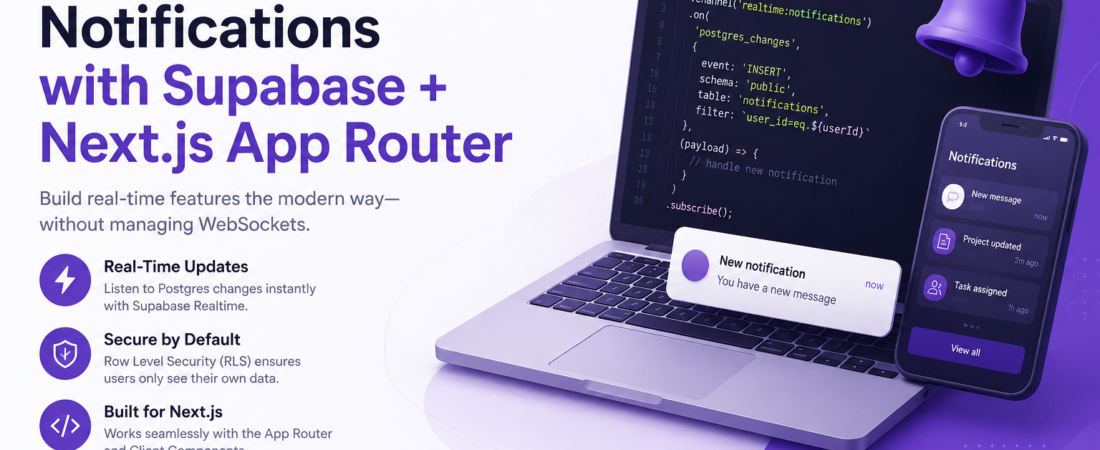
Meta descriptionLearn how to build real-time notifications in Next.js App Router using Supabase Realtime — no WebSocket server needed. Step-by-step guide with production tips.
Last updated: June 2026
Introduction: The Notification Nightmare I Walked Into
I was three weeks into a SaaS project when the product team dropped the classic request: “We need real-time notifications in Next.js — like, when something happens on the backend, the user sees it instantly.” My first instinct was to spin up a WebSocket server, wire it to Redis Pub/Sub, and call it a day. Then I remembered I was already using Supabase for auth and the database. I decided to dig into Supabase Realtime — and honestly, I wish I’d started there.
It turns out Supabase has a built-in Postgres Changes listener that works over a long-lived HTTP connection using Server-Sent Events under the hood. No separate WebSocket server, no extra infrastructure, no headache. Here’s everything I learned building this in production.
TL;DR
- Supabase Realtime lets you subscribe to Postgres row-level changes (INSERT, UPDATE, DELETE) without managing WebSockets manually.
- In Next.js App Router, the subscription lives in a Client Component — not a Server Component.
- You do not need the
supabase-jsrealtime channel to be authenticated separately; it inherits the session from your Supabase client.
Why Real-Time Notifications Without WebSockets Actually Work
WebSockets are powerful but operationally expensive. You need sticky sessions or a message broker (like Redis), and scaling is non-trivial. Supabase Realtime sidesteps this by using its own managed infrastructure — built on the Elixir Phoenix framework — and exposing it through a simple JavaScript SDK.
The key feature I used is Postgres Changes, which reacts to changes in your database tables. For real-time notifications, this is a perfect fit: when a row is inserted into a notifications table, the subscribed client gets the payload instantly.
With this approach, you’re not managing transport — you’re just listening to your database. That mental shift makes the whole system easier to reason about.
Prerequisites
Before following this guide, make sure you have:
- A Supabase project with Row Level Security (RLS) enabled
- Next.js 14+ with the App Router (
/appdirectory) @supabase/ssrv0.4+ installed (not the legacy@supabase/auth-helpers-nextjs)- Node.js 20+
bash
npm install @supabase/supabase-js @supabase/ssrStep-by-Step Implementation
Step 1: Create the Notifications Table in Supabase
First, I created a notifications table directly in the Supabase SQL editor:
sql
CREATE TABLE notifications (
  id UUID PRIMARY KEY DEFAULT gen_random_uuid(),
  user_id UUID NOT NULL REFERENCES auth.users(id) ON DELETE CASCADE,
  message TEXT NOT NULL,
  is_read BOOLEAN DEFAULT FALSE,
  created_at TIMESTAMPTZ DEFAULT NOW()
);

-- Enable RLS
ALTER TABLE notifications ENABLE ROW LEVEL SECURITY;

-- Policy: users can only read their own notifications
CREATE POLICY "Users read own notifications"
  ON notifications FOR SELECT
  USING (auth.uid() = user_id);
The RLS policy is critical here. Without it, any authenticated user would receive all notifications — a serious data leak.
Step 2: Set Up the Supabase Client for the Browser
In the App Router, you need a browser client (for Client Components) and a server client (for Server Components/Route Handlers). For Realtime, only the browser client matters.
ts
// lib/supabase/client.ts
import { createBrowserClient } from "@supabase/ssr";

export function createClient() {
  return createBrowserClient(
    process.env.NEXT_PUBLIC_SUPABASE_URL!,
    process.env.NEXT_PUBLIC_SUPABASE_ANON_KEY!
  );
}
Security Note: Never expose your
service_rolekey to the browser. Theanonkey is safe because RLS policies enforce access control at the database level. Always double-check your RLS policies before going to production.
Step 3: Create the Realtime Subscription in a Client Component
This is where the magic happens. In Next.js App Router, Realtime subscriptions must be in a Client Component — Server Components don’t have lifecycle hooks like useEffect.
tsx
// components/NotificationBell.tsx
"use client";

import { useEffect, useState } from "react";
import { createClient } from "@/lib/supabase/client";

type Notification = {
  id: string;
  message: string;
  is_read: boolean;
  created_at: string;
};

export function NotificationBell() {
  const [notifications, setNotifications] = useState<Notification[]>([]);
  const supabase = createClient();

  useEffect(() => {
    // Fetch existing unread notifications on mount
    const fetchInitial = async () => {
      const { data } = await supabase
        .from("notifications")
        .select("*")
        .eq("is_read", false)
        .order("created_at", { ascending: false });

      if (data) setNotifications(data);
    };

    fetchInitial();

    // Subscribe to new INSERT events
    const channel = supabase
      .channel("realtime:notifications")
      .on(
        "postgres_changes",
        {
          event: "INSERT",
          schema: "public",
          table: "notifications",
          filter: `user_id=eq.${supabase.auth.getUser()}`,
        },
        (payload) => {
          setNotifications((prev) => [
            payload.new as Notification,
            ...prev,
          ]);
        }
      )
      .subscribe();

    return () => {
      supabase.removeChannel(channel);
    };
  }, []);

  return (
    <div>
      <span>🔔 {notifications.length}</span>
      {/* render list */}
    </div>
  );
}
Important: Always clean up the channel in the
useEffectreturn function. I initially forgot this and ended up with duplicate notifications appearing after client-side navigation — the old subscription never died.
Step 4: Fix the User ID Filter (The Gotcha I Hit)
When I first ran this, the filter wasn’t working — I was getting all notifications, not just the logged-in user’s. The problem: supabase.auth.getUser() is async, but I was calling it inline without awaiting.
Here’s the fixed approach:
tsx
useEffect(() => {
  let channel: ReturnType<typeof supabase.channel>;

  const setup = async () => {
    const {
      data: { user },
    } = await supabase.auth.getUser();

    if (!user) return;

    channel = supabase
      .channel("realtime:notifications")
      .on(
        "postgres_changes",
        {
          event: "INSERT",
          schema: "public",
          table: "notifications",
          filter: `user_id=eq.${user.id}`, // ✅ correctly awaited
        },
        (payload) => {
          setNotifications((prev) => [payload.new as Notification, ...prev]);
        }
      )
      .subscribe();
  };

  setup();

  return () => {
    if (channel) supabase.removeChannel(channel);
  };
}, []);
This was a subtle but critical bug. The error manifested silently — no console error, just wrong data.
Step 5: Enable Realtime for the Table in the Supabase Dashboard
By default, Postgres Changes are not enabled for tables in Supabase. Go to your Supabase project → Table Editor → notifications → Enable Realtime toggle. Or run this SQL:
sql
ALTER PUBLICATION supabase_realtime ADD TABLE notifications;I missed this on my first deploy to staging and spent 45 minutes wondering why no events were firing.
How Does Supabase Realtime Perform in a Production Next.js App?
Before shipping, I had two performance concerns: connection overhead and message volume under load. Here’s what I found in practice.
Debounce rapid updates. If many rows insert at once (e.g., a bulk job), you’ll get many state updates. I use a ref-based debounce to batch them into a single render cycle.
Toast notifications. I pipe the incoming payload into a toast library (like sonner) inside the subscription callback. It gives users a visual pop without them having to watch the bell icon.
Mark as read with an optimistic update. When the user clicks a notification, I update is_read = true in state immediately, then fire the Supabase update in the background. This keeps the UI snappy.
Common Errors and How I Fixed Them
Error: "supabase_realtime" publication does not exist
This happens when your Supabase project was created before Realtime was introduced. Run CREATE PUBLICATION supabase_realtime; and then add your table.
Error: Subscription fires but payload is empty ({}) on UPDATE
By default, Supabase Realtime only sends the new row on INSERT. For UPDATE events, you need to set REPLICA IDENTITY FULL on the table:
sql
ALTER TABLE notifications REPLICA IDENTITY FULL;Error: Duplicate notifications after navigation
You forgot to remove the channel in the useEffect cleanup. Always return () => supabase.removeChannel(channel).
FAQ
Q: How do I implement real-time notifications in Next.js App Router without WebSockets?
A: Use Supabase Realtime’s postgres_changes subscription inside a Client Component with useEffect. The SDK handles the connection protocol internally — you don’t need to manage WebSockets yourself.
Q: Can I use Supabase Realtime with Next.js Server Components?
A: No. Server Components are rendered once on the server and don’t support stateful subscriptions. The Realtime channel must live in a Client Component ("use client") using useEffect.
Q: Is Supabase Realtime secure for multi-tenant applications?
A: Yes, as long as you have RLS policies enabled. The filter parameter on the subscription adds a server-side filter, but RLS is your true security boundary — always enable it.
Q: What is the connection limit for Supabase Realtime on the free tier?
A: As of 2025, the free tier supports up to 200 concurrent Realtime connections. For production apps with many users, upgrade to the Pro plan or implement connection pooling by sharing a single channel.
Q: How do I handle Supabase Realtime disconnects and reconnections in Next.js?
A: The supabase-js client automatically attempts to reconnect. You can listen to channel status changes with .on("system", {}, (status) => { ... }) to show a “reconnecting” UI state.
Conclusion
Real-time notifications in Next.js don’t have to mean a new infrastructure layer. With Supabase Realtime and the Next.js App Router, I had a production-ready notification system running in under two hours — no WebSocket server, no Redis, no separate broker. The biggest gotcha was the async getUser() call and remembering to enable the Realtime publication on the table.
If this helped you, drop a comment below or share it with a teammate drowning in WebSocket configs. I’d love to hear how you’re using Supabase Realtime in your stack.
About the Author
I’m a full-stack engineer with 9 years of experience building production web applications, primarily with Next.js, TypeScript, and PostgreSQL. I’ve shipped SaaS products used by thousands of daily active users and I write about the practical lessons I learn in real codebases — not toy examples. My current stack includes Next.js 14, Supabase, Tailwind CSS, and Vercel.