
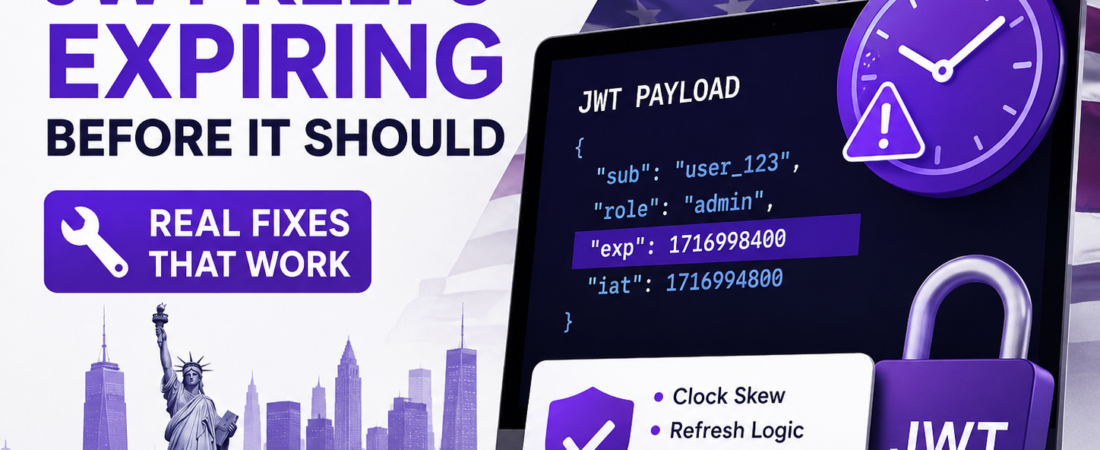
Meta Description: Your JWT is expiring way before its exp claim says it should. Here’s why that happens and how I fixed it across clock skew, refresh logic, and clients.
I once spent an entire afternoon convinced our auth service had a bug, because users were getting logged out roughly eight minutes into a session that was supposed to last an hour. I checked the expiresIn config a dozen times. It said 1h. It was right there. And yet.
The bug wasn’t in the exp claim at all — it was clock drift between two servers in a load-balanced cluster, one of which had somehow fallen four minutes behind. Combined with a slightly aggressive expiration check on the client, that was enough to make tokens look expired way earlier than they actually were.
If your JWTs are dying early, in my experience the cause is almost never “the library is broken.” It’s nearly always one of a handful of specific, checkable things. Let’s go through them in the order I’d actually debug this myself.
First: Confirm What “Expiring Early” Actually Means
Before touching any code, decode the token and look at the actual exp claim. Don’t guess — verify.
# Quick decode without verifying the signature (for debugging only)
echo "<your.jwt.token>" | cut -d '.' -f2 | base64 -d | jq
Or just paste it into jwt.io and look at the payload. You’re checking one thing: does the exp value, converted to a human-readable date, match what you expect?
// exp is a Unix timestamp in SECONDS, not milliseconds
const exp = 1735689600;
console.log(new Date(exp * 1000));
I’ve lost count of how many “early expiration” bugs turn out to be this exact mistake — someone sets exp using Date.now() (which is in milliseconds) without multiplying or dividing correctly, and the token ends up expiring almost immediately because the timestamp is interpreted as being thousands of times further in the future or the past than intended.
Cause 1: Seconds vs. Milliseconds Confusion
This is the single most common root cause I’ve run into, especially in codebases that build the JWT payload manually instead of relying on a library’s expiresIn option.
The bug:
// WRONG — Date.now() returns milliseconds, exp must be in seconds
const payload = {
  userId: user.id,
  exp: Date.now() + 3600000 // intended: 1 hour from now
};
This looks reasonable at a glance, but Date.now() returns milliseconds since epoch, while the JWT spec requires exp to be in seconds since epoch. The token above will have an exp value roughly 1000x larger than it should be — which, depending on your validation library, either creates a token that “expires” in the year 48000-something (never expiring in practice) or, if you divide incorrectly elsewhere, can produce a token that’s already expired the moment it’s issued.
The fix:
// CORRECT — convert to seconds
const payload = {
  userId: user.id,
  exp: Math.floor(Date.now() / 1000) + 3600 // 1 hour from now, in seconds
};
Or better, let the library handle it entirely:
const jwt = require('jsonwebtoken');

const token = jwt.sign(
  { userId: user.id },
  process.env.JWT_SECRET,
  { expiresIn: '1h' } // library handles the seconds conversion internally
);
I recommend always using expiresIn with a library rather than setting exp manually. It removes an entire category of bugs.
Cause 2: Clock Skew Between Servers
JWT expiration is entirely time-based, which means it’s only as reliable as the clocks on the machines involved. If the server that issues the token and the server that validates it disagree about the current time — even by a couple of minutes — you’ll see tokens rejected as expired well before their actual lifetime is up.
This is especially common in:
- Load-balanced clusters where NTP sync has drifted on one node
- Docker containers with an unsynced host clock
- Local development, where your laptop’s clock can drift more than you’d expect
How to check for it:
# On each server involved in issuing or validating tokens
date -u
If the timestamps differ by more than a few seconds across your infrastructure, that’s your problem.
The fix — allow for clock tolerance during validation:
const jwt = require('jsonwebtoken');

try {
  const decoded = jwt.verify(token, process.env.JWT_SECRET, {
    clockTolerance: 30 // allow 30 seconds of clock drift
  });
} catch (err) {
  console.error('Token validation failed:', err.message);
}
I typically set this to somewhere between 15 and 60 seconds depending on the infrastructure — enough to absorb normal drift, not so much that it meaningfully weakens the expiration guarantee. And separately, make sure NTP is actually running and synced on every server that touches token issuance or validation. This is infrastructure hygiene, not just a JWT fix.
Cause 3: Confusing the Access Token With the Refresh Token
This one isn’t really a bug — it’s a design confusion that feels like early expiration. Most auth systems issue two tokens:
- A short-lived access token (often 5–15 minutes)
- A long-lived refresh token (often days or weeks)
If your frontend is checking or storing the wrong one — say, treating the access token’s short lifetime as if it were the session lifetime — users will appear to get logged out constantly, even though the system is behaving exactly as designed.
| Token Type | Typical Lifetime | Purpose | Where It Should Live |
|---|---|---|---|
| Access Token | 5–15 minutes | Authorizes individual API requests | Memory (not localStorage) |
| Refresh Token | Days to weeks | Used to obtain a new access token | HttpOnly, Secure cookie |
If your app doesn’t have refresh logic in place — meaning it just uses the access token until it expires and then forces a full re-login — that’s very likely the “early expiration” your users are complaining about. The fix isn’t to make the access token live longer (which weakens security); it’s to implement silent refresh.
Basic refresh flow:
async function apiRequest(url, options = {}) {
  let response = await fetch(url, {
    ...options,
    headers: { ...options.headers, Authorization: `Bearer ${accessToken}` }
  });

  if (response.status === 401) {
    // Access token expired — try refreshing it
    const refreshed = await refreshAccessToken();
    if (refreshed) {
      accessToken = refreshed.accessToken;
      response = await fetch(url, {
        ...options,
        headers: { ...options.headers, Authorization: `Bearer ${accessToken}` }
      });
    }
  }

  return response;
}

async function refreshAccessToken() {
  const res = await fetch('/api/auth/refresh', {
    method: 'POST',
    credentials: 'include' // sends the HttpOnly refresh cookie
  });
  if (!res.ok) return null;
  return res.json();
}
After deploying this pattern in production, the “getting logged out randomly” complaints dropped to essentially zero — because users never actually experienced the access token expiring; it just refreshed silently in the background.
Cause 4: The Client Is Caching a Stale Token
If your frontend stores the token in a variable, a state store, or localStorage, and something in your code path is reading a cached copy instead of the most recently issued one, you can end up validating against an old, genuinely expired token even though a fresh one exists.
This is especially sneaky in single-page apps with multiple tabs open — one tab refreshes the token, but another tab’s in-memory copy never gets updated and keeps using the old one until a full reload.
Fix — use a shared source of truth across tabs:
// Use the storage event to sync token updates across tabs
window.addEventListener('storage', (event) => {
  if (event.key === 'accessTokenUpdatedAt') {
    // Another tab refreshed the token — reload it into memory
    accessToken = getTokenFromSecureStore();
  }
});
I’ll flag the obvious tension here: storing access tokens in localStorage to make this easier is a real XSS risk. If cross-tab sync matters for your app, look at BroadcastChannel or short-lived in-memory tokens with a shared refresh endpoint rather than reaching for localStorage as the simple fix.
Cause 5: The iat and nbf Claims Are Fighting You
Two other time-based claims can produce symptoms that look like early expiration:
iat(issued at) — if this is set incorrectly (e.g., in the future due to clock skew), some libraries will reject the token as invalid before it even checksexpnbf(not before) — if set incorrectly, the token will be rejected as “not yet valid,” which is easy to misread as “already expired” if you’re not looking closely at the error message
try {
  jwt.verify(token, secret);
} catch (err) {
  console.log(err.name);
  // TokenExpiredError vs NotBeforeError vs JsonWebTokenError
  // — these are different problems, don't lump them together
}
In my experience, teams often log all JWT verification failures under a single generic “token invalid” message, which makes this class of bug much harder to diagnose. Log the specific error name.
Debugging Checklist: Step by Step
When a JWT is expiring earlier than expected, I go through this in order:
- Decode the token and check the actual
expvalue — don’t trust the config, verify the real payload. - Check whether
expis in seconds — the JWT spec requires seconds since epoch, not milliseconds. - Compare server clocks — run
date -uon every server involved in issuing and validating tokens. - Confirm you’re not confusing access and refresh token lifetimes — check which token the frontend is actually tracking.
- Check for stale cached tokens on the client — especially across multiple tabs or after a refresh.
- Log the specific JWT error type, not a generic failure message —
TokenExpiredError,NotBeforeError, andJsonWebTokenErrorall mean different things. - Verify NTP is running and synced on all relevant servers, not just checked once.
Best Practices for JWT Expiration Going Forward
| Practice | Why It Matters |
|---|---|
Use expiresIn in the signing library, never set exp manually | Eliminates seconds/milliseconds bugs entirely |
| Keep access tokens short-lived (5–15 min) | Limits the damage window if a token is ever stolen |
| Implement silent refresh via a refresh token | Avoids forcing users to log in repeatedly |
Set clockTolerance on verification | Absorbs minor, expected clock drift |
| Store refresh tokens in HttpOnly cookies, not localStorage | Reduces XSS exposure |
| Sync clocks via NTP across all servers | Prevents skew-based validation failures |
| Log specific JWT error types | Makes root-causing expiration bugs much faster |
Common Mistakes I See Repeatedly
- Setting
expmanually withDate.now()instead of using the library’sexpiresInoption. - Never checking actual server clock sync, assuming NTP “just works” everywhere.
- Treating access token expiration as a bug instead of building refresh logic to handle it gracefully.
- Storing tokens in localStorage for convenience, then treating XSS risk as a someday problem.
- Logging all JWT verification errors generically instead of distinguishing expired, not-yet-valid, and malformed tokens.
FAQ
Why does my JWT say it’s expired immediately after I create it? This is almost always the seconds-vs-milliseconds bug — exp was set using a millisecond timestamp (like Date.now()) without converting it to seconds, or a manual calculation subtracted instead of added time. Use your library’s expiresIn option instead of setting exp manually.
Can server clock differences really cause a JWT to expire early? Yes. JWT expiration is validated purely based on the current time on the validating server compared to the exp claim. If that server’s clock is ahead of the issuing server’s clock, tokens can appear expired well before their intended lifetime.
What’s the difference between an expired token and an invalid token? An expired token has a valid signature but a past exp timestamp — jwt.verify() throws a TokenExpiredError. An invalid token has a bad signature, wrong secret, or malformed structure — this throws a JsonWebTokenError. They require different fixes, so don’t treat them as the same failure.
Should I make my access token live longer to stop users from getting logged out? No — that trades security for a convenience problem that has a better fix. Implement a refresh token flow so short-lived access tokens can be silently renewed without the user noticing, instead of weakening the access token’s lifetime.
Why does my JWT work in Postman but expire immediately in my app? Usually this points to the client using a stale or cached token, or the client’s clock being significantly off from the server’s. Decode the actual token being sent from your app (not a token you generated separately in Postman) and compare its exp claim to the current server time.
Is it safe to increase clockTolerance to fix expiration issues? A small tolerance (15–60 seconds) is a reasonable, common practice to absorb normal clock drift. Setting it much higher just to make expiration errors go away masks a real infrastructure problem — usually unsynced NTP — rather than fixing it.
Final Thoughts
Early JWT expiration almost always traces back to one of five things: a seconds/milliseconds mixup, clock drift between servers, confusing access and refresh token lifetimes, a stale cached token on the client, or a misread error from the iat/nbf claims. None of these require rewriting your auth system — they require decoding the actual token, checking actual server clocks, and logging the actual error type instead of guessing.
If this helped, I’ve also written a deeper guide on JWT security mistakes I see constantly on SpiritCode — worth a read if you’re building or auditing an auth system from scratch.