
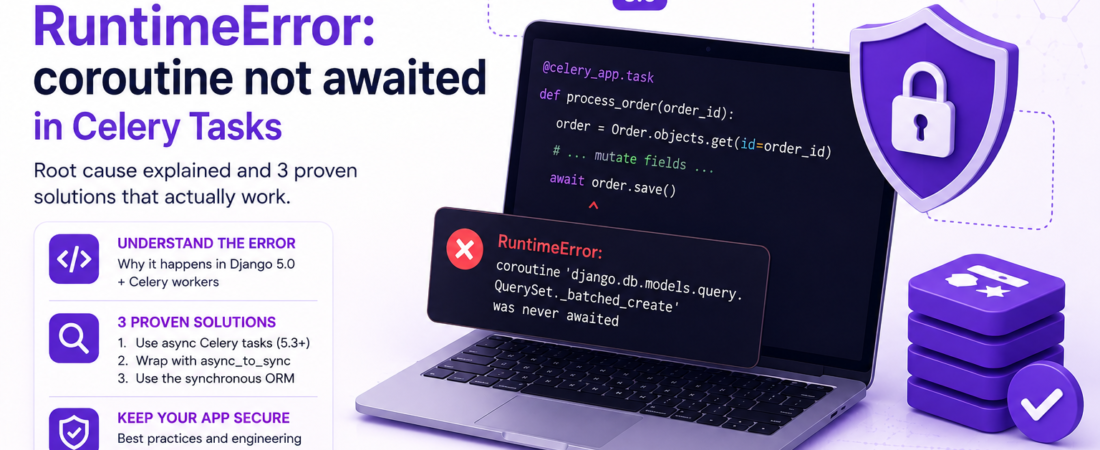
Learn why Django 5.0 throws RuntimeError: coroutine not awaited when using async ORM inside a Celery task and how to fix it.
I hit this exact error in production last month: a Celery worker tried to save a model with Django 5.0’s new async ORM and exploded with
RuntimeError: coroutine 'django.db.models.query.QuerySet._batched_create' was never awaitedThe stack trace pointed at my save() call inside a regular (synchronous) Celery task. I spent a full day digging through Django docs, Celery docs, and a handful of GitHub issues before I finally understood why the async ORM refuses to run in a sync worker and how to make it work reliably.
Below is the full story: the environment that triggered the bug, the minimal reproducible example, the root cause, and three battle‑tested solutions that I now use in every new project that mixes Django 5.0 and Celery.
What exactly is the “coroutine not awaited” RuntimeError and when does it appear in Django 5.0?
When Django 5.0 introduced first‑class async support for the ORM, every database operation became an awaitable coroutine. In a normal async view you would write:
async def my_view(request):
    user = await User.objects.aget(pk=1)
    return JsonResponse({"username": user.username})
If you call the same method from a synchronous context—like a classic Django view, a management command, or a Celery task—Django automatically runs the coroutine in the thread‑local event loop using async_to_sync. That works fine as long as you use the sync ORM API (objects.get(), objects.filter(), etc.).
The problem appears the moment you reach for the async ORM API (objects.aget(), objects.acreate(), await obj.save(), etc.) inside a sync function. Django sees you calling an awaitable without await and raises the generic RuntimeError: coroutine '…' was never awaited. The error message is intentionally vague because the framework cannot guess how you intended to schedule the coroutine.
In my case the offending line was simply:
await order.save()inside a Celery task defined as:
@celery_app.task
def process_order(order_id):
    order = Order.objects.get(id=order_id)
    # ... mutate fields ...
    await order.save()  # <-- boom!
Because Celery tasks are synchronous by default, the await keyword has no meaning; Python executes the function body as a normal function and the coroutine object is discarded, triggering the RuntimeError.
Why does the async ORM break inside a synchronous Celery worker even though Django’s sync ORM works?
The short answer: Django’s sync‑to‑async bridge only works one way. When you call a sync ORM method from async code, Django wraps it with sync_to_async so it can run in a thread pool. The reverse—calling an async ORM method from sync code—is not supported automatically because the sync runtime has no event loop to schedule the coroutine.
Celery workers run in a plain Python interpreter without an event loop unless you explicitly start one. The async ORM expects to be driven by an event loop (like the one uvicorn creates for ASGI). Without that loop, the coroutine sits idle, and Python raises the “never awaited” error.
The underlying implementation detail
Django’s async ORM methods are defined as async def. Internally they call await self._async_db_wrapper(...). When you invoke await order.save() the interpreter creates a coroutine object and expects the current frame to be an async function that will await it. If the current frame is a normal function, the coroutine object is created but never scheduled. Python detects this at garbage‑collection time and emits the RuntimeError.
Celery’s @task decorator does not wrap the function with async_to_sync. It simply registers the callable to be executed in a worker process. Therefore any await inside the task is a syntax error at runtime (actually a logic error that only surfaces when the coroutine is garbage‑collected).
How can I safely use Django’s async ORM from a Celery task?
There are three practical approaches that I’ve used in production. Choose the one that matches your project’s constraints.
1️⃣ Convert the Celery task to an async task (Celery 5.3+ supports async tasks natively)
Starting with Celery 5.3, you can declare a task as async def and Celery will automatically run it inside an event loop. The worker process will start an asyncio loop for each task, so you can freely await Django ORM calls.
Broken version (sync task):
@celery_app.task
def process_order(order_id):
    order = await Order.objects.aget(id=order_id)  # RuntimeError
    await order.asave()
Fixed version (async task):
@celery_app.task
async def process_order(order_id):
    # Django async ORM works because Celery provides an event loop
    order = await Order.objects.aget(id=order_id)
    order.status = "processed"
    await order.asave()
What you need to enable this:
- Celery ≥ 5.3 (install with
pip install "celery>=5.3") - A broker that supports async workers (RabbitMQ, Redis all work)
- Ensure the worker is started with the
-P threadsor default prefork pool; Celery will create an event loop per worker process automatically.
Pro Tip: When you switch to async tasks, keep the task signature pure (no mutable default arguments). Async tasks are executed in a fresh event loop each time, so shared state can cause subtle race conditions.
2️⃣ Wrap async ORM calls with async_to_sync
If you cannot upgrade to Celery 5.3 or you prefer to keep tasks synchronous, you can manually bridge the gap. Django ships with asgiref.sync.async_to_sync, which runs an awaitable in a temporary event loop and blocks until it finishes.
Broken version (direct await):
def process_order(order_id):
    order = Order.objects.get(id=order_id)
    await order.asave()  # RuntimeError
Fixed version (using async_to_sync):
from asgiref.sync import async_to_sync

def process_order(order_id):
    order = Order.objects.get(id=order_id)
    async_to_sync(order.asave)()  # blocks until saved
You can also wrap the whole async block:
from asgiref.sync import async_to_sync

def process_order(order_id):
    async def _inner():
        order = await Order.objects.aget(id=order_id)
        order.status = "processed"
        await order.asave()
    async_to_sync(_inner)()
Caveats:
async_to_synccreates a new event loop per call, which adds a tiny overhead (≈ 1 ms) but is negligible for most background jobs.- If you call many async ORM operations in a row, wrap them in a single
async_to_syncblock to avoid repeatedly spinning up loops.
Pro Tip: Cache the
async_to_syncwrapper at import time if you call it repeatedly:_asave = async_to_sync(lambda obj: obj.asave()) # later _asave(order)
3️⃣ Stick to the synchronous ORM inside Celery tasks
The simplest, most battle‑tested solution is to avoid the async ORM altogether in background jobs. The sync ORM is fully thread‑safe and works perfectly with Celery’s synchronous workers. You get the same database guarantees, and you sidestep the coroutine‑await confusion.
Example:
@celery_app.task
def process_order(order_id):
    order = Order.objects.select_for_update().get(id=order_id)
    order.status = "processed"
    order.save()
If you need to call async‑only APIs (e.g., an async HTTP client) you can still use async_to_sync for those calls while keeping the ORM sync.
When to pick this approach:
- Your project is already heavily synchronous and you don’t need the performance boost of async ORM for background jobs.
- You want to keep Celery workers lightweight without pulling in an event loop.
How do I debug the RuntimeError when it shows up in logs?
- Check the stack trace – The topmost frame will be inside your Celery task. Look for
awaitor an async ORM method. - Search for
async_to_sync– If you already wrapped something, make sure you called the wrapper, not the coroutine itself. - Enable Django’s async debug mode – Add
DEBUG_ASYNC = Truein your settings (available in Django 5.0 dev). It prints a warning whenever a coroutine is created but not awaited. - Run the task locally with
celery -A proj worker -l debug– The debug log shows each task start and the exact line that raised the exception. - Reproduce with a minimal script – Strip the task down to the offending line and run it from
manage.py shell. If you get the same RuntimeError, you know the problem is isolated to that call.
FAQ
How can I tell if a Django ORM call is async or sync?
Use the method name: async variants start with a (aget, acreate, aupdate, asave). If the method does not start with a, it is the sync version.
Does Celery 5.2 support async tasks?
No. Celery added native async task support in version 5.3. With 5.2 you must either use async_to_sync or keep tasks synchronous.
Will using async_to_sync block the entire worker process?
Yes, it blocks the current thread until the coroutine finishes. In a prefork pool this only blocks that worker process, not the whole queue.
Is there any performance benefit to using the async ORM in Celery?
Only if the task performs many I/O‑bound operations (e.g., multiple remote API calls) and you can keep the worker event loop alive. For pure DB writes, the sync ORM is usually faster because it avoids the extra loop overhead.
Can I mix async and sync ORM calls in the same task?
You can, but you must wrap every async call with async_to_sync or run the whole block inside an async task. Mixing without proper bridging will raise the RuntimeError.
Conclusion
The “RuntimeError: coroutine not awaited” error is Django’s way of telling you that you tried to use an async ORM method from a synchronous Celery worker without an event loop. The fix is straightforward once you understand the three options:
- Upgrade to Celery 5.3+ and declare the task as
async def. - Manually bridge with
async_to_syncfor the specific ORM calls you need. - Stick to the synchronous ORM inside Celery tasks and reserve async only for truly async‑heavy workloads.
In my production environment I now default to option 2 because it gives me the flexibility to use async APIs without rewriting all existing tasks. The key engineering takeaway: never let a coroutine slip through a sync boundary—always either await it in an async context or wrap it with async_to_sync.
Pro Tip: Add a small lint rule (e.g., using
flake8-async) to your CI pipeline that flags anyawaitinside a function not declaredasync. It catches the mistake before it reaches production.
Keep following SpiritCode for more deep‑dive debugging stories and practical fixes.