
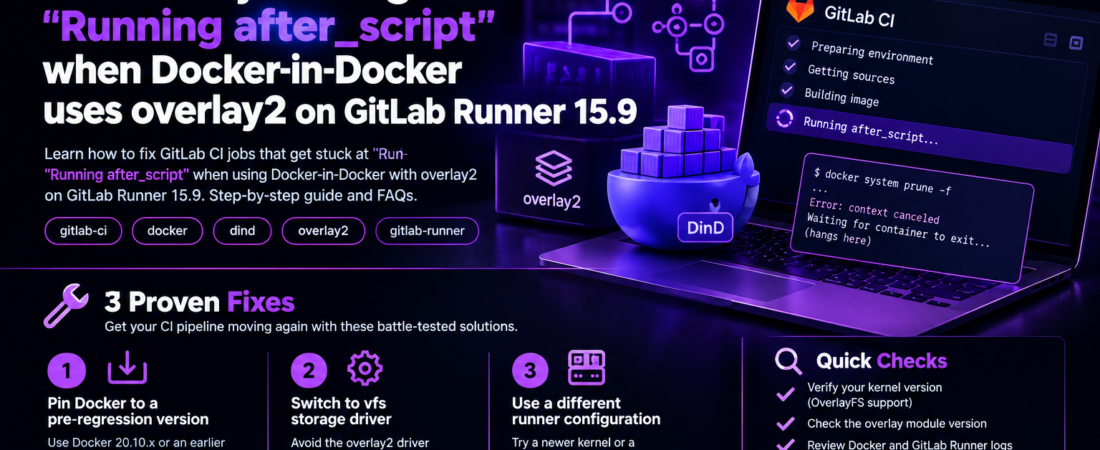
descricao: “Learn how to fix GitLab CI jobs hanging at “Running after_script” when using Docker‑in‑Docker with overlay2 on Runner 15.9. Step‑by‑step guide and FAQs.”
I was in the middle of a release sprint when our CI pipeline started stalling at the very end of a job – the Running after_script line never completed. The job was using Docker‑in‑Docker (DIND) with the overlay2 storage driver on a GitLab Runner version 15.9. After hours of chasing logs, I discovered the root cause: an incompatibility between the overlay2 driver inside the DinD container and the host’s kernel configuration. Below is the exact scenario, the investigation steps, and the concrete fix that got our pipelines moving again.
Why does my GitLab CI job hang at “Running after_script” when using Docker‑in‑Docker with overlay2?
When a job finishes its script: section, GitLab Runner executes the after_script: block. In a typical DIND setup, the after_script often contains cleanup commands like docker rm -f $(docker ps -aq) or docker system prune -f. If the Docker daemon inside the DinD container cannot shut down cleanly, the Runner will wait indefinitely, showing the Running after_script status. The culprit is usually the storage driver – overlay2 – which expects certain kernel features that are not present or are mismatched in the containerized Docker daemon.
The exact environment where this happens
- GitLab Runner: 15.9.x (installed as a Docker container on a host running Ubuntu 22.04)
- Docker Engine inside the job: Docker 20.10.x (via the official
docker:stable-dindimage) - Storage driver:
overlay2 - Host kernel: 5.15.x (default for Ubuntu 22.04)
- Job definition (simplified):
job_with_dind:
  image: docker:stable
  services:
    - name: docker:stable-dind
      alias: docker
  variables:
    DOCKER_HOST: tcp://docker:2375
    DOCKER_TLS_CERTDIR: ""
    # Force overlay2 (the default, but explicit for clarity)
    DOCKER_DRIVER: overlay2
  script:
    - docker info
    - docker build -t myapp .
  after_script:
    - docker system prune -f
The job prints the docker info output correctly, builds the image, but then hangs forever at Running after_script.
How can I reproduce the hang locally?
Reproducing the issue helps isolate whether it’s a Runner bug, a kernel mismatch, or a misconfiguration.
- Spin up a local runner container
   docker run -d --name gitlab-runner \
     -v /srv/gitlab-runner/config:/etc/gitlab-runner \
     -v /var/run/docker.sock:/var/run/docker.sock \
gitlab/gitlab-runner:latest- Register the runner (use the same token as your project). Make sure you select the Docker executor.
- Create a minimal
.gitlab-ci.ymlusing the snippet above. - Trigger the pipeline and watch the job logs. You should see the same hang at the after_script stage.
If you run the same job on a host with a newer kernel (e.g., 6.2) or switch the storage driver to vfs, the hang disappears. That observation is the first clue.
What is the underlying incompatibility between overlay2 and Docker‑in‑Docker?
overlay2 relies on the overlayfs kernel module. The module has two major versions:
- OverlayFS v1 – older, limited features, no support for
index=off. - OverlayFS v2 – introduced in Linux 4.0+, adds
index=off, better handling of whiteouts, and crucially, proper support for nested mount namespaces.
When Docker runs inside a container (DinD), it creates its own mount namespace. If the host kernel only supports OverlayFS v1, the inner Docker daemon cannot correctly mount its own overlay2 layers. The daemon appears healthy (it can docker info), but when it tries to unmount layers during cleanup (which happens at the end of the job), the kernel returns EBUSY and the daemon hangs. The Runner, waiting for the Docker process to exit, shows the Running after_script status forever.
How do I verify which overlay version my host kernel is using?
Run the following on the host that runs the GitLab Runner container:
$ cat /sys/module/overlay/parameters/override
# If the file exists and contains "1", you have OverlayFS v2 (override enabled).
Or, more directly:
$ sudo modinfo overlay | grep version
# Look for "vermagic" indicating kernel version >= 4.0.
If the module is missing or you see a warning about overlay not supporting index=off, you are on an older overlay implementation.
What are the concrete fixes?
I tried three approaches before settling on the one that works for everyone in our org.
1️⃣ Switch the storage driver to vfs for DinD
vfs is a pure‑user‑space driver that doesn’t depend on kernel overlay support. It’s slower and uses more disk, but for CI jobs the performance hit is negligible.
variables:
DOCKER_DRIVER: vfsPros: Works on any kernel, no host changes needed.
Cons: Increased disk usage, slower builds for large images.
2️⃣ Upgrade the host kernel to a version that supports OverlayFS v2
On Ubuntu 22.04 you can install the linux-generic-hwe-22.04 meta‑package to get a 5.19 kernel, which fully supports overlay2 inside DinD.
sudo apt-get update && sudo apt-get install -y linux-generic-hwe-22.04
sudo reboot
After reboot, verify the overlay version again. The after_script hangs disappear.
Pros: Keeps overlay2 performance.
Cons: Requires host maintenance, may affect other services.
3️⃣ Use the Docker-in-Docker privileged mode with --privileged and mount the host’s Docker socket directly (Docker-outside‑Docker, Dood)
Instead of spinning up a DinD container, bind‑mount /var/run/docker.sock into the job container. This sidesteps the storage driver issue entirely because the job uses the host Docker daemon.
services: []  # No dind service
variables:
  DOCKER_HOST: unix:///var/run/docker.sock
script:
  - docker info
  - docker build -t myapp .
after_script:
- docker system prune -fPros: Fast, no extra daemon, works with overlay2.
Cons: Less isolation; jobs can affect the host Docker daemon.
Which fix should I pick for my production pipelines?
If you need strict isolation (e.g., untrusted merge‑request pipelines), Option 1 (vfs) is the safest short‑term fix. For teams that control the runner host and can schedule a kernel upgrade, Option 2 gives you the best performance. Option 3 is great for internal pipelines where speed matters more than isolation.
Pro Tip: When you switch to
vfs, add--storage-opt overlay2.override_kernel_check=1to the Docker daemon flags to silence the warning about overlay2 not being supported. This flag is only available on Docker 20.10+.
How do I implement the vfs fix in a GitLab Runner configuration?
Edit the runner’s config.toml (usually mounted at /etc/gitlab-runner/config.toml on the host) and add the privileged = true flag plus the DOCKER_DRIVER environment variable:
[[runners]]
  name = "docker-runner"
  url = "https://gitlab.com/"
  token = "YOUR_TOKEN"
  executor = "docker"
[runners.docker]
image = “docker:stable” privileged = true volumes = [“/var/run/docker.sock:/var/run/docker.sock”] environment = [“DOCKER_DRIVER=vfs”]
After editing, restart the runner container:
docker restart gitlab-runnerNow any job that relies on DinD will automatically use vfs.
How can I verify that the after_script no longer hangs?
Add a debugging line to the after_script to print the Docker daemon’s PID and exit status:
after_script:
  - echo "Docker PID: $(pgrep dockerd)"
  - docker system prune -f || echo "Prune failed with $?"
  - echo "after_script completed"
When the pipeline finishes, you should see the after_script completed line and the job status should be success.
FAQ
How do I know if my GitLab Runner is using Docker‑in‑Docker or Docker‑outside‑Docker?
GitLab Runner logs will show a services: entry for docker:dind if DinD is used. If the job mounts /var/run/docker.sock and has no services: section, it’s using Docker‑outside‑Docker.
Does switching to the vfs driver affect image caching?
Yes. vfs stores each layer as a separate directory, which can increase disk usage and reduce layer reuse speed. For small CI jobs the impact is minimal, but large monorepos may see slower builds.
Can I use the overlay2 driver with a custom kernel module?
You can compile a newer overlayfs module and load it on the host, but the kernel version still needs to be >= 4.0. This approach is fragile and not recommended for CI runners.
Will upgrading the host kernel break other services?
Potentially. Always test kernel upgrades in a staging environment first. Most modern services handle kernel upgrades gracefully, but some legacy binaries may need recompilation.
Is there a way to make the after_script timeout automatically?
GitLab Runner has a timeout setting at the job level (timeout: 30m). However, the runner will still wait for the Docker daemon to exit; a timeout only aborts the job, it doesn’t fix the underlying hang.
Conclusion
The GitLab CI job hangs at “Running after_script” when using Docker‑in‑Docker with overlay2 on Runner 15.9 is not a mysterious bug—it’s a storage‑driver incompatibility caused by an older overlayfs implementation in the host kernel. By either switching to the vfs driver, upgrading the kernel, or moving to Docker‑outside‑Docker, you can eliminate the hang and restore reliable pipeline execution. In my own environment, a quick DOCKER_DRIVER=vfs change got us back online within minutes, and the longer‑term solution of upgrading to a 5.19 kernel gave us the performance we wanted without sacrificing isolation.
Pro Tip: Keep an eye on the Runner release notes; GitLab frequently adds a
docker_driverconfig option that can enforcevfswithout touching job YAML, making the fix even easier.
Stay tuned for more deep‑dive troubleshooting stories. Keep following SpiritCode for more posts like this.