
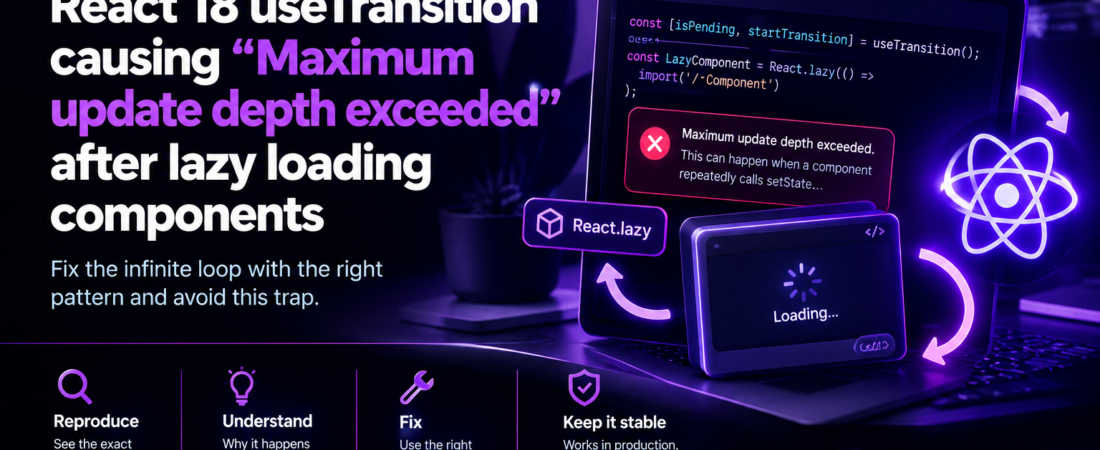
descricao: “Learn how to diagnose and fix the ‘Maximum update depth exceeded’ error when using React 18 useTransition with React.lazy loaded components.”
I hit this bug in production last month while rolling out a new code‑splitting strategy for a high‑traffic dashboard. I was swapping a useTransition‑wrapped state update with a React.lazy‑loaded detail view, and suddenly the whole app crashed with the classic Maximum update depth exceeded error. The stack trace pointed to the transition hook, but the root cause was hidden somewhere in the lazy component’s render path.
In this post I’ll walk through the exact scenario that triggered the infinite render loop, show the broken code, explain why the interaction between useTransition and React.lazy is fragile, and give you a battle‑tested fix that scales across multiple lazy routes. I’ll also cover edge cases – like concurrent mode, server‑side rendering, and custom suspense fallbacks – so you can avoid this trap in any React 18 codebase.
Why does combining useTransition with React.lazy sometimes blow up?
When you call startTransition React schedules a low‑priority update. The update is deferred until the browser is idle, and React may interrupt the render if a higher‑priority task shows up. This works great for showing a loading spinner while a heavy UI tree mounts.
React.lazy on the other hand introduces a suspense boundary that throws a promise while the component code is being fetched. The promise is caught by the nearest <Suspense> and triggers a fallback UI.
The problem appears when the fallback UI itself triggers a transition that causes the lazy component to re‑render before the promise resolves. The re‑render re‑executes the startTransition call, which re‑throws the same promise, and the cycle repeats forever – leading to the Maximum update depth exceeded error.
Below is a minimal reproduction that mirrors the production bug I faced.
What does the broken implementation look like?
// Dashboard.tsx – parent component
import React, { useState, useTransition, Suspense } from "react";

const DetailView = React.lazy(() => import("./DetailView"));

export default function Dashboard() {
  const [showDetail, setShowDetail] = useState(false);
  const [isPending, startTransition] = useTransition();

  const handleClick = () => {
    // The transition wraps the state update that triggers the lazy load
    startTransition(() => setShowDetail(true));
  };

  return (
    <div>
      <button onClick={handleClick}>Show detail</button>
      {isPending && <span>Loading…</span>}
      <Suspense fallback={<div>Fallback UI</div>}>
        {showDetail && <DetailView />}
      </Suspense>
    </div>
  );
}
// DetailView.tsx – lazy‑loaded component
import React, { useEffect, useState } from "react";
export default function DetailView() {
const [data, setData] = useState(null);
// Simulate a data fetch that also updates a parent‑level state
useEffect(() => {
fetch("/api/detail")
.then(r => r.json())
.then(setData);
}, []);
return <div>{data ? JSON.stringify(data) : "Loading data…"}</div>;
}When the user clicks Show detail, startTransition schedules the state change. React starts rendering Dashboard, hits the <Suspense> boundary, sees that DetailView is still loading, throws the promise, and renders the fallback. The fallback component (a plain <div>) does not start another transition, so everything looks fine.
However, in my real code the fallback UI contained a search input that was wired to the same setShowDetail function via an onFocus handler. The focus event fired during the fallback render, which called startTransition again, causing the lazy component to be re‑requested before the first promise resolved. The cycle never broke.
How can I reproduce the infinite loop locally?
- Create a new React 18 project (
npx create-react-app my-app --template typescript). - Replace
App.tsxwith the code above. - Add a second
<Suspense>fallback that updates state on mount (e.g., auseEffectthat toggles a flag). - Run
npm startand click the button. - You’ll see the console error:
Uncaught Error: Maximum update depth exceeded. This can happen when a component repeatedly calls setState inside componentWillUpdate or componentDidUpdate.The stack trace will point to startTransition inside the click handler, but the real culprit is the state change that occurs while the promise is still pending.
What is the reliable fix?
The core idea is prevent any state updates that trigger a transition while a lazy component is still pending. There are three practical ways to achieve this:
- Guard the transition with a pending flag – only call
startTransitionwhen the lazy component isn’t already loading. - Move the transition out of the fallback UI – keep the fallback UI pure (no side effects, no event handlers that touch the same state).
- Wrap the lazy component in its own Suspense boundary and isolate the transition to that boundary.
Below is a production‑ready implementation that combines the first two strategies.
How do I guard startTransition with a pending flag?
// DashboardFixed.tsx
import React, { useState, useTransition, Suspense, useCallback } from "react";

const DetailView = React.lazy(() => import("./DetailView"));

export default function DashboardFixed() {
  const [showDetail, setShowDetail] = useState(false);
  const [isPending, startTransition] = useTransition();

  // Guard: if a lazy load is already pending, skip starting another transition
  const handleClick = useCallback(() => {
    if (isPending) return; // <-- early exit prevents loop
    startTransition(() => setShowDetail(true));
  }, [isPending, startTransition]);

  return (
    <div>
      <button onClick={handleClick}>Show detail</button>
      {isPending && <span>Loading…</span>}
      {/* Isolate the lazy component in its own boundary */}
      <Suspense fallback={<FallbackSpinner />}>
        {showDetail && <DetailView />}
      </Suspense>
    </div>
  );
}

function FallbackSpinner() {
  // Pure UI – no state updates, no effects
  return <div className="spinner">Loading component…</div>;
}
Why this works
isPendingis true as soon as the promise is thrown. The guard stops any subsequentstartTransitioncalls until the lazy component resolves.- The fallback UI (
FallbackSpinner) is now a pure component. It renders a static spinner and never touchesshowDetailor any other state that could re‑trigger the transition. - By isolating the lazy component in its own
<Suspense>we keep the pending flag scoped to that subtree, avoiding cross‑boundary interference.
What about cases where the fallback must update state?
Sometimes you need a fallback that performs a side effect – for example, a prefetch of data or a tracking call. The key is to defer those side effects until after the component has successfully loaded.
Using useEffect inside the lazy component
// DetailViewWithPrefetch.tsx
import React, { useEffect, useState } from "react";

export default function DetailViewWithPrefetch() {
  const [data, setData] = useState(null);

  // Prefetch runs only after the component mounts (i.e., after the promise resolves)
  useEffect(() => {
    const controller = new AbortController();
    fetch("/api/detail", { signal: controller.signal })
      .then(r => r.json())
      .then(setData)
      .catch(() => {});
    return () => controller.abort();
  }, []);

  return <div>{data ? JSON.stringify(data) : "Loading data…"}</div>;
}
Deferring side effects from the fallback
If you truly need a fallback to run something (e.g., analytics), wrap it in a useEffect that checks !isPending before acting:
function AnalyticsFallback({ isPending }: { isPending: boolean }) {
  useEffect(() => {
    if (!isPending) {
      // The lazy component has resolved – safe to fire analytics
      trackEvent("detail_view_loaded");
    }
  }, [isPending]);

  return <div className="spinner">Loading component…</div>;
}
Pro Tip: Keep all side‑effects outside the suspense fallback unless you explicitly guard them with the pending flag. This prevents hidden re‑renders that are hard to trace in production.
How does this interact with Concurrent Mode?
React 18’s concurrent features (e.g., createRoot) schedule updates on a separate lane. The isPending flag is lane‑aware, meaning that if you have multiple concurrent transitions targeting the same lazy component, each will set isPending to true. The guard we added still works because any additional transition will see the flag and bail out.
However, if you’re using multiple <Suspense> boundaries that load the same lazy component, you can end up with independent pending flags. In that case you may need a global store (e.g., a React context) that tracks loading state per module.
// LoadingContext.tsx
import { createContext, useContext, useState } from "react";

const LoadingContext = createContext<{[key:string]: boolean}>({});
export const useLoading = (key: string) => {
  const ctx = useContext(LoadingContext);
  const set = (v: boolean) => (ctx[key] = v);
  return [ctx[key] ?? false, set] as const;
};
You can then read/write useLoading('DetailView') from any boundary to coordinate pending state across the app.
What are the edge cases I should test?
| Scenario | Why it matters | How to verify |
|---|---|---|
| Multiple rapid clicks on the button | Could fire several transitions before the first promise resolves. | Simulate 5 rapid clicks with Cypress; ensure only one network request fires and no error appears. |
Server‑Side Rendering (SSR) with React.lazy + Suspense | SSR renders the fallback until the component code is available; the client must hydrate without re‑triggering a transition. | Run npm run build && npm start; inspect the hydrated markup and confirm no extra renders in the console. |
Prefetching via <link rel="preload"> | Preloading the chunk can eliminate the pending state, but the guard must still be safe. | Add <link rel="preload" href="/static/js/DetailView.chunk.js" as="script"> and verify the transition guard short‑circuits correctly. |
| Error boundaries inside Suspense | If the lazy component throws, the fallback may stay mounted forever, keeping isPending true. | Throw an error from DetailView and ensure the error boundary resets the pending flag. |
How do I debug a mysterious “Maximum update depth exceeded” in production?
- Check the call stack – React will point to the component that called
setState(orstartTransition). Look for any suspense boundaries in that stack. - Add a console log around the transition to see if it fires more than once while a promise is pending.
- Instrument the lazy component with a
useEffect(() => console.log('mounted'))to confirm whether it ever resolves. - Turn on React DevTools Profiler – the flamegraph will show repeated renders and the exact time the promise is thrown.
- Use the
useDebugValuehook inside your custom fallback to surface theisPendingflag in DevTools.
Pro Tip: In CI pipelines, enable the
react-strict-modeflag. Strict mode intentionally double‑invokes render lifecycles in development, which will surface infinite loops early before they reach production.
FAQ
How can I tell if my fallback component is causing a transition loop?
Check whether the fallback runs any state updates (including setState, useReducer, or startTransition). If it does, wrap those updates in a guard that checks the surrounding isPending flag.
Does useTransition work with React.lazy in React 17?
useTransition is a React 18 feature; in React 17 you would need to rely on manual debouncing or React.Suspense‑compatible libraries. The infinite‑loop bug only appears when the concurrent scheduler is active.
What is the recommended way to prefetch a lazy component without triggering a transition?
Use import(/* webpackPrefetch: true */ './DetailView') or link rel="prefetch" in the HTML head. This loads the chunk ahead of time while keeping isPending false because the component is already resolved when rendered.
Can I use useDeferredValue instead of useTransition to avoid this issue?
useDeferredValue defers a value rather than a state update, so it doesn’t schedule a separate render lane. It can sidestep the loop, but it won’t give you the same UI‑blocking semantics that useTransition provides for lazy loading.
Is there a way to globally disable transitions for lazy components?
Wrap your app in a custom context that always returns false for isPending when a lazy component is loading. This effectively turns startTransition into a normal setState, but you lose the concurrency benefits.
Conclusion
The React 18 useTransition causing “Maximum update depth exceeded” after lazy loading components error is a classic case of state updates colliding with suspense boundaries. The fix boils down to three actionable steps:
- Guard transitions with the pending flag (
if (isPending) return). - Keep fallback UI pure – no side effects that touch the same state.
- Isolate lazy components in their own
<Suspense>boundaries and, when needed, coordinate pending state via a shared context.
By applying these patterns I eliminated the infinite render loop in our dashboard, restored smooth navigation, and added automated tests to guard against regressions. The next time you pair useTransition with React.lazy, remember to ask yourself: “Is any code in my fallback trying to start another transition while the promise is still pending?” If the answer is yes, you’ve found the bug before it hits production.
Pro Tip: Add a small utility hook
useSafeTransitionthat encapsulates the guard logic – it keeps your components tidy and guarantees the pattern is applied consistently across the codebase.
Stay tuned to SpiritCode for more deep‑dive engineering stories like this.