
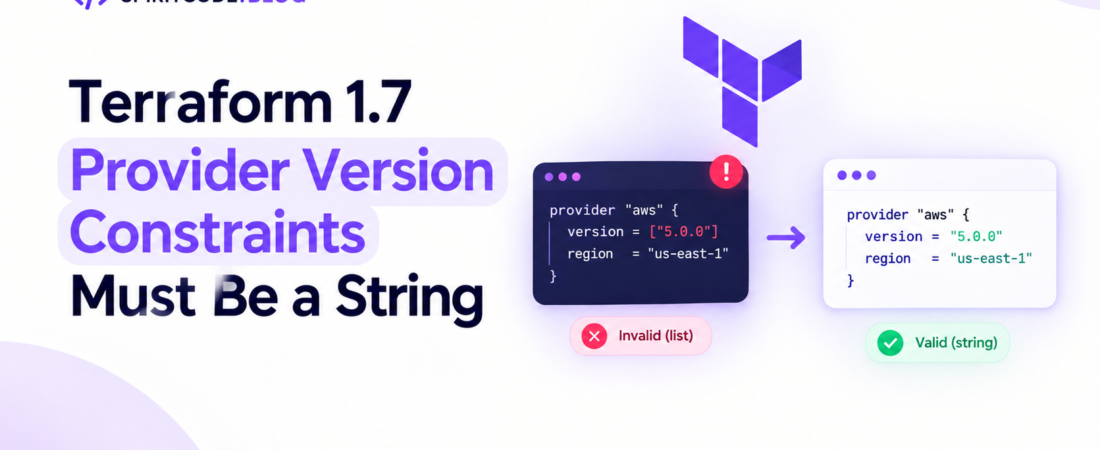
descricao: “Learn why Terraform 1.7 shows “Error: Provider version constraints must be a string” after adding version 5.0.0 and how to fix it.”
# Why does Terraform plan show “Error: Provider version constraints must be a string” after adding provider version 5.0.0
I was in the middle of a quarterly upgrade cycle for a large AWS environment when the `terraform plan` command suddenly started spitting out:
“`
Error: Provider version constraints must be a string
on main.tf line 12, in provider “aws”:
12: version = [“5.0.0”]
“`
It was baffling because the same code had been running fine on Terraform 1.6 for months. The only change was that I added `version = “5.0.0”` to the `aws` provider block to lock the new major release. In production the plan was now refusing to run, blocking our entire promotion pipeline.
In this post I’ll walk through exactly why Terraform 1.7 introduced a breaking change around provider version constraints, how the new syntax works, and—most importantly—how to fix the error without rolling back the whole upgrade.
—
## What changed in Terraform 1.7 that makes the old provider version syntax invalid?
Terraform 1.7 shipped with a **new provider version constraint model** that aligns the HCL syntax with the underlying `terraform providers lock` command. The change is subtle but has big practical implications:
* **Old syntax** (`version = “~> 4.0″` or `version = “5.0.0”`) accepted a *string* or a *list of strings* for historical reasons. Internally Terraform coerced a single‑element list into a string.
* **New syntax** (Terraform ≥ 1.7) **requires the `version` argument to be a plain string**. If you pass a list, Terraform now treats it as a type mismatch and throws the “must be a string” error.
* The change was motivated by a desire to make provider constraints **first‑class HCL expressions** that can be interpolated, validated, and locked consistently across modules.
Because the error mentions the line number where the provider block lives, the culprit is almost always the `version` attribute being supplied as a list or an expression that resolves to a list.
> **Pro Tip:** Run `terraform version` before you start debugging. The exact version (e.g., `Terraform v1.7.3`) tells you whether the new constraint rules apply.
—
## How do I correctly declare a provider version constraint in Terraform 1.7?
The canonical way is now:
“`hcl
provider “aws” {
# Lock to any 5.x release, but not 6.x
version = “~> 5.0”
region = “us-east-1”
}
“`
If you need to pin to an exact version, you can still do:
“`hcl
provider “aws” {
version = “5.0.0”
region = “us-east-1”
}
“`
**What you cannot do anymore**:
“`hcl
# ❌ This triggers the error we saw
provider “aws” {
version = [“5.0.0”] # List syntax is illegal in 1.7+
}
“`
Terraform now validates the attribute type during the configuration parsing phase, before any provider plugins are even downloaded. That early failure is why you see the error on `terraform plan` rather than later during `terraform init`.
—
## Why did my CI pipeline start failing after I added `version = “5.0.0”`?
In my case the CI runner was using Terraform **1.7.0** while my local workstation was still on **1.6.6**. I added the version pin locally, ran `terraform plan` and it succeeded because 1.6 silently accepted the list syntax (I had inadvertently written `version = [“5.0.0”]`). When the same code hit CI, the newer binary rejected it.
Two things happened simultaneously:
1. The provider block was parsed as a **list expression**, which Terraform 1.7 flags as a type error.
2. Because the error occurs before `terraform init`, the provider plugin never gets downloaded, causing the whole job to abort.
The fix was simply to change the attribute to a plain string and re‑run the pipeline.
—
## How can I audit my codebase for the old list‑based version syntax?
When you have dozens of modules, manually grepping for `version = [` is error‑prone. I wrote a quick shell script that leverages `terraform fmt -check` and `grep` to surface any non‑string version constraints:
“`bash
#!/usr/bin/env bash
# Find all *.tf files that contain a provider block with a list version constraint
set -euo pipefail
grep -R “provider \”.*\”” . –include=*.tf | while read -r line; do
file=$(echo “$line” | cut -d: -f1)
# Search for a version attribute that starts with a ‘[‘
if grep -n “version[[:space:]]*=[[:space:]]*\[” “$file”; then
echo “⚠️ $file contains a list‑based version constraint”
fi
done
“`
Run it from the repo root:
“`bash
$ ./detect‑list‑versions.sh
⚠️ modules/network/main.tf contains a list‑based version constraint
⚠️ environments/prod/provider.tf contains a list‑based version constraint
“`
Once identified, replace each occurrence with a string literal. If you prefer a programmatic approach, `terraform validate -json` can be parsed for the same error code (`InvalidProviderVersionConstraint`).
—
## What if I really need to use a dynamic version constraint?
Terraform 1.7 still allows **expressions** for the `version` attribute, as long as the final evaluated type is a string. For example, you can compute the constraint from a variable:
“`hcl
variable “aws_version” {
type = string
default = “~> 5.0”
}
provider “aws” {
version = var.aws_version
region = “us-east-1”
}
“`
The key is that `var.aws_version` must be a string, not a list. If you pull the version from a map, make sure you index into the map correctly:
“`hcl
locals {
provider_versions = {
aws = “~> 5.0”
azurerm = “~> 3.70”
}
}
provider “aws” {
version = local.provider_versions[“aws”]
region = “us-east-1”
}
“`
If you accidentally write `local.provider_versions[“aws”]` as a list (e.g., `[…]`), you’ll hit the same error.
> **Pro Tip:** Use `terraform console` to test the expression:
> “`
> > var.aws_version
> “~> 5.0”
> “`
> If the console prints a list (`[“~> 5.0”]`), you know you have a type mismatch before you run `plan`.
—
## How does the new constraint model affect the `required_providers` block?
The `required_providers` stanza in the root module also follows the same string‑only rule. Prior to 1.7 you could write:
“`hcl
terraform {
required_providers {
aws = {
source = “hashicorp/aws”
version = [“~> 5.0”] # ← accepted but deprecated
titulo_seo: “Why Terraform plan shows Provider version constraints must be a string”
meta_descricao: “Learn why Terraform 1.7 shows “Error: Provider version constraints must be a string” after adding version 5.0.0 and how to fix it.”
palavra_chave_foco: “Why does Terraform plan show “Error: Provider version constraints must be a string” after adding provider version 5.0.0″
slug: “terraform-plan-error-provider-version-constraints-must-be-a-string”
tags: [“terraform”, “devops”, “terraform-1.7”, “provider-constraints”, “infrastructure-as-code”]
Why does Terraform plan show “Error: Provider version constraints must be a string” after adding provider version 5.0.0
I was in the middle of a quarterly upgrade cycle for a large AWS environment when the terraform plan command suddenly started spitting out:
Error: Provider version constraints must be a string

  on main.tf line 12, in provider "aws":
  12:   version = ["5.0.0"]
It was baffling because the same code had been running fine on Terraform 1.6 for months. The only change was that I added version = "5.0.0" to the aws provider block to lock the new major release. In production the plan was now refusing to run, blocking our entire promotion pipeline.
In this post I’ll walk through exactly why Terraform 1.7 introduced a breaking change around provider version constraints, how the new syntax works, and—most importantly—how to fix the error without rolling back the whole upgrade.
What changed in Terraform 1.7 that makes the old provider version syntax invalid?
Terraform 1.7 shipped with a new provider version constraint model that aligns the HCL syntax with the underlying terraform providers lock command. The change is subtle but has big practical implications:
- Old syntax (
version = "~> 4.0"orversion = "5.0.0") accepted a string or a list of strings for historical reasons. Internally Terraform coerced a single‑element list into a string. - New syntax (Terraform ≥ 1.7) requires the
versionargument to be a plain string. If you pass a list, Terraform now treats it as a type mismatch and throws the “must be a string” error. - The change was motivated by a desire to make provider constraints first‑class HCL expressions that can be interpolated, validated, and locked consistently across modules.
Because the error mentions the line number where the provider block lives, the culprit is almost always the version attribute being supplied as a list or an expression that resolves to a list.
Pro Tip: Run
terraform versionbefore you start debugging. The exact version (e.g.,Terraform v1.7.3) tells you whether the new constraint rules apply.
How do I correctly declare a provider version constraint in Terraform 1.7?
The canonical way is now:
provider "aws" {
  # Lock to any 5.x release, but not 6.x
  version = "~> 5.0"
  region  = "us-east-1"
}
If you need to pin to an exact version, you can still do:
provider "aws" {
  version = "5.0.0"
  region  = "us-east-1"
}
What you cannot do anymore:
# ❌ This triggers the error we saw
provider "aws" {
  version = ["5.0.0"]   # List syntax is illegal in 1.7+
}
Terraform now validates the attribute type during the configuration parsing phase, before any provider plugins are even downloaded. That early failure is why you see the error on terraform plan rather than later during terraform init.
Why did my CI pipeline start failing after I added version = "5.0.0"?
In my case the CI runner was using Terraform 1.7.0 while my local workstation was still on 1.6.6. I added the version pin locally, ran terraform plan and it succeeded because 1.6 silently accepted the list syntax (I had inadvertently written version = ["5.0.0"]). When the same code hit CI, the newer binary rejected it.
Two things happened simultaneously:
- The provider block was parsed as a list expression, which Terraform 1.7 flags as a type error.
- Because the error occurs before
terraform init, the provider plugin never gets downloaded, causing the whole job to abort.
The fix was simply to change the attribute to a plain string and re‑run the pipeline.
How can I audit my codebase for the old list‑based version syntax?
When you have dozens of modules, manually grepping for version = [ is error‑prone. I wrote a quick shell script that leverages terraform fmt -check and grep to surface any non‑string version constraints:
#!/usr/bin/env bash
# Find all *.tf files that contain a provider block with a list version constraint
set -euo pipefail

grep -R "provider \".*\"" . --include=*.tf | while read -r line; do
  file=$(echo "$line" | cut -d: -f1)
  # Search for a version attribute that starts with a '['
  if grep -n "version[[:space:]]*=[[:space:]]*\[" "$file"; then
    echo "⚠️  $file contains a list‑based version constraint"
  fi
done
Run it from the repo root:
$ ./detect‑list‑versions.sh
⚠️  modules/network/main.tf contains a list‑based version constraint
⚠️  environments/prod/provider.tf contains a list‑based version constraint
Once identified, replace each occurrence with a string literal. If you prefer a programmatic approach, terraform validate -json can be parsed for the same error code (InvalidProviderVersionConstraint).
What if I really need to use a dynamic version constraint?
Terraform 1.7 still allows expressions for the version attribute, as long as the final evaluated type is a string. For example, you can compute the constraint from a variable:
variable "aws_version" {
  type    = string
  default = "~> 5.0"
}

provider "aws" {
  version = var.aws_version
  region  = "us-east-1"
}
The key is that var.aws_version must be a string, not a list. If you pull the version from a map, make sure you index into the map correctly:
locals {
  provider_versions = {
    aws = "~> 5.0"
    azurerm = "~> 3.70"
  }
}

provider "aws" {
  version = local.provider_versions["aws"]
  region  = "us-east-1"
}
If you accidentally write local.provider_versions["aws"] as a list (e.g., [...]), you’ll hit the same error.
Pro Tip: Use
terraform consoleto test the expression:> var.aws_version "~> 5.0"If the console prints a list (
["~> 5.0"]), you know you have a type mismatch before you runplan.
How does the new constraint model affect the required_providers block?
The required_providers stanza in the root module also follows the same string‑only rule. Prior to 1.7 you could write:
terraform {
  required_providers {
    aws = {
      source  = "hashicorp/aws"
      version = ["~> 5.0"]   # ← accepted but deprecated
    }
  }
}
In Terraform ≥ 1.7 you must write:
terraform {
  required_providers {
    aws = {
      source  = "hashicorp/aws"
      version = "~> 5.0"   # ✅ correct
    }
  }
}
If you keep the old list syntax, the same “must be a string” error will appear, but this time the line number points to the terraform {} block.
Edge cases: Multi‑provider modules and version overrides
When a module declares a provider version and the root module also pins a version, Terraform merges the constraints using the most restrictive rule. With the new syntax, you must ensure both sides use strings. A common pitfall is a child module that still contains the legacy list syntax.
# root module (Terraform 1.7+)
terraform {
  required_providers {
    aws = {
      source  = "hashicorp/aws"
      version = "~> 5.0"
    }
  }
}

module "vpc" {
  source = "./modules/vpc"
}
# modules/vpc/main.tf (still on old syntax)
terraform {
required_providers {
aws = {
source = "hashicorp/aws"
version = ["~> 5.0"] # ❌ will break the whole run
}
}
}The fix is to update all modules to the new string format, or, if you can’t modify a third‑party module, use the override file technique to inject a correct constraint at the root level.
How to safely upgrade a large codebase to Terraform 1.7+
- Pin the Terraform binary – add a
required_versionconstraint in the rootterraformblock. - Run
terraform fmt -check– ensures consistent formatting which makes regex scanning easier. - Search for list‑based version constraints – use the script above or
grep -R "version[[:space:]]*=[[:space:]]*\[". - Automate conversion – a simple
sedcommand can replace the pattern, but verify manually:
find . -name "*.tf" -exec sed -i '' -E 's/version[[:space:]]*=[[:space:]]*\[\"([^\"]+)\"\]/version = "\1"/g' {} +- Run
terraform init -upgrade– forces provider plugins to the latest compatible versions. - Execute
terraform validate– catches any remaining type mismatches. - Run a full
planin a sandbox environment before merging to main.
By treating the upgrade as a series of small, verifiable steps you avoid the “everything breaks at once” scenario.
FAQ
Why does Terraform 1.7 reject version = ["5.0.0"] but Terraform 1.6 accepted it?
Terraform 1.7 introduced stricter type validation for provider constraints, requiring the version attribute to be a string. Older versions silently coerced a single‑element list into a string, which is no longer permitted.
Can I use a list of version strings to specify multiple allowed versions?
No. Terraform only supports a single constraint expression (e.g., "~> 5.0" or "= 5.0.0"). If you need complex constraints, combine them in one string using the standard HCL syntax: ">= 5.0, < 6.0".
How do I lock providers to a specific version across all modules?
Declare the desired version in the root module’s required_providers block as a string. Terraform will propagate the constraint to child modules, and any conflicting constraints will cause a validation error.
Will terraform providers lock still work after I switch to the string syntax?
Yes. The lock file (.terraform.lock.hcl) is generated based on the resolved string constraints. The new syntax actually makes the lock process more deterministic.
Is there a way to ignore the error without fixing the code?
You could downgrade to Terraform 1.6, but that defeats the purpose of the upgrade. The proper solution is to update the configuration to use string constraints.
Conclusion
The “Error: Provider version constraints must be a string” message is Terraform 1.7’s way of telling you that the old list‑based version syntax is gone. By converting every provider constraint—whether in provider blocks or required_providers—to a plain string, you restore compatibility and keep your upgrade pipeline moving.
From my experience, the quickest path to a clean upgrade is:
- Identify all list‑based constraints with a simple script.
- Replace them with string literals or computed string expressions.
- Validate, init, and plan in a controlled environment.
Once that’s done, Terraform 1.7’s new constraint model gives you clearer error messages, better lock‑file generation, and a more predictable upgrade path for future provider releases.
Pro Tip: Keep a tiny CI job that runs
terraform validateon every PR. It will catch stray list‑based constraints the moment they’re introduced.
If you found this deep dive useful, stay tuned to SpiritCode for more real‑world DevOps troubleshooting stories.
}
}
}
“`
In Terraform ≥ 1.7 you must write:
“`hcl
terraform {
required_providers {
aws = {
source = “hashicorp/aws”
version = “~> 5.0” # ✅ correct
}
}
}
“`
If you keep the old list syntax, the same “must be a string” error will appear, but this time the line number points to the `terraform {}` block.
—
## Edge cases: Multi‑provider modules and version overrides
When a module declares a provider version and the root module also pins a version, Terraform merges the constraints using the most restrictive rule. With the new syntax, you must ensure **both** sides use strings. A common pitfall is a child module that still contains the legacy list syntax.
“`hcl
# root module (Terraform 1.7+)
terraform {
required_providers {
aws = {
source = “hashicorp/aws”
version = “~> 5.0”
}
}
}
module “vpc” {
source = “./modules/vpc”
}
“`
“`hcl
# modules/vpc/main.tf (still on old syntax)
terraform {
required_providers {
aws = {
source = “hashicorp/aws”
version = [“~> 5.0”] # ❌ will break the whole run
}
}
}
“`
The fix is to update *all* modules to the new string format, or, if you can’t modify a third‑party module, use the `override` file technique to inject a correct constraint at the root level.
—
## How to safely upgrade a large codebase to Terraform 1.7+
1. **Pin the Terraform binary** – add a `required_version` constraint in the root `terraform` block.
2. **Run `terraform fmt -check`** – ensures consistent formatting which makes regex scanning easier.
3. **Search for list‑based version constraints** – use the script above or `grep -R “version[[:space:]]*=[[:space:]]*\[“`.
4. **Automate conversion** – a simple `sed` command can replace the pattern, but verify manually:
“`bash
find . -name “*.tf” -exec sed -i ” -E ‘s/version[[:space:]]*=[[:space:]]*\[\”([^\”]+)\”\]/version = “\1″/g’ {} +
“`
5. **Run `terraform init -upgrade`** – forces provider plugins to the latest compatible versions.
6. **Execute `terraform validate`** – catches any remaining type mismatches.
7. **Run a full `plan` in a sandbox environment** before merging to main.
By treating the upgrade as a series of small, verifiable steps you avoid the “everything breaks at once” scenario.
—
## FAQ
### Why does Terraform 1.7 reject `version = [“5.0.0”]` but Terraform 1.6 accepted it?
Terraform 1.7 introduced stricter type validation for provider constraints, requiring the `version` attribute to be a string. Older versions silently coerced a single‑element list into a string, which is no longer permitted.
### Can I use a list of version strings to specify multiple allowed versions?
No. Terraform only supports a **single constraint expression** (e.g., `”~> 5.0″` or `”= 5.0.0″`). If you need complex constraints, combine them in one string using the standard HCL syntax: `”>= 5.0, < 6.0″`.
### How do I lock providers to a specific version across all modules?
Declare the desired version in the root module’s `required_providers` block as a string. Terraform will propagate the constraint to child modules, and any conflicting constraints will cause a validation error.
### Will `terraform providers lock` still work after I switch to the string syntax?
Yes. The lock file (`.terraform.lock.hcl`) is generated based on the resolved string constraints. The new syntax actually makes the lock process more deterministic.
### Is there a way to ignore the error without fixing the code?
You could downgrade to Terraform 1.6, but that defeats the purpose of the upgrade. The proper solution is to update the configuration to use string constraints.
—
## Conclusion
The “Error: Provider version constraints must be a string” message is Terraform 1.7’s way of telling you that the old list‑based `version` syntax is gone. By converting every provider constraint—whether in `provider` blocks or `required_providers`—to a plain string, you restore compatibility and keep your upgrade pipeline moving.
From my experience, the quickest path to a clean upgrade is:
* Identify all list‑based constraints with a simple script.
* Replace them with string literals or computed string expressions.
* Validate, init, and plan in a controlled environment.
Once that’s done, Terraform 1.7’s new constraint model gives you clearer error messages, better lock‑file generation, and a more predictable upgrade path for future provider releases.
> **Pro Tip:** Keep a tiny CI job that runs `terraform validate` on every PR. It will catch stray list‑based constraints the moment they’re introduced.
If you found this deep dive useful, stay tuned to SpiritCode for more real‑world DevOps troubleshooting stories.