
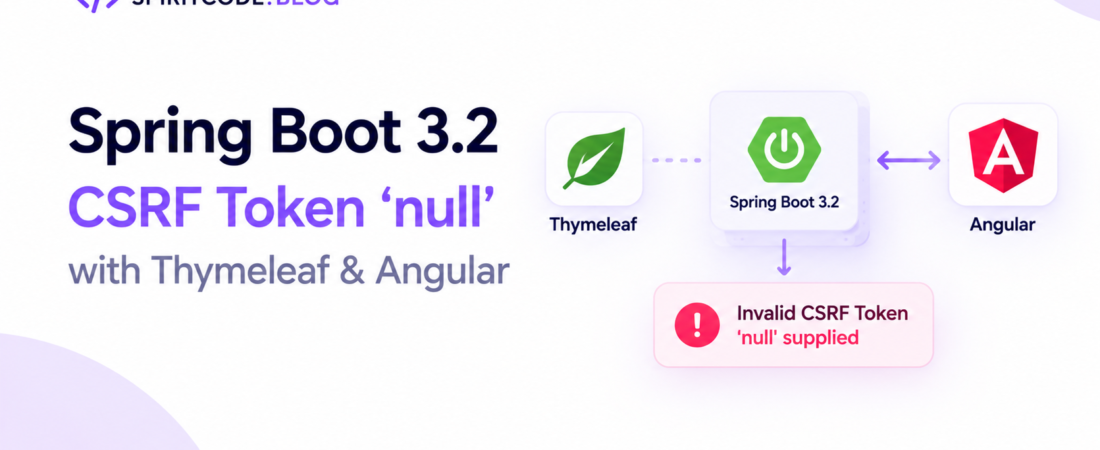
descricao: “Fix Spring Boot 3.2 CSRF validation error “Invalid CSRF Token ‘null’ supplied” when using Thymeleaf fragments and an Angular HttpClient interceptor.”
# Spring Boot 3.2 fails CSRF validation with “Invalid CSRF Token ‘null’ supplied” when using Thymeleaf fragments and Angular frontend
I ran into a nasty CSRF mismatch bug last month while rolling out a new feature in a legacy Spring Boot 3.2 monolith. The backend renders a handful of Thymeleaf fragments for server‑side rendering, but the main UI is an Angular SPA that talks to the same endpoints via `HttpClient`. After deploying the fragment‑based login page, every POST from Angular started failing with:
“`
Invalid CSRF Token ‘null’ supplied
“`
It turned out the token generated by Spring Security was never reaching the Angular interceptor because the fragment was rendered **outside** the main `<head>` where I normally inject the meta tag. In this post I’ll walk through the exact steps I took to synchronize CSRF token generation between Thymeleaf fragments and Angular, why the default configuration breaks, and a production‑ready solution that works with Spring Boot 3.2, Thymeleaf 3.1, and Angular 16.
—
## Why does Spring Security return “Invalid CSRF Token ‘null’ supplied” when using Thymeleaf fragments?
When Spring Security’s CSRF protection is enabled (the default for non‑GET requests), it expects a token to be sent either as a request header (`X‑XSRF‑TOKEN`) or as a hidden form field named `_csrf`. The token is stored in the HTTP session and also exposed to the view layer via the `${_csrf}` request attribute.
In a classic Thymeleaf‑only app I would add the token to the `<head>` like this:
“`html
<meta name=”_csrf” th:content=”${_csrf.token}” />
<meta name=”_csrf_header” th:content=”${_csrf.headerName}” />
“`
My Angular `HttpInterceptor` then reads those meta tags on app bootstrap and adds the header to every outgoing request.
### The fragment problem
In our codebase the login page is a **fragment** (`login :: content`) that gets inserted into a layout template. The layout already defines the `<head>` with the meta tags, but the fragment is rendered **after** the layout has been processed, meaning the `${_csrf}` attribute is no longer available when the fragment runs. The result: the meta tags are rendered with an empty value, Angular reads `null`, and every request is rejected.
> **Pro Tip:** Always verify that `${_csrf}` is available in the template that actually writes the meta tags. A quick `${_csrf?.token}` check will surface missing attributes early.
## How can I expose the CSRF token from a Thymeleaf fragment to Angular?
There are three practical ways to get the token where Angular can read it:
1. **Render the meta tags in the fragment itself** – force the fragment to include the head snippet.
2. **Expose the token via a dedicated endpoint** – Angular fetches `/csrf` on start‑up.
3. **Leverage Spring Security’s built‑in `/csrf` endpoint** – let Angular call it once and cache the result.
I’ll dive into each approach, show the broken code, and then the fixed version.
### 1️⃣ Rendering meta tags inside the fragment (quick‑fix)
**Broken version** – fragment does not contain the meta tags:
“`html
<!– layout.html –>
<!DOCTYPE html>
<html xmlns:th=”http://www.thymeleaf.org”>
<head>
<title>My App</title>
<!– CSRF meta tags are missing here –>
</head>
<body>
<div th:replace=”fragments/login :: content”></div>
</body>
</html>
“`
**Fixed version** – move the meta tags into the fragment or include a separate fragment that only contains the CSRF meta:
“`html
<!– fragments/csrf-meta.html –>
<meta name=”_csrf” th:content=”${_csrf.token}” />
<meta name=”_csrf_header” th:content=”${_csrf.headerName}” />
“`
“`html
<!– fragments/login.html –>
<div th:fragment=”content”>
<th:insert fragment=”fragments/csrf-meta :: *” />
<form th:action=”@{/login}” method=”post”>
<input type=”text” name=”username” />
<input type=”password” name=”password” />
<button type=”submit”>Login</button>
</form>
</div>
“`
Now the meta tags are rendered **inside** the fragment, guaranteeing the `${_csrf}` attribute is present because the fragment executes after the security filter chain has added the token to the request.
### 2️⃣ Pulling the token from a custom `/api/csrf` endpoint
Sometimes you don’t want to pollute every fragment with CSRF markup. A clean way is to expose a JSON endpoint that returns the token and header name.
**Controller (broken – never returns token):**
“`java
@RestController
@RequestMapping(“/api”)
public class CsrfController {
@GetMapping(“/csrf”)
public Map<String, String> csrf() {
// Forgot to inject CsrfToken
return Collections.emptyMap();
}
}
“`
**Fixed controller:**
“`java
import org.springframework.security.web.csrf.CsrfToken;
import org.springframework.web.bind.annotation.GetMapping;
import org.springframework.web.bind.annotation.RestController;
@RestController
@RequestMapping(“/api”)
public class CsrfController {
@GetMapping(“/csrf”)
public Map<String, String> csrf(CsrfToken token) {
return Map.of(
“token”, token.getToken(),
“header”, token.getHeaderName()
);
}
}
“`
**Angular service:**
“`typescript
@Injectable({ providedIn: ‘root’ })
export class CsrfService {
private headerName = ”;
private token = ”;
constructor(private http: HttpClient) {
this.loadToken();
}
private loadToken(): void {
this.http.get<{token: string; header: string}>(‘/api/csrf’)
.subscribe(csrf => {
this.headerName = csrf.header;
this.token = csrf.token;
});
}
getHeader(): {name: string; value: string} | null {
return this.headerName && this.token ? {name: this.headerName, value: this.token} : null;
}
}
“`
**Interceptor that uses the service:**
“`typescript
@Injectable()
export class CsrfInterceptor implements HttpInterceptor {
constructor(private csrf: CsrfService) {}
intercept(req: HttpRequest<any>, next: HttpHandler): Observable<HttpEvent<any>> {
const header = this.csrf.getHeader();
if (header) {
const cloned = req.clone({ setHeaders: { [header.name]: header.value } });
return next.handle(cloned);
}
return next.handle(req);
}
}
“`
The endpoint is called once during app initialization, and the token is cached for the whole session. This works even if you render the login page as a pure Angular component without any server‑side HTML.
### 3️⃣ Using Spring Security’s built‑in `/csrf` endpoint (recommended)
Since Spring Security 5.8, the CSRF token is automatically exposed at `/csrf` when `csrf().csrfTokenRepository(CookieCsrfTokenRepository.withHttpOnlyFalse())` is configured. The endpoint returns a JSON payload:
“`json
{ “parameterName”: “_csrf”, “headerName”: “X-XSRF-TOKEN”, “token”: “a1b2c3…” }
“`
**Security config (broken – default repository stores token in session only):**
“`java
@EnableWebSecurity
public class SecurityConfig {
@Bean
SecurityFilterChain filterChain(HttpSecurity http) throws Exception {
http
.csrf(csrf -> csrf.disable()) // mistakenly disabled
.authorizeHttpRequests(auth -> auth.anyRequest().authenticated());
return http.build();
}
}
“`
**Fixed config using cookie repository:**
“`java
@EnableWebSecurity
public class SecurityConfig {
@Bean
SecurityFilterChain filterChain(HttpSecurity http) throws Exception {
http
.csrf(csrf -> csrf
.csrfTokenRepository(CookieCsrfTokenRepository.withHttpOnlyFalse()))
.authorizeHttpRequests(auth -> auth
.requestMatchers(“/api/public/**”).permitAll()
.anyRequest().authenticated());
return http.build();
}
}
“`
Now the token is also written to a cookie named `XSRF-TOKEN`. Angular’s default `HttpClientXsrfModule` can read that cookie automatically:
“`typescript
import { HttpClientXsrfModule } from ‘@angular/common/http’;
@NgModule({
imports: [
HttpClientModule,
HttpClientXsrfModule.withOptions({
cookieName: ‘XSRF-TOKEN’,
headerName: ‘X-XSRF-TOKEN’
})
]
})
export class AppModule {}
“`
No custom interceptor is needed; the built‑in XSRF handling reads the cookie and adds the header on every request. This is the cleanest production approach because it works with lazy‑loaded modules, server‑side rendering, and any future front‑end framework.
> **Pro Tip:** When you switch to the cookie repository, make sure the cookie domain/path matches your Angular app’s origin, otherwise the browser will drop it silently.
—
## How do I test that the CSRF token is being sent correctly from Angular?
Testing early saves you from a night‑marish production outage. I use two complementary strategies:
1. **Browser devtools network tab** – look for the `X‑XSRF‑TOKEN` header on a POST request. If it’s missing or set to `null`, the token isn’t being read.
2. **JUnit + MockMvc** – simulate a request with the header and assert that the response is `200`.
“`java
@Test
void postWithValidCsrf() throws Exception {
MvcResult result = mockMvc.perform(get(“/csrf”))
.andExpect(status().isOk())
.andReturn();
String token = JsonPath.read(result.getResponse().getContentAsString(), “$.token”);
mockMvc.perform(post(“/api/secure”)
.header(“X-XSRF-TOKEN”, token)
.contentType(MediaType.APPLICATION_JSON)
.content(“{\”data\”:\”test\”}”))
.andExpect(status().isOk());
}
“`
If the test passes, you know the server side is happy. Combine that with the Chrome network view and you have a full end‑to‑end confidence loop.
—
## What edge cases should I watch out for when mixing Thymeleaf fragments and Angular?
| Edge case | Symptom | Fix |
|———–|———|—–|
| **Fragment rendered before CSRF attribute is populated** | Meta tags contain empty string, Angular sees `null`. | Ensure the fragment is processed **after** Spring Security’s `CsrfFilter`. Use `th:insert` inside the fragment rather than in the layout head. |
| **Multiple domains / sub‑domains** | Cookie‑based token not sent because of domain mismatch. | Set `CookieCsrfTokenRepository.withHttpOnlyFalse().setCookiePath(“/”).setDomainName(“example.com”)`. |
| **Angular lazy‑loaded modules call API before token is fetched** | First request fails, subsequent ones succeed. | Pre‑fetch `/csrf` in `APP_INITIALIZER` provider so the token is loaded before any HTTP call. |
| **Session timeout clears token but cookie persists** | Browser keeps sending stale token → 403. | Configure `CookieCsrfTokenRepository` with `setCookieHttpOnly(false)` and let Spring invalidate the cookie on session expiration, or handle 403 by forcing a full page reload. |
| **Cache‑busting CDN serving the fragment without CSRF meta** | Same as first case, but only on CDN‑served pages. | Deploy the fragment together with the meta tags or use the dedicated `/csrf` endpoint. |
—
## FAQ
**How can I retrieve the CSRF token in an Angular service without using meta tags?**
> Call Spring Security’s `/csrf` endpoint (or a custom `/api/csrf`) once during app bootstrap. The JSON response contains `token` and `headerName`, which you store in a service and reuse in an interceptor.
**Why does Spring Security return “Invalid CSRF Token ‘null’ supplied” instead of a missing‑token error?**
> The CSRF filter extracts the token from the request header or parameter. If the header exists but its value is the string `null`, the filter treats it as an invalid token and logs exactly that message.
**Do I need to disable CSRF for API endpoints when using Angular?**
> No. Disabling CSRF removes a valuable protection layer. Instead, expose the token via a cookie or endpoint and let Angular send it back. Only disable CSRF for truly stateless services (e.g., JWT‑only) where you have other mitigations.
**Can I use the same CSRF token for both Thymeleaf forms and Angular Ajax calls?**
> Yes. The token is stored in the HTTP session (or cookie) and is the same for the whole session. Just make sure the token is rendered in the page (meta tag or hidden field) and that Angular reads the same value.
—
## Conclusion
The “Invalid CSRF Token ‘null’ supplied” error in Spring Boot 3.2 is almost always a symptom of the token not being rendered where the Angular front‑end can read it. By either moving the CSRF meta tags into the Thymeleaf fragment, exposing a lightweight `/csrf` endpoint, or – my preferred production approach – switching to `CookieCsrfTokenRepository` and letting Angular’s built‑in XSRF module handle the header, you can close the gap between server‑side rendering and a modern SPA. The key engineering takeaway is to **treat the CSRF token as a shared contract**: generate it once per session, expose it through a deterministic channel, and consume it consistently on the client. When that contract is solid, you’ll never see a mysterious `null` token again.
—
Keep following SpiritCode for more deep‑dive engineering stories like this.