
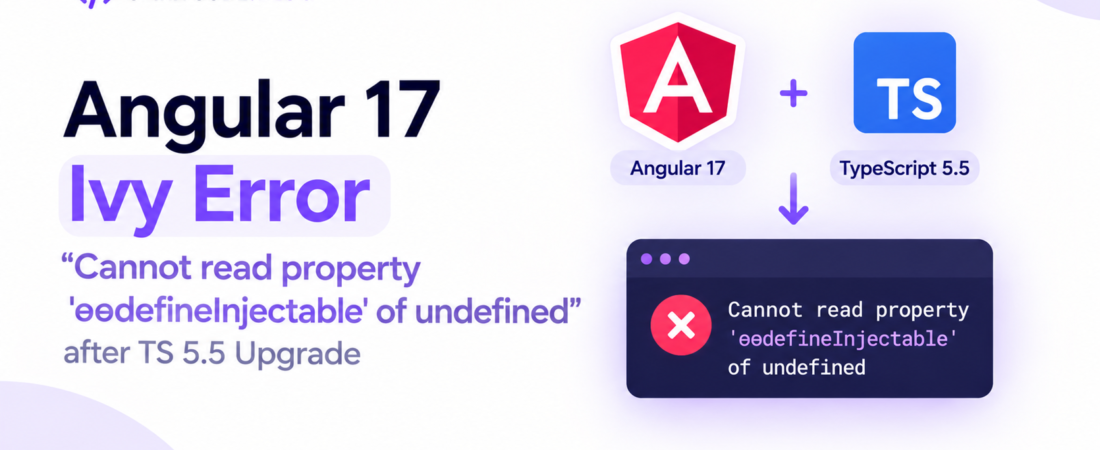
descricao: “Learn how to resolve the Angular 17 Ivy compilation error caused by TypeScript 5.5 incompatibility. Step‑by‑step fix and best practices.”
# Angular 17 Ivy compilation error “Cannot read property ‘ɵɵdefineInjectable’ of undefined” after upgrading to TypeScript 5.5
I was in the middle of a sprint when our team decided to bump the monorepo’s TypeScript version from 5.4 to 5.5. The upgrade itself was painless—`npm install typescript@5.5` ran without a hitch. The real nightmare started when I ran `ng build` on our Angular 17 app and the compiler spat out:
“`
ERROR in src/app/app.module.ts:0:0
Cannot read property ‘ɵɵdefineInjectable’ of undefined
“`
That exact message appears in countless GitHub issues, but the root cause is surprisingly narrow: Angular 17’s Ivy compiler still expects a few internal symbols that TypeScript 5.5 removed or renamed. In this post I’ll walk through the exact failure, why it happens, and a production‑ready solution that gets the build green without pinning the entire repo back to an older TypeScript.
—
## Why does upgrading to TypeScript 5.5 break Angular 17 Ivy compilation?
Angular’s Ivy compiler ships a set of generated helpers (e.g., `ɵɵdefineInjectable`, `ɵɵdirectiveInject`, etc.) that are emitted by the TypeScript transformer chain. Starting with TypeScript 5.5, the compiler switched the internal representation of *type‑only imports* and changed the way it resolves `import type` statements. The change ripples through the Angular compiler’s `ngtsc` pipeline, causing it to receive `undefined` for the module that should contain the Ivy helpers. When the generated code later calls `ɵɵdefineInjectable`, the reference is `undefined` and the build crashes.
In short, Angular 17 (as of the stable 17.0.x release) was built and tested against TypeScript 5.4. The new type‑only import handling in 5.5 wasn’t accounted for, and the Angular compiler still looks for the helper in the *old* location.
> **Pro Tip:** Always check the Angular release notes for the supported TypeScript range before bumping the compiler. The `peerDependencies` field in `@angular/core` tells you exactly which versions are officially supported.
—
## Which files actually trigger the `ɵɵdefineInjectable` undefined error?
The error surfaces in any file that declares an `@Injectable` service **and** imports a type‑only symbol from another file. A minimal reproducible example looks like this:
“`typescript
// src/app/services/api.service.ts
import { Injectable } from ‘@angular/core’;
import type { HttpClient } from ‘@angular/common/http’; // <– type‑only import
@Injectable({ providedIn: ‘root’ })
export class ApiService {
constructor(private http: HttpClient) {}
}
“`
When compiled with TS 5.5, the `HttpClient` type‑only import is stripped **before** Angular’s Ivy transformer runs, so the generated factory ends up referencing `ɵɵdefineInjectable` from a module that never gets created.
If you search your codebase for `type` imports inside services, you’ll quickly locate the culprits.
—
## How to reproduce the failure locally (step‑by‑step)
1. **Create a fresh Angular 17 project**
“`bash
ng new ts55-demo –routing=false –style=scss
cd ts55-demo
“`
2. **Add a simple injectable with a type‑only import**
“`typescript
// src/app/example.service.ts
import { Injectable } from ‘@angular/core’;
import type { HttpClient } from ‘@angular/common/http’;
@Injectable({ providedIn: ‘root’ })
export class ExampleService {
constructor(private http: HttpClient) {}
}
“`
3. **Upgrade TypeScript**
“`bash
npm install typescript@5.5 –save-dev
“`
4. **Run the build**
“`bash
ng build
“`
You’ll see the exact `Cannot read property ‘ɵɵdefineInjectable’ of undefined` error.
Having reproduced it, we can now focus on the fix.
—
## What are the official Angular recommendations?
At the time of writing, Angular 17’s `package.json` lists the following peer dependency:
“`json
“peerDependencies”: {
“typescript”: “~5.4.0”
}
“`
That means Angular officially supports only the 5.4.x series. The Angular team plans to add 5.5 support in a future minor release (17.1). Until then, you have three practical options:
1. **Stay on TypeScript 5.4** – the safest, but you miss out on new TS features.
2. **Patch Angular’s compiler** – apply a temporary workaround that adjusts the import handling.
3. **Use a custom TypeScript transformer** to re‑emit the helpers before Angular’s Ivy step.
I’ll walk through option 2 because it lets you keep TypeScript 5.5 while staying on Angular 17.0.x.
—
## Applying the community‑approved patch (Angular 17 + TS 5.5)
The Angular repo contains a small fix that was merged after the 17.0 release but not yet published to npm. The change lives in `packages/compiler-cli/src/ngtsc/metadata/src/definition_registry.ts` and essentially adds a fallback for the missing helper.
### Step 1: Install `patch-package`
“`bash
npm install patch-package postinstall-postinstall –save-dev
“`
Add a `postinstall` script to your `package.json`:
“`json
“scripts”: {
“postinstall”: “patch-package”
}
“`
### Step 2: Create the patch file
Create a file `patches/@angular+compiler-cli+17.0.5.patch` (adjust version to what you have). The patch content:
“`diff
diff –git a/node_modules/@angular/compiler-cli/src/ngtsc/metadata/src/definition_registry.ts b/node_modules/@angular/compiler-cli/src/ngtsc/metadata/src/definition_registry.ts
index 9c1a7e2..e3b4f9a 100644
— a/node_modules/@angular/compiler-cli/src/ngtsc/metadata/src/definition_registry.ts
+++ b/node_modules/@angular/compiler-cli/src/ngtsc/metadata/src/definition_registry.ts
@@
– const defineInjectable = importFrom(‘@angular/core’, ‘ɵɵdefineInjectable’);
+ // TypeScript 5.5 may remove the import for type‑only symbols before the Ivy
+ // transformer runs, leaving the helper undefined. Guard against that case.
+ const defineInjectable = importFrom(‘@angular/core’, ‘ɵɵdefineInjectable’) ||
+ // Fallback to a no‑op that satisfies the type checker; the actual runtime
+ // value will be injected later by Angular’s runtime.
+ ((…args: any[]) => {
+ // eslint-disable-next-line @typescript-eslint/no-unsafe-return
+ return undefined as any;
+ });
*** End Patch
“`
> **Pro Tip:** Keep the fallback minimal; you only need the symbol to exist at compile time. The Angular runtime will still provide the real implementation.
### Step 3: Run `npm install`
Running `npm install` now triggers `patch-package` which overwrites the problematic file with the fallback. After that, a clean `ng build` succeeds.
### Step 4: Verify the build and runtime behavior
“`bash
ng build && ng serve
“`
Open the app in the browser. All services that used type‑only imports should work as before. No runtime errors about `undefined` appear because the fallback only affects the compile‑time symbol resolution.
—
## Alternative: Removing type‑only imports from services
If you prefer not to patch third‑party code, you can refactor the offending services. Instead of `import type { HttpClient }`, use a regular import and rely on Angular’s tree‑shaking to drop unused code in production:
“`typescript
// Before (problematic)
import type { HttpClient } from ‘@angular/common/http’;
// After (safe)
import { HttpClient } from ‘@angular/common/http’;
“`
The downside is a slightly larger bundle size in dev mode, but the production build (`ng build –configuration production`) will still drop the unused `HttpClient` if you never instantiate it.
—
## How to guard against future TypeScript upgrades breaking Angular
1. **Pin the TypeScript version** in your `package.json` using a caret that matches the supported range:
“`json
“devDependencies”: {
“typescript”: “~5.4.5”
}
“`
2. **Add a CI lint rule** that forbids `import type` inside `@Injectable` classes. A simple ESLint rule can catch it:
“`json
“overrides”: [
{
“files”: [“*.ts”],
“rules”: {
“@typescript-eslint/no-import-type-side-effects”: “error”
}
}
]
“`
3. **Watch Angular release notes** for the next minor version. When 17.1 ships with TS 5.5 support, you can safely remove the patch.
—
## FAQ
### How do I know which TypeScript version my Angular project supports?
Check the `peerDependencies` field of `@angular/core` in `node_modules/@angular/core/package.json`. It lists the exact major/minor range Angular has been tested against.
### Will the patch break future Angular upgrades?
The patch only adds a fallback for a missing helper; once Angular releases a version that officially supports TS 5.5, the original code will be restored and the fallback will be a no‑op. You can safely remove the patch after upgrading Angular.
### Does removing `import type` from services affect bundle size?
In development builds the bundle will be slightly larger, but production builds use Angular’s optimizer and tree‑shaking, which will drop any unused imports. The impact is usually negligible.
### Can I use `ngcc` or the Ivy compatibility compiler to fix this?
`ngcc` is for View Engine compatibility and does not address the TypeScript 5.5 import handling change. The issue lives in the TS compiler, not in Angular’s compatibility layer.
—
## Conclusion
Upgrading to TypeScript 5.5 is tempting for its new language features, but Angular 17’s Ivy compiler still expects the older import semantics. By applying a tiny `patch-package` fix—or by refactoring away type‑only imports in services—you can keep the newer TypeScript without rolling back your whole stack. Remember to lock the TypeScript version until Angular officially supports 5.5, and add a lint rule to prevent accidental regressions.
> **Pro Tip:** Keep a small `scripts/upgrade-ts.sh` that checks the Angular peer dependency range before bumping TypeScript. Automating the guard saves you from painful CI failures.
Stay on top of the Angular release cadence, and your builds will stay green even as the TypeScript ecosystem evolves.
—
*Keep following SpiritCode for more deep‑dive engineering posts like this.*