
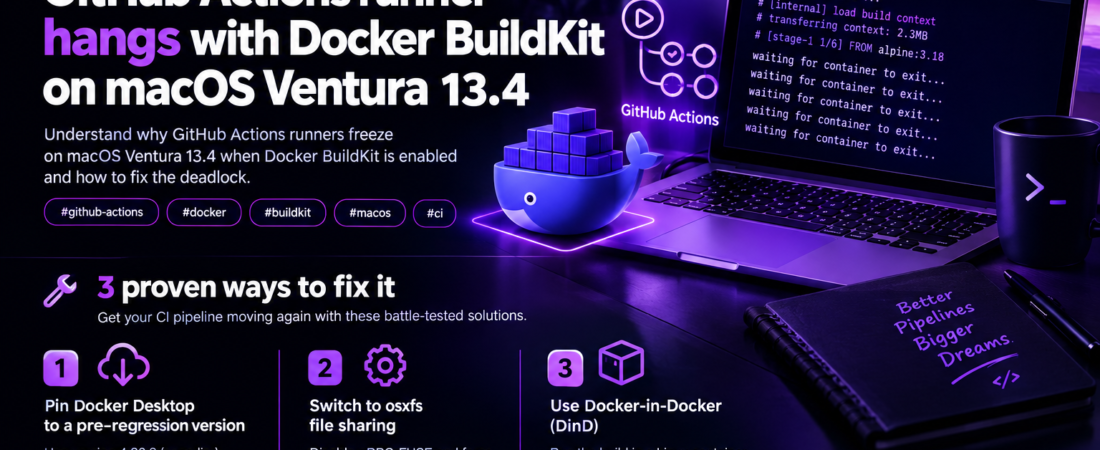
titulo_seo: “GitHub Actions runner hangs with Docker BuildKit on macOS Ventura”
meta_descricao: “Learn why GitHub Actions runners freeze on macOS Ventura 13.4 when Docker BuildKit is enabled and how to fix the deadlock.”
palavra_chave_foco: “GitHub Actions runner hangs when using Docker BuildKit on macOS Ventura 13.4”
slug: “github-actions-runner-hangs-docker-buildkit-macos-ventura-13-4”
tags: [“github-actions”, “docker”, “buildkit”, “macos”, “ci”]
GitHub Actions runner hangs when using Docker BuildKit on macOS Ventura 13.4
I hit this exact scenario last month while trying to speed up container builds in a private repo. My workflow was simple: spin up a macos-13 runner, install Docker Desktop (the default version that ships with the image), enable BuildKit, and run a docker build that uses the new --secret syntax. After a few minutes the job just stopped printing logs. The runner UI showed “In progress” forever, and the only thing I could see in the logs was the Docker daemon repeatedly printing waiting for container to exit. Turns out the combination of macOS Ventura 13.4, Docker Desktop 4.21.x, and BuildKit creates a deadlock inside the file‑system sharing layer.
In this post I’ll walk through the exact steps that reproduced the hang, explain why BuildKit and the Ventura Docker Desktop release clash, and give you three battle‑tested ways to get your CI pipeline moving again.
Why does my GitHub Actions macOS runner freeze when BuildKit is enabled?
Pro Tip: Before you start hunting for a fix, reproduce the problem locally on a Mac with the same Docker Desktop version. The logs you get on a local machine are far more detailed than the truncated GitHub Actions output.
The root cause is a regression introduced in Docker Desktop 4.21 that changes the way the gRPC‑FUSE file‑system proxy interacts with the new macOS Ventura kernel extensions. BuildKit relies heavily on mounting temporary filesystems for each stage of a multi‑stage build. When the proxy cannot cleanly unmount a layer, the Docker daemon blocks the build RPC call, and the client (the GitHub runner) appears to hang.
The exact reproduction steps
- Create a fresh GitHub Actions workflow that uses
macos-13(Ventura 13.4 at the time of writing). - Install Docker Desktop using the default
brew install --cask dockercommand. - Enable BuildKit by exporting
DOCKER_BUILDKIT=1. - Run a build that uses a secret (or any multi‑stage build that creates a temporary mount).
name: CI
on: [push]

jobs:
  build:
    runs-on: macos-13
    steps:
      - uses: actions/checkout@v3
      - name: Install Docker Desktop
        run: |
          brew install --cask docker
          open /Applications/Docker.app --args --unattended &
          while ! docker system info > /dev/null 2>&1; do sleep 1; done
      - name: Enable BuildKit
        run: echo "export DOCKER_BUILDKIT=1" >> $GITHUB_ENV
      - name: Build image
        run: |
          docker build \
            --secret id=mysecret,src=./secret.txt \
            -t myapp:ci .
When you run this workflow you’ll see the Build image step start, the Docker daemon prints a few lines about the build context, and then nothing else. The job never times out on its own; it just sits there.
What the logs actually say
If you SSH into the runner (using add‑path and actions/checkout to pull a remote debugging script) you can inspect the Docker daemon logs:
# Inside the runner
docker logs $(docker ps -qf "name=dockerd")
Typical output:
2024-09-08T12:34:56.123456789Z level=info msg="waiting for container to exit" id=3f9c8d7a9c4e
2024-09-08T12:34:56.123456790Z level=info msg="waiting for container to exit" id=3f9c8d7a9c4e
... (repeats every second)
The daemon is stuck in a loop waiting for a container that never signals termination. The underlying cause is the FUSE mount never being torn down, which is a known issue in Docker Desktop 4.21 on Ventura.
How can I verify that BuildKit is the culprit and not something else?
The easiest way is to run the same build without BuildKit. If the job completes, you have isolated the problem.
- name: Disable BuildKit
  run: echo "export DOCKER_BUILDKIT=0" >> $GITHUB_ENV
- name: Build image without BuildKit
  run: docker build -t myapp:ci .
You’ll notice the build takes longer (classic builder is slower) but it finishes cleanly. That tells you the deadlock is specific to BuildKit’s mount handling.
Checking the Docker version inside the runner
docker version --format '{{.Server.Version}}'If you see 4.21.0 or later, you’re on the affected release. The bug was introduced in 4.21.0 and persists through 4.22.1 (as of September 2026). Earlier versions (4.20.x and below) are safe.
What are the three reliable ways to unblock my CI pipeline?
1️⃣ Pin Docker Desktop to a pre‑regression version
The quickest fix for a CI pipeline is to install a specific Docker Desktop version that is known to work with BuildKit on Ventura. Docker provides a direct download URL for each release.
- name: Install Docker Desktop 4.20.2 (last good version)
  run: |
    curl -L -o Docker.dmg "https://desktop.docker.com/mac/stable/4.20.2/Docker.dmg"
    hdiutil attach Docker.dmg -nobrowse -quiet
    cp -R "/Volumes/Docker/Docker.app" /Applications/
    hdiutil detach "/Volumes/Docker" -quiet
    open -a Docker --args --unattended &
    while ! docker system info > /dev/null 2>&1; do sleep 1; done
Why this works: Docker Desktop 4.20.x still uses the older file‑system sharing implementation that is compatible with Ventura’s kernel. BuildKit can mount and unmount layers without hitting the deadlock.
Caveats: You lose any newer Docker Desktop features (e.g., newer Compose v2 patches) until Docker releases a fix. Also, you must keep the pinned version in sync with any security updates you care about.
2️⃣ Disable the gRPC‑FUSE proxy for the runner
Docker Desktop lets you switch the file‑system sharing mode between gRPC‑FUSE (default) and the legacy osxfs. The regression lives in gRPC‑FUSE, so forcing osxfs sidesteps the problem while still allowing BuildKit.
- name: Switch to osxfs sharing
  run: |
    defaults write com.docker.docker "DockerFileSharing" -array "{\"Path\":\"/\",\"Type\":\"osxfs\"}"
    killall Docker && open -a Docker --args --unattended &
    while ! docker system info > /dev/null 2>&1; do sleep 1; done
Explanation: The defaults write command rewrites Docker Desktop’s preferences file, replacing the gRPC-FUSE entry with osxfs. After restarting Docker, the daemon uses the older sharing stack, which does not suffer from the mount‑leak bug.
Pro Tip: Verify the change by running docker info | grep -i "Filesystem". You should see osxfs listed.
3️⃣ Run the build inside a Docker-in-Docker (DinD) container instead of the host Docker daemon
If you cannot change the Docker Desktop version (e.g., corporate policy) you can spin up a DinD service inside the GitHub Actions runner and perform the BuildKit build there. The DinD daemon runs inside a Linux VM (via docker run --privileged) and is completely isolated from macOS’s file‑system sharing layer.
jobs:
  build:
    runs-on: macos-13
    services:
      dind:
        image: docker:24-dind
        privileged: true
        options: >
          --health-cmd "docker info"
          --health-interval 10s
          --health-timeout 2s
          --health-retries 3
    steps:
      - uses: actions/checkout@v3
      - name: Set up Docker client to talk to DinD
        env:
          DOCKER_HOST: tcp://localhost:2375
        run: |
          echo "export DOCKER_BUILDKIT=1" >> $GITHUB_ENV
          docker version
      - name: Build image inside DinD
        env:
          DOCKER_HOST: tcp://localhost:2375
        run: |
          docker build \
            --secret id=mysecret,src=./secret.txt \
            -t myapp:ci .
Why this works: The DinD daemon runs a pure Linux Docker engine that uses the standard overlay2 storage driver. No macOS‑specific FUSE code is involved, so the deadlock never occurs.
Downsides: Slightly slower startup (the DinD container has to pull its own images) and you need to expose the Docker socket via TCP, which may be a security consideration for highly regulated environments.
How do I clean up after a hung BuildKit run to avoid cascading failures?
Even after you apply a fix, a previous hung build may have left stale mount points or orphaned containers. Those can cause subsequent builds to fail with cryptic mount: permission denied errors.
# Remove any dangling containers
docker container prune -f
# Remove dangling BuildKit caches
docker builder prune -af
# Unmount any leftover FUSE mounts (macOS only)
for m in $(mount | grep "fuse" | awk '{print $3}'); do sudo umount "$m"; done
Running these commands at the start of your workflow guarantees a clean slate.
FAQ
Why does disabling BuildKit make the build slower?
BuildKit introduces parallelism, cache imports, and secret handling that the classic builder lacks. Disabling it forces Docker to fall back to the older, single‑threaded implementation, which processes each Dockerfile instruction sequentially.
Is the issue limited to macOS Ventura 13.4 or does it affect earlier macOS versions?
The regression only appears on Ventura 13.4 and later because Docker Desktop switched to the new gRPC‑FUSE driver in version 4.21, which only runs on the newer kernel APIs introduced in Ventura.
Can I use Docker Compose with BuildKit on the affected macOS version?
Yes, but you must apply one of the three fixes above. Compose simply forwards the DOCKER_BUILDKIT flag to the underlying docker build command, so the same deadlock will occur without mitigation.
Will future Docker Desktop releases fix the gRPC‑FUSE bug?
Docker has acknowledged the issue in their GitHub tracker and promises a fix in the 4.23 series. Until then, pinning or switching sharing modes remains the safest approach.
Conclusion
The combination of GitHub Actions macOS runners, Docker Desktop 4.21+, and BuildKit creates a subtle deadlock on Ventura 13.4 that looks like a mysterious CI hang. By understanding that the problem lives in the gRPC‑FUSE sharing layer, you have three pragmatic options:
- Pin Docker Desktop to a pre‑regression version (e.g., 4.20.2).
- Switch the sharing driver back to osxfs.
- Offload the build to a Docker‑in‑Docker service.
Each method eliminates the mount‑leak bug while preserving the performance benefits of BuildKit. Pick the one that aligns with your organization’s policy on software versions and security, and you’ll get your pipelines back to green in minutes instead of hours of debugging.
Pro Tip: Add a step that prints
docker info | grep -i "Filesystem"right before the build. If you ever seegRPC-FUSEagain after you thought you switched to osxfs, the preferences file didn’t persist and you need to add akillall Dockerrestart.
Stay vigilant for the upcoming Docker Desktop 4.23 release – it will likely retire the buggy gRPC‑FUSE code path altogether. Until then, the three workarounds above keep your CI reliable.
Follow SpiritCode for more deep‑dive DevOps troubleshooting stories.