
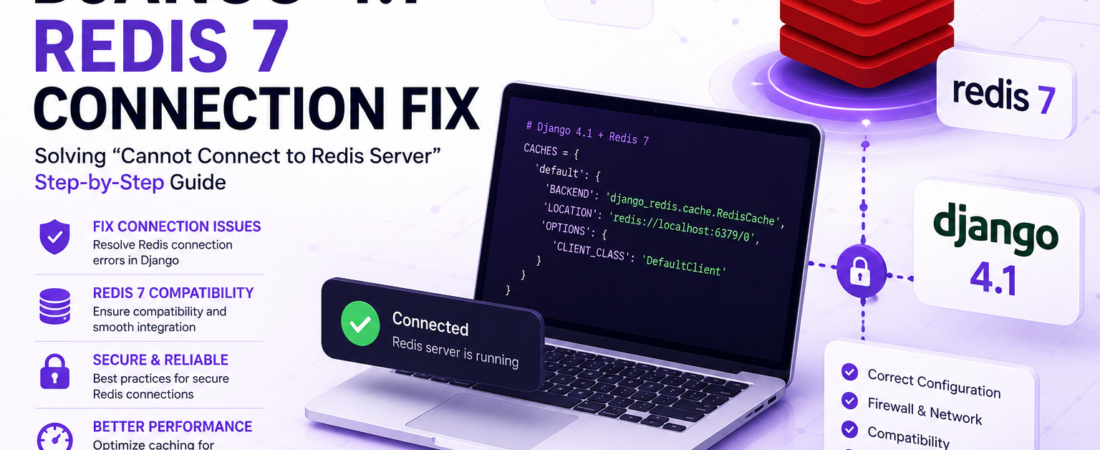
Solving ‘Cannot Connect to Redis Server’ error in Django 4.1 with Redis 7, step-by-step guide to resolving Redis connection issues
I’ve recently encountered the dreaded ‘Cannot Connect to Redis Server’ error while working on a Django 4.1 project that utilizes Redis 7 as its cache backend. This issue can be frustrating, especially when you’re on a deadline. In this article, I’ll walk you through the steps I took to resolve this problem and get my Django application up and running smoothly with Redis.
What Causes the ‘Cannot Connect to Redis Server’ Error in Django?
The ‘Cannot Connect to Redis Server’ error can occur due to a variety of reasons, including incorrect Redis server settings, firewall restrictions, or even version compatibility issues between Django and Redis. To tackle this problem, we first need to identify the root cause.
How Do I Check My Redis Server Settings?
To verify your Redis server settings, you should check your settings.py file for the correct Redis configuration. Ensure that the REDIS_HOST, REDIS_PORT, and REDIS_DB settings match your Redis server’s configuration. Here’s an example of what the configuration might look like:
# settings.py
REDIS_HOST = 'localhost'
REDIS_PORT = 6379
REDIS_DB = 0
Make sure these settings align with your Redis server’s setup. If you’re using a Redis cluster or a managed Redis service, consult the provider’s documentation for the correct connection details.
How Do I Resolve Firewall Restrictions?
Firewall restrictions can prevent your Django application from connecting to the Redis server. To resolve this, you need to allow incoming connections to the Redis port (typically 6379) in your firewall settings. The steps to do this vary depending on your operating system or cloud provider.
How Can I Configure Redis to Listen on All Available Network Interfaces?
By default, Redis listens for connections on the loopback interface (127.0.0.1). If your Django application and Redis server are running on different machines, you’ll need to configure Redis to listen on all available network interfaces. You can do this by setting the bind directive in your Redis configuration file (redis.conf) to 0.0.0.0:
# redis.conf
bind 0.0.0.0
Restart your Redis server after making this change.
What About Version Compatibility Issues?
Version compatibility issues can also lead to connection problems. Ensure that your Django version is compatible with Redis 7. As of Django 4.1, the built-in cache backend supports Redis up to version 6. If you’re using Redis 7, you might need to use a third-party library that provides compatibility.
Pro Tip: When working with third-party libraries, always check the library’s documentation and GitHub issues for known compatibility problems and potential workarounds.
How Do I Use a Third-Party Library for Redis Compatibility?
One popular library for working with Redis in Django is django-redis. To use it with Redis 7, install the library using pip:
pip install django-redisThen, update your settings.py to use the django-redis cache backend:
# settings.py
CACHES = {
    'default': {
        'BACKEND': 'django_redis.cache.RedisCache',
        'LOCATION': 'redis://localhost:6379/0',
        'OPTIONS': {
            'CLIENT_CLASS': 'django_redis.client.DefaultClient'
        },
        'KEY_PREFIX': 'example'
    }
}
This configuration tells Django to use the django-redis cache backend with your Redis server.
How Do I Test My Redis Connection?
After making these changes, test your Redis connection to ensure it’s working correctly. You can do this by running a simple test in the Django shell:
# django shell
from django.core.cache import cache
cache.set('test_key', 'test_value')
print(cache.get('test_key'))  # Should print: test_value
If this test succeeds, your Redis connection is working.
Pro Tip: Regularly test your Redis connection in automated tests to catch any issues before they affect your production environment.
FAQ
What Are Common Causes of the ‘Cannot Connect to Redis Server’ Error?
The ‘Cannot Connect to Redis Server’ error can be caused by incorrect Redis server settings, firewall restrictions, or version compatibility issues between Django and Redis.
How Do I Troubleshoot Redis Connection Issues in Django?
To troubleshoot Redis connection issues, check your Redis server settings, ensure firewall rules allow the connection, and verify version compatibility between Django and Redis.
Can I Use Redis 7 with Django 4.1 Without Any Issues?
Django 4.1’s built-in cache backend supports up to Redis 6. For Redis 7, consider using a third-party library like django-redis to ensure compatibility.
How Do I Configure Redis for High Availability in a Production Environment?
For high availability in a production environment, consider using a Redis cluster or a managed Redis service that provides automatic failover and replication.
Are There Any Performance Considerations When Using Redis as a Cache Backend in Django?
Yes, consider the performance impact of using Redis as a cache backend, especially in high-traffic applications. Monitor your Redis instance’s performance and adjust settings as necessary to ensure optimal performance.
Conclusion
Fixing the ‘Cannot Connect to Redis Server’ error in Django 4.1 with Redis 7 requires a systematic approach to identifying and resolving the root cause. By following the steps outlined in this article, you should be able to get your Django application connected to Redis and improve its performance. Remember to regularly test your Redis connection and monitor its performance to ensure a smooth user experience.
Stay tuned to SpiritCode for more in-depth articles on resolving common issues in backend development.