
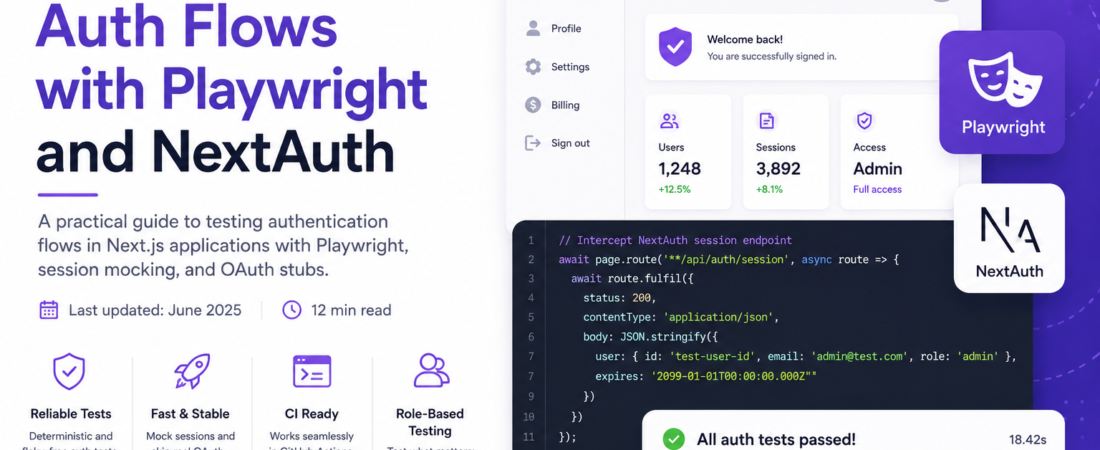
Meta description: I walk through writing reliable E2E tests for NextAuth authentication flows using Playwright — covering session mocking, OAuth stubs, and the exact config that works in CI.
Last updated: June 2026
Introduction
Authentication is the part of your app you absolutely cannot afford to break. It’s also the part that’s hardest to test end-to-end. When I first tried to write Playwright tests for a Next.js app using NextAuth, I ran into OAuth redirects that looped forever, session cookies that never persisted, and CI pipelines that passed locally but failed on GitHub Actions every single time.
The problem wasn’t Playwright. It wasn’t even NextAuth. It was that I was trying to test a real OAuth flow — hitting real provider endpoints — in an automated test suite. That’s a recipe for flaky, slow, and frankly untestable code. In this article, I’ll show you the pattern I landed on: stubbing the auth session at the right layer and writing tests that are deterministic, fast, and actually tell you something meaningful.
TL;DR
- Never test against real OAuth providers in E2E tests — stub the session instead using Playwright’s
storageStateor a custom NextAuth credentials provider. - Use
page.route()to intercept NextAuth’s/api/auth/sessionendpoint and return a fake session object. - Structure your tests around user roles, not login mechanics — your tests should care that a logged-in admin sees a dashboard, not how the JWT was minted.
Why End-to-End Auth Testing Matters
Most teams test their auth layer at the unit level — checking that getServerSession returns the right shape, or that a middleware redirects unauthenticated users. That’s valuable, but it misses the critical integration points: does the login button actually submit the form? Does a redirect to /dashboard fire after a successful sign-in? Does a protected route show a 404 or a redirect to /login for unauthenticated users?
End-to-end auth testing catches the class of bugs that live at the boundary between your Next.js routes, your NextAuth config, and your database. These bugs are invisible to unit tests and often only surface in production.
[INTERNAL LINK: related article on Next.js middleware testing strategies]
Prerequisites
You’ll need:
- Next.js 14+ with the App Router (this guide works with Pages Router too, with minor adjustments)
next-authv4 or v5 (beta) — I’ll note where they differ@playwright/test >= 1.42.0- Node.js 20+
Install Playwright if you haven’t already:
npm init playwright@latest
This scaffolds playwright.config.ts and an e2e/ directory. Accept the defaults — you can tweak them later.
Important: Playwright 1.42+ ships with built-in
storageStatesupport that makes session persistence dramatically easier. Don’t use an older version for this.
Step-by-Step Implementation
Step 1: Add a Credentials Provider for Test Environments
Real OAuth (Google, GitHub, etc.) is non-deterministic in tests. The fix is adding a CredentialsProvider that only activates in the test environment. This gives Playwright a stable /api/auth/signin endpoint to hit with a username and password you control.
In your [...nextauth].ts (or auth.ts for v5):
import NextAuth from "next-auth";
import CredentialsProvider from "next-auth/providers/credentials";

const testProvider =
  process.env.NODE_ENV === "test"
    ? [
        CredentialsProvider({
          name: "Test Credentials",
          credentials: {
            email: { label: "Email", type: "text" },
            role: { label: "Role", type: "text" },
          },
          async authorize(credentials) {
            if (!credentials?.email) return null;
            return {
              id: "test-user-id",
              email: credentials.email,
              role: credentials.role ?? "user",
              name: "Test User",
            };
          },
        }),
      ]
    : [];

export default NextAuth({
  providers: [...testProvider, /* your real providers */],
  callbacks: {
    jwt({ token, user }) {
      if (user) token.role = (user as any).role;
      return token;
    },
    session({ session, token }) {
      if (session.user) (session.user as any).role = token.role;
      return session;
    },
  },
});
This pattern is clean because it doesn’t touch your production auth config at all. The test provider only exists when NODE_ENV=test.
[SOURCE: https://next-auth.js.org/providers/credentials]
Step 2: Create a Reusable Auth Setup Fixture
Playwright’s global setup lets you log in once and save the session to disk. Every test that needs authentication reuses that saved state — no repeated login flows.
Create e2e/global-setup.ts:
import { chromium, FullConfig } from "@playwright/test";

async function globalSetup(config: FullConfig) {
  const { baseURL } = config.projects[0].use;
  const browser = await chromium.launch();
  const page = await browser.newPage();

  await page.goto(`${baseURL}/api/auth/signin`);
  await page.fill('input[name="email"]', "admin@test.com");
  await page.fill('input[name="role"]', "admin");
  await page.click('button[type="submit"]');
  await page.waitForURL("**/dashboard");

  await page.context().storageState({ path: "e2e/.auth/admin.json" });
  await browser.close();
}

export default globalSetup;
Then register it in playwright.config.ts:
import { defineConfig } from "@playwright/test";

export default defineConfig({
  globalSetup: "./e2e/global-setup.ts",
  use: {
    baseURL: "http://localhost:3000",
    storageState: "e2e/.auth/admin.json",
  },
});
Add e2e/.auth/ to your .gitignore — those files contain session tokens.
Step 3: Write Role-Based Auth Tests
Now write tests that verify behavior at the application level — not the auth mechanism. Here’s a complete test file:
import { test, expect } from "@playwright/test";

test.describe("Protected routes — admin user", () => {
  test("admin can access /dashboard", async ({ page }) => {
    await page.goto("/dashboard");
    await expect(page).toHaveURL("/dashboard");
    await expect(page.getByRole("heading", { name: /dashboard/i })).toBeVisible();
  });

  test("admin sees admin-only controls", async ({ page }) => {
    await page.goto("/dashboard");
    await expect(page.getByTestId("admin-panel")).toBeVisible();
  });
});

test.describe("Unauthenticated user redirects", () => {
  test.use({ storageState: { cookies: [], origins: [] } }); // clear session

  test("redirects /dashboard to /login", async ({ page }) => {
    await page.goto("/dashboard");
    await expect(page).toHaveURL(/\/login/);
  });

  test("shows sign-in page at /login", async ({ page }) => {
    await page.goto("/login");
    await expect(page.getByRole("button", { name: /sign in/i })).toBeVisible();
  });
});
Notice the test.use({ storageState: { cookies: [], origins: [] } }) override — that clears the saved session for that describe block, letting you test the unauthenticated state without writing a separate config file.
Step 4: Intercept the Session API for Faster Tests
For tests that don’t need a real session — just need to verify that a component renders differently for logged-in vs. logged-out users — use page.route() to mock the NextAuth session endpoint directly:
import { test, expect } from "@playwright/test";

test("profile page shows user email when logged in", async ({ page }) => {
  await page.route("**/api/auth/session", (route) => {
    route.fulfill({
      status: 200,
      contentType: "application/json",
      body: JSON.stringify({
        user: { name: "Test User", email: "test@example.com", role: "user" },
        expires: "2099-01-01",
      }),
    });
  });

  await page.goto("/profile");
  await expect(page.getByText("test@example.com")).toBeVisible();
});
This approach is fast (no network round-trip, no cookie handling) and completely deterministic. I use it for any test that’s verifying UI behavior rather than the auth flow itself.
Step 5: Run Tests in CI with the Test Environment Flag
Add a script to package.json that sets NODE_ENV=test before starting Next.js:
{
  "scripts": {
    "dev:test": "NODE_ENV=test next dev",
    "test:e2e": "playwright test"
  }
}
In your GitHub Actions workflow:
name: E2E Tests

on: [push, pull_request]

jobs:
  test:
    runs-on: ubuntu-latest
    steps:
      - uses: actions/checkout@v4
      - uses: actions/setup-node@v4
        with:
          node-version: "20"
      - run: npm ci
      - run: npx playwright install --with-deps
      - run: npm run dev:test &
      - run: npx wait-on http://localhost:3000
      - run: npm run test:e2e
        env:
          NEXTAUTH_SECRET: test-secret-value
          NEXTAUTH_URL: http://localhost:3000
The wait-on package (install with npm i -D wait-on) polls until the dev server is actually ready. Without it, Playwright starts before Next.js finishes booting and your global setup fails.
[SOURCE: https://playwright.dev/docs/auth]
Real-World Tips I Use in Production
Create multiple storageState files for different roles. Run the global setup for user, admin, and moderator roles and save each to its own file. Then use test.use({ storageState: "e2e/.auth/moderator.json" }) per describe block. This keeps role-based tests clean and independent.
Never hardcode NEXTAUTH_SECRET in tests. Use "test-secret-value" only — never a real secret. Real secrets in CI logs are a security incident waiting to happen.
Add a data-testid to auth-gated elements. Don’t rely on text content to assert visibility of protected components — it’s brittle. A data-testid="admin-panel" survives copy changes.
Common Errors and How I Fixed Them
Error: storageState: e2e/.auth/admin.json: No such file or directory — The global setup didn’t run, or the login flow failed. Add await page.screenshot({ path: "debug.png" }) in your global setup to capture what the page looks like when sign-in fails.
Session not persisting between pages — Make sure NEXTAUTH_URL matches the URL Playwright is hitting exactly. A mismatch (e.g., http://localhost:3000 vs http://127.0.0.1:3000) causes cookie domain mismatches.
page.route() not intercepting NextAuth calls — NextAuth session calls go to /api/auth/session. Make sure your route pattern matches: "**/api/auth/session" with the double ** wildcard handles both root and subpath deployments.
Tests pass locally, fail in CI — Almost always a timing issue. The dev server isn’t ready when Playwright starts. Add npx wait-on http://localhost:3000/api/auth/session instead of just the root URL — it won’t return 200 until Next.js is fully booted.
FAQ
Q: How do I write Playwright tests for NextAuth OAuth flows without hitting real providers? A: Add a CredentialsProvider that only activates when NODE_ENV=test. This gives Playwright a stable form-based login endpoint that bypasses OAuth entirely. Never run tests against real OAuth providers — they’re slow, rate-limited, and non-deterministic.
Q: How do I test protected routes with Playwright and NextAuth session state? A: Use Playwright’s storageState feature. Log in once in globalSetup, save the cookies and localStorage to a JSON file, then reference that file in playwright.config.ts. Every test reuses the saved session without re-authenticating.
Q: Why do my Playwright auth tests pass locally but fail in CI? A: The most common cause is a race condition between your Next.js server starting and Playwright’s global setup running. Use wait-on to poll until the server is ready. The second most common cause is a missing or wrong NEXTAUTH_URL environment variable.
Q: How do I test different user roles (admin vs. regular user) in Playwright? A: Create one storageState file per role in globalSetup and use test.use({ storageState: "..." }) at the describe-block level to switch between them. This approach is faster and more readable than logging in at the start of each test.
Q: Can I mock the NextAuth session in Playwright without a real login flow? A: Yes — use page.route("**/api/auth/session", ...) to intercept and fulfill the session request with a hardcoded JSON object. This is the fastest approach and ideal for testing UI behavior that depends on session state, rather than the auth flow itself.
Conclusion
Testing auth with Playwright and NextAuth is genuinely solvable once you stop fighting OAuth and start stubbing sessions at the right layer. The credentials-provider pattern for test environments, combined with storageState for session reuse and page.route() for lightweight mocking, gives you a test suite that’s fast, deterministic, and actually useful.
About the Author
I’m a full-stack engineer with nine years of experience building Next.js applications and designing test infrastructure for teams ranging from two to fifty engineers. My current stack is Next.js, TypeScript, Playwright, and NextAuth, and I’ve spent more hours than I’d like to admit debugging auth flows in CI environments. I write here to share the solutions that actually worked — not the sanitized version.