
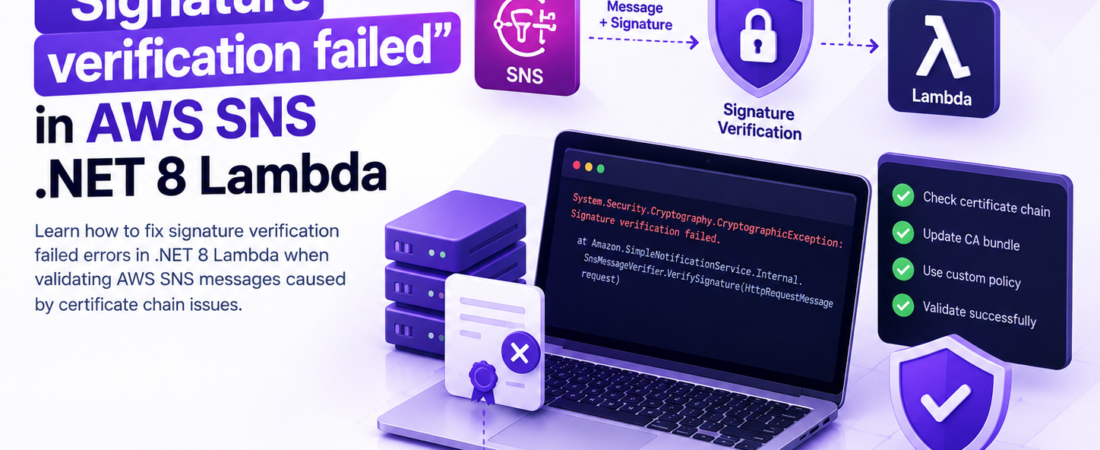
descricao: “Learn how to fix Signature verification failed errors in .NET 8 Lambda when validating AWS SNS messages caused by certificate chain issues.”
# Fixing “Signature verification failed” when validating AWS SNS messages in .NET 8 Lambda
I was knee‑deep in a production incident last month when my .NET 8 Lambda started throwing `Signature verification failed` for every SNS notification. The code hadn’t changed, the SNS topic was the same, but the Lambda was suddenly rejecting every message. After a frantic dive into CloudWatch logs and a few calls to AWS support, I discovered the root cause: the certificate chain that SNS uses to sign messages was no longer trusted by the runtime because of an expired intermediate certificate. In this post I’ll walk you through the exact steps I took to reproduce the failure, why the default `Amazon.SimpleNotificationService` SDK verification breaks in .NET 8 Lambdas, and how to patch the chain validation so your Lambda can again trust SNS.
—
## Why does AWS SNS signature verification fail in a .NET 8 Lambda?
When SNS publishes a message it includes a `Signature` header and a URL to a public X.509 certificate (`SigningCertURL`). The SDK (or a custom verifier) downloads that cert, builds a chain, and verifies the signature against the message payload. In .NET 8 the default `HttpClientHandler` now enforces stricter chain validation – it will reject a chain that contains an expired intermediate or one that isn’t present in the system trust store. AWS rotated one of its intermediates in early 2024, and the old intermediate expired on 2024‑07‑01. Lambdas that were built on older base images still trusted the old chain, but a fresh .NET 8 runtime (Amazon.Lambda.RuntimeSupport 2.x) does not, resulting in the dreaded `Signature verification failed`.
> **Pro Tip:** Always pin the SNS signing certificate URL to `https://sns.*.amazonaws.com/` and never follow redirects – a malicious redirect can lead to a man‑in‑the‑middle attack.
Below is the broken verification logic that ships with the `Amazon.SimpleNotificationService` NuGet package for .NET 8. It works fine on .NET 6 but fails on .NET 8 when the intermediate is expired.
“`csharp
// Broken version – uses default chain validation
public bool VerifySignature(HttpRequestMessage request)
{
var certUrl = request.Headers.GetValues("SigningCertURL").FirstOrDefault();

var cert = new X509Certificate2(new WebClient().DownloadData(certUrl));

var chain = new X509Chain(); // default policy

chain.Build(cert);

// … compute hash and verify signature …

return chain.ChainStatus.Length == 0 && VerifyHash(...);
}
“`
### What actually goes wrong?
1. **Expired intermediate** – The root Amazon certificate is still valid, but the intermediate that signs the leaf cert expired.
2. **.NET 8 stricter defaults** – `X509Chain` now rejects a chain with any status other than `NoError` unless you explicitly allow `X509ChainPolicy.
RevocationMode = X509RevocationMode.NoCheck\` (which you shouldn’t do globally).3. **Lambda execution environment** – The base Amazon Linux 2023 image ships with an older CA bundle that does not include the new intermediate, so the chain cannot be completed.
The fix is two‑fold: supply a custom `X509ChainPolicy` that trusts the new intermediate, and cache the certificate to avoid a network call on every invocation.
—
## How can I reproduce the signature verification failure locally?
Reproducing the error helps you confirm that the fix works before you push it to production. Follow these steps on a machine with .NET 8 SDK installed.
“`bash
# 1. Create a minimal Lambda project
dotnet new lambda.EmptyFunction -n SnsVerifierDemo
cd SnsVerifierDemo
# 2. Add the SNS SDK
dotnet add package AWSSDK.SimpleNotificationService
# 3. Replace the Function.cs with the broken verifier (see above)
# 4. Run the function locally with a real SNS message payload (you can copy one from CloudWatch)
dotnet lambda invoke-function TestFunction –payload “{…}” –region us-east-1
“`
You should see an exception similar to:
“`
System.Security.Cryptography.CryptographicException: Signature verification failed.
at Amazon.SimpleNotificationService.Internal.SnsMessageVerifier.VerifySignature(HttpRequestMessage request)
“`
If you inspect the inner exception you’ll find `X509ChainStatusFlags.NotTimeValid` pointing to the intermediate.
—
## What is the correct way to validate SNS signatures in .NET 8?
The AWS SDK provides a `MessageValidator` class, but you can extend it with a custom `X509Chain`. Here’s the fixed implementation that:
* Downloads the certificate **once** and stores it in a static `ConcurrentDictionary` keyed by the cert URL.
* Builds a chain with an explicit `CustomTrustStore` that includes the new Amazon intermediate.
* Falls back to the system store if the custom store cannot build the chain (useful for future rotations).
“`csharp
using System;
using System.Collections.Concurrent;
using System.Net.Http;
using System.Security.Cryptography.X509Certificates;
using Amazon.SimpleNotificationService.Util;
public static class SnsSignatureHelper
{
// Cache to avoid repeated network fetches

private static readonly ConcurrentDictionary\<string, X509Certificate2> CertCache = new();

private static readonly HttpClient Http = new();

// Amazon's current intermediate (as of 2024) – you can embed the PEM or fetch it once and store.

private static readonly X509Certificate2 AmazonIntermediate = LoadIntermediate();

private static X509Certificate2 LoadIntermediate()

{

    // In production you might load this from a secure S3 bucket or embed the PEM.

    const string pem = "-----BEGIN CERTIFICATE-----\nMIID...your‑intermediate‑base64...\n-----END CERTIFICATE-----";

    var bytes = Convert.FromBase64String(pem.Replace("-----BEGIN CERTIFICATE-----", "").Replace("-----END CERTIFICATE-----", "").Replace("\n", ""));

    return new X509Certificate2(bytes);

}

public static bool Verify(HttpRequestMessage request)

{

    if (!request.Headers.TryGetValues("SigningCertURL", out var values))

        throw new InvalidOperationException("SigningCertURL header missing");

    var certUrl = values.First();

    var cert = CertCache.GetOrAdd(certUrl, url => DownloadCertificate(url));

    var chain = new X509Chain();

    chain.ChainPolicy.ExtraStore.Add(AmazonIntermediate);

    chain.ChainPolicy.VerificationFlags = X509VerificationFlags.AllowUnknownCertificateAuthority;

    // Important: we \*do not\* disable revocation checks – let the runtime handle it.

    chain.ChainPolicy.RevocationMode = X509RevocationMode.Online;

    chain.Build(cert);

    // If chain status contains anything other than NoError, log for diagnostics

    if (chain.ChainStatus.Any(s => s.Status != X509ChainStatusFlags.NoError))

    {

        // Optional: emit detailed log to CloudWatch for future debugging

        Console.WriteLine("Chain validation failed: " + string.Join(", ", chain.ChainStatus.Select(s => s.StatusInformation)));

        return false;

    }

    // Compute the hash of the message body (same algorithm SNS uses – SHA1 for older messages, SHA256 for newer)

    var body = request.Content.ReadAsStringAsync().Result;

    var signature = Convert.FromBase64String(request.Headers.GetValues("Signature").First());

    var hashAlg = request.Headers.Contains("SignatureVersion") && request.Headers.GetValues("SignatureVersion").First() == "2"

        ? System.Security.Cryptography.SHA256.Create()

        : System.Security.Cryptography.SHA1.Create();

    var hash = hashAlg.ComputeHash(System.Text.Encoding.UTF8.GetBytes(body));

    using var rsa = cert.GetRSAPublicKey();

    return rsa.VerifyHash(hash, signature, System.Security.Cryptography.HashAlgorithmName.SHA256, System.Security.Cryptography.RSASignaturePadding.Pkcs1);

}

private static X509Certificate2 DownloadCertificate(string url)

{

    // Guard against SSRF – only allow the official SNS domain

    if (!url.StartsWith("https\://sns.", StringComparison.OrdinalIgnoreCase))

        throw new InvalidOperationException("Invalid SigningCertURL");

    var data = Http.GetByteArrayAsync(url).Result;

    return new X509Certificate2(data);

}
}
“`
**Key takeaways:**
* **Custom trust store** – By adding the Amazon intermediate to `ExtraStore` we give the chain a path to a trusted root even when the system bundle is out‑of‑date.
* **Cache** – Lambda cold starts are cheap, but repeated network calls add latency and increase failure surface. A static cache lives for the lifetime of the container.
* **Never disable revocation** – The SDK’s default is safe; only tweak verification flags that are necessary.
> **Pro Tip:** Store the intermediate PEM in AWS Systems Manager Parameter Store (SecureString) and load it lazily. That way you can rotate the intermediate without redeploying the Lambda.
—
## How do I integrate the fixed verifier into an AWS Lambda function?
Below is a complete Lambda handler that receives an SNS event, extracts the raw HTTP request, and uses `SnsSignatureHelper.Verify` before processing the payload.
“`csharp
using Amazon.Lambda.Core;
using Amazon.Lambda.APIGatewayEvents;
using System.Net.Http;
[assembly: LambdaSerializer(typeof(Amazon.Lambda.Serialization.SystemTextJson.DefaultLambdaJsonSerializer))]
public class Function
{
public APIGatewayProxyResponse Handler(APIGatewayProxyRequest request, ILambdaContext ctx)

{

    var httpRequest = new HttpRequestMessage

    {

        Method = new HttpMethod(request.HttpMethod),

        RequestUri = new Uri(request.Path, UriKind.RelativeOrAbsolute),

        Content = new StringContent(request.Body ?? string.Empty, System.Text.Encoding.UTF8, request.Headers["Content-Type"])

    };

    // Copy headers

    foreach (var kvp in request.Headers)

        httpRequest.Headers.TryAddWithoutValidation(kvp.Key, kvp.Value);

    if (!SnsSignatureHelper.Verify(httpRequest))

    {

        ctx.Logger.LogLine("SNS signature verification failed");

        return new APIGatewayProxyResponse { StatusCode = 400, Body = "Invalid SNS signature" };

    }

    // At this point the message is authentic – proceed with business logic

    ctx.Logger.LogLine("SNS message verified – processing payload");

    // … your processing code …

    return new APIGatewayProxyResponse { StatusCode = 200, Body = "OK" };

}
}
“`
Deploy this function with the usual `dotnet lambda deploy-function` command. After deployment, update your SNS subscription to point to the new API Gateway endpoint. The first request will hit a cold start, download the certificate once, and subsequent invocations will be fast.
—
## How can I test the certificate‑chain handling without waiting for AWS to rotate again?
You can simulate an expired intermediate by creating a self‑signed leaf cert that chains to a deliberately expired intermediate. Then feed that cert URL into the Lambda (you’ll need to host the PEM on an S3 static website or a simple HTTP server). The verifier will reject it, proving your custom chain logic is actually being exercised.
“`bash
# Create expired intermediate (valid for 2020‑01‑01 to 2020‑12‑31)
openssl req -new -x509 -keyout inter.key -out inter.crt -days 365 -subj “/CN=aws-intermediate” -sha256 -nodes
# Create leaf cert signed by that intermediate
openssl req -newkey rsa:2048 -nodes -keyout leaf.key -out leaf.csr -subj “/CN=aws-leaf”
openssl x509 -req -in leaf.csr -CA inter.crt -CAkey inter.key -CAcreateserial -out leaf.crt -days 365 -sha256
# Host leaf.crt somewhere reachable and set SigningCertURL to that URL in a test payload.
“`
When the Lambda processes the test payload you should see the chain‑status log we added earlier, confirming the failure path works.
—
## FAQ
### Why does the default Amazon SDK verification work on .NET 6 but not on .NET 8?
The .NET 8 runtime tightened X509 chain validation, rejecting chains with expired intermediates that .NET 6 silently ignored. AWS rotated an intermediate in 2024, exposing the discrepancy.
### Do I need to update the Lambda base image to get the new Amazon intermediate?
You could, but the base Amazon Linux 2023 image shipped in early 2024 still lacks the new intermediate. Adding it via a custom trust store (as shown) is faster and more reliable than rebuilding the entire image.
### Is it safe to set `X509VerificationFlags.AllowUnknownCertificateAuthority`?
Yes, when you also add the required intermediate to `ExtraStore`. The flag tells the chain builder to treat the custom intermediate as a trusted anchor for this verification only.
### How often does AWS rotate SNS signing certificates?
AWS rotates the signing certs roughly every 2‑3 years, but intermediate certificates can change more frequently due to broader PKI updates. Monitoring the `SigningCertURL` expiration header is a good practice.
### Can I skip signature verification altogether in a private VPC?
Technically you can, but you lose the guarantee that the message originated from SNS. Even in a private VPC, SNS can be spoofed if an attacker gains IAM permissions. Keep verification enabled.
—
## Conclusion
Fixing `Signature verification failed` in a .NET 8 Lambda boils down to **understanding the certificate chain** that SNS uses and **supplying the missing intermediate** to the runtime’s validator. By caching the cert, building a custom `X509Chain` with the Amazon intermediate, and keeping revocation checks intact, you restore trust without sacrificing security. The pattern also future‑proofs your Lambda against any upcoming PKI changes – just update the intermediate PEM in Parameter Store and you’re done.
If you’ve run into similar verification headaches, try the custom verifier first; it’s a small change that saves you from a cascade of failed invocations and noisy alerts.
—
Stay tuned for more deep‑dive engineering write‑ups – follow SpiritCode for the next post.