
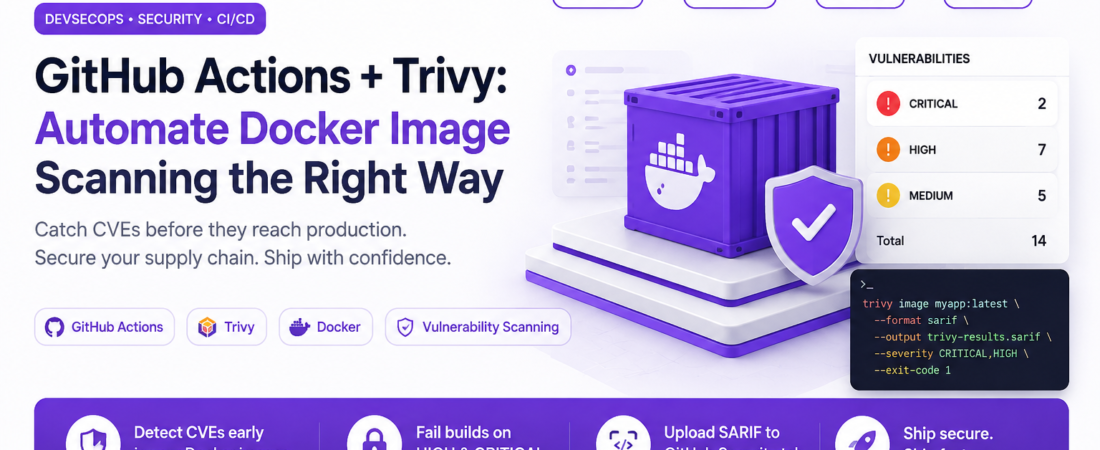
description: I integrated Trivy into our GitHub Actions pipeline to catch CVEs before they reach production. Here’s my exact workflow config, the gotchas I hit, and how to tune severity thresholds.
Introduction
My team shipped a Node.js API to production last year with a critical CVE hiding inside our base image. We didn’t know until a third-party penetration test flagged it three weeks later. That was the moment I committed to automating Docker image scanning in every CI pipeline we owned. After evaluating Snyk, Grype, and Clair, I landed on Trivy — an open-source scanner by Aqua Security that checks OS packages, language-specific dependencies, Dockerfiles, and IaC configs in a single tool. In this guide I’ll show you exactly how I wire it into GitHub Actions, fail the build on high-severity CVEs, and export results as SARIF for the GitHub Security tab.
TL;DR
- Trivy scans Docker images for OS and library CVEs directly inside GitHub Actions with no external service required.
- Set
exit-code: 1on HIGH and CRITICAL severities so the pipeline fails before a vulnerable image gets pushed to your registry. - Upload SARIF output to GitHub Code Scanning so security findings appear inline on pull requests.
Why Automated Docker Image Scanning Matters
Container images inherit vulnerabilities from every layer — the base OS, language runtimes, and third-party libraries. Without automated vulnerability scanning, a python:3.11 or node:20 image that was clean in January can accumulate dozens of CVEs by March through no change in your own code.
GitHub Actions is where most teams already run their CI, which makes it the natural place to insert a scanning gate. Failing a build on a HIGH-severity CVE is far cheaper than remediating a production breach. Trivy is particularly well-suited to this workflow because it ships as a single binary with a bundled vulnerability database, requires no persistent server, and integrates natively with GitHub’s SARIF upload action.
[INTERNAL LINK: related article on hardening Dockerfiles for production]
Secondary keywords used in this article: container vulnerability scanning, Trivy GitHub Actions workflow, SARIF upload GitHub Security, Docker CVE scanning CI/CD, supply chain security DevOps.
[SOURCE: https://aquasecurity.github.io/trivy/latest/] [SOURCE: https://docs.github.com/en/code-security/code-scanning/integrating-with-code-scanning/uploading-a-sarif-file-to-github]
Prerequisites
Before wiring this up, confirm you have:
- A GitHub repository with GitHub Actions enabled
- A
Dockerfileat the root of the repo (or specify its path) - GitHub Advanced Security enabled on your repo (required for SARIF upload — free for public repos, included in GitHub Enterprise for private repos)
- Basic familiarity with GitHub Actions
workflowsyntax
Step-by-Step: GitHub Actions Workflow for Trivy Image Scanning
Step 1: Understand What Trivy Scans
Trivy checks for vulnerabilities in multiple target types. For Docker images it scans:
- OS packages — packages from apt, yum, apk, etc.
- Language packages —
pip,npm,gem,cargo,go.sum, and more - Misconfigurations — Dockerfile best-practice violations
- Secrets — accidentally committed credentials
For CI purposes I focus on vuln (vulnerability) type scanning against the built image, with CRITICAL,HIGH as my severity filter. I’ll show you how to add MEDIUM later once your baseline is clean.
Step 2: Create the GitHub Actions Workflow File
In your repository, create the file .github/workflows/docker-scan.yml:
name: Docker Image Security Scan

on:
  push:
    branches: [main, develop]
  pull_request:
    branches: [main]

permissions:
  contents: read
  security-events: write   # Required for SARIF upload to GitHub Security tab
  actions: read

jobs:
  build-and-scan:
    name: Build and Scan Docker Image
    runs-on: ubuntu-latest

    steps:
      - name: Checkout repository
        uses: actions/checkout@v4

      - name: Set up Docker Buildx
        uses: docker/setup-buildx-action@v3

      - name: Build Docker image
        uses: docker/build-push-action@v5
        with:
          context: .
          push: false                      # Build locally only — don't push yet
          tags: myapp:${{ github.sha }}
          cache-from: type=gha
          cache-to: type=gha,mode=max
          load: true                       # Load image into local Docker daemon for scanning

      - name: Run Trivy vulnerability scanner
        uses: aquasecurity/trivy-action@0.20.0
        with:
          image-ref: myapp:${{ github.sha }}
          format: table
          exit-code: 1                     # Fail the build on any finding
          ignore-unfixed: true             # Skip CVEs with no available fix
          vuln-type: os,library
          severity: CRITICAL,HIGH
          timeout: 10m

      - name: Run Trivy and export SARIF
        uses: aquasecurity/trivy-action@0.20.0
        if: always()                       # Run even if the table scan step failed
        with:
          image-ref: myapp:${{ github.sha }}
          format: sarif
          output: trivy-results.sarif
          ignore-unfixed: true
          vuln-type: os,library
          severity: CRITICAL,HIGH

      - name: Upload SARIF to GitHub Security tab
        uses: github/codeql-action/upload-sarif@v3
        if: always()
        with:
          sarif_file: trivy-results.sarif
Security Note: Pin action versions to a specific tag (
@0.20.0) rather than a mutable label like@master. Supply-chain attacks against GitHub Actions are a real and documented threat vector — a compromised@mastertag can execute arbitrary code in your pipeline.
Step 3: Understand the Key Configuration Options
A few options in the workflow above deserve explanation:
exit-code: 1 tells Trivy to exit with a non-zero status when it finds vulnerabilities matching your severity filter. Without this, the step always passes regardless of findings. This is the most important option for enforcing a security gate.
ignore-unfixed: true skips CVEs for which no patched package version exists yet. Without this flag, developers get blocked by vulnerabilities they can’t fix — which leads to bypass pressure and eventually disabling the scan entirely. I always enable this for the blocking step.
format: sarif + upload is separate from the blocking step intentionally. The blocking step uses table format for human-readable CI output. The SARIF step uses if: always() so results are uploaded even when the build fails — this is how findings appear in your PR’s Security tab, giving developers context before they fix the issue.
cache-from: type=gha for the Docker build step uses GitHub’s built-in layer cache. Without it, every workflow run rebuilds all layers from scratch, making the pipeline 3–5× slower on large images.
Step 4: Add a Trivy Configuration File for Fine-Grained Control
For more complex projects, inline workflow options get messy. Trivy supports a configuration file — I commit trivy.yaml to the repo root:
# trivy.yaml — committed to repo root
scan:
  skip-dirs:
    - node_modules
    - .git
  skip-files:
    - "**/*.test.js"

vulnerability:
  ignore-unfixed: true
  type:
    - os
    - library

report:
  format: table
  dependency-tree: true   # Shows which package pulls in the vulnerable dep

severity:
  - CRITICAL
  - HIGH
Reference it from the workflow step:
      - name: Run Trivy vulnerability scanner
        uses: aquasecurity/trivy-action@0.20.0
        with:
          image-ref: myapp:${{ github.sha }}
          trivy-config: trivy.yaml
          exit-code: 1
Step 5: Handle Accepted Risks with a .trivyignore File
Occasionally Trivy flags a CVE that your security team has explicitly reviewed and accepted — often because the vulnerable code path is never reachable in your deployment context. Rather than lowering the severity threshold globally, use a .trivyignore file in the repo root:
# .trivyignore
# Format: CVE-ID  # Optional comment

CVE-2023-44487   # HTTP/2 Rapid Reset — mitigated at load balancer, not in app
CVE-2023-38545   # libcurl — our image doesn't use curl at runtime
Trivy automatically picks up .trivyignore if it’s in the working directory. Each entry should have a comment explaining the business reason — this file is part of your audit trail.
Important: Treat
.trivyignorelike exceptions in a firewall ruleset — review and prune it quarterly. CVEs you accepted six months ago may now have fixes available, and a stale ignore file becomes a liability.
Step 6: Push the Image Only After a Clean Scan
The real security value comes from sequencing: build → scan → push (only if scan passes). Here’s the extended workflow that pushes to GitHub Container Registry only on main after a clean scan:
      - name: Log in to GitHub Container Registry
        if: github.ref == 'refs/heads/main' && github.event_name == 'push'
        uses: docker/login-action@v3
        with:
          registry: ghcr.io
          username: ${{ github.actor }}
          password: ${{ secrets.GITHUB_TOKEN }}

      - name: Push image if scan passed
        if: github.ref == 'refs/heads/main' && github.event_name == 'push'
        uses: docker/build-push-action@v5
        with:
          context: .
          push: true
          tags: ghcr.io/${{ github.repository }}:${{ github.sha }}
          cache-from: type=gha
Because the Push step comes after Run Trivy vulnerability scanner, it only executes when the scan exits with code 0. A CRITICAL CVE will fail the scan step and GitHub Actions will skip all subsequent steps by default.
Real-World Tips I Use in Production
Scan your base image separately as a scheduled job. A Monday morning cron workflow that scans your pinned base images (FROM node:20.12.2-alpine3.19) catches new CVEs disclosed between your code pushes. Add schedule: - cron: '0 8 * * 1' to your workflow triggers.
Use image digests instead of tags in FROM. Replace FROM node:20-alpine with FROM node:20-alpine@sha256:abc123.... This prevents a silently updated tag from introducing new vulnerabilities between builds. Trivy’s --dependency-tree flag helps you trace which pulled package introduced a new CVE when you do update the digest.
Keep the Trivy database fresh. The trivy-action downloads the vulnerability database on every run by default. For high-frequency pipelines this adds 30–60 seconds. Cache the DB using a GitHub Actions cache step keyed on the date: trivy-db-$(date +%Y-%m-%d).
Common Errors and How I Fixed Them
Error: SARIF upload failed: Advanced Security must be enabled GitHub Code Scanning (SARIF upload) requires Advanced Security. For private repos this needs GitHub Enterprise or a GitHub Advanced Security license. The workaround: remove the SARIF upload step and export findings as a GitHub Actions artifact (actions/upload-artifact@v4) instead. The table output in the CI log still gives developers full CVE details.
Error: docker: Error response from daemon: No such image This happens when the build step uses push: true without load: true. The image is pushed to the registry but not loaded into the local Docker daemon, so Trivy can’t find it by tag. Fix: add load: true to the docker/build-push-action step — or have Trivy pull the image directly from the registry using image-ref: ghcr.io/yourorg/yourimage:tag with appropriate credentials.
Error: Timeout exceeded on large images Trivy’s default timeout is 5 minutes. Multi-stage images with many OS packages or large node_modules layers can exceed this. Set timeout: 15m in the Trivy action step, and consider adding the --skip-dirs option to exclude non-production layers if you’re using multi-stage builds.
FAQ
Q: How do I set up GitHub Actions Trivy scanning for a private Docker registry? A: Authenticate to your registry before the Trivy scan step using docker/login-action. Pass the full registry path as image-ref (e.g., registry.example.com/myapp:latest). For ECR, use aws-actions/amazon-ecr-login@v2 and ensure your GitHub Actions runner has the appropriate IAM role via OIDC federation — avoid long-lived AWS credentials stored as secrets.
Q: What is the difference between Trivy image scanning and Dockerfile linting? A: Image scanning inspects the actual built image — its OS packages and language dependencies — for known CVEs pulled from databases like NVD and GitHub Advisory. Dockerfile linting (also available in Trivy via --scanners config) checks your Dockerfile instructions against best practices: running as root, not pinning base image digests, exposing unnecessary ports. Both are valuable; they catch different classes of issues.
Q: How often does Trivy update its vulnerability database in GitHub Actions? A: Trivy downloads a fresh copy of its database from ghcr.io/aquasecurity/trivy-db at the start of each scan unless you disable it with --skip-db-update. The database is updated approximately every 6 hours by Aqua Security from upstream sources including NVD, RHSA, and GitHub Advisory. For daily pipelines this is more than sufficient; for scheduled overnight scans, always allow the DB to update.
Q: Can Trivy GitHub Actions detect secrets accidentally committed to a Docker image? A: Yes — add secret to vuln-type alongside os,library. Trivy will scan for patterns matching API keys, tokens, and passwords embedded in the image layers. Be aware that secret scanning can generate false positives on test fixtures; use .trivyignore or --skip-files to suppress known false positives rather than disabling the scanner category entirely.
Q: How do I fail only on CRITICAL vulnerabilities and report HIGH without failing the build? A: Use two Trivy steps. The first step has severity: CRITICAL and exit-code: 1 (blocks the build). The second step has severity: HIGH and exit-code: 0 with SARIF output (reports without blocking). This pattern lets your team see HIGH findings in the Security tab without immediately breaking the build — useful when first rolling out scanning to a legacy codebase with a large backlog of findings.
Conclusion
Automating Docker image scanning with Trivy and GitHub Actions is one of the highest-value security improvements you can make in an afternoon. The workflow I’ve described above — build, scan, gate on CRITICAL/HIGH, export SARIF — is exactly what we run across a dozen microservices, and it has caught real vulnerabilities before they reached production more than once.
If you’re rolling this out to an existing codebase and facing a wall of findings, start with severity: CRITICAL and ignore-unfixed: true to get to green, then progressively tighten the thresholds. And if you have a pattern for handling .trivyignore governance at scale, I’d love to hear about it in the comments below.
About the Author
I’m a DevSecOps engineer with 9 years of experience securing containerized workloads on AWS and GCP, with a primary stack of Docker, Kubernetes, Terraform, GitHub Actions, and Python. I introduced vulnerability scanning into CI/CD pipelines at two Series B startups and have contributed to open-source security tooling including Trivy integrations. I write about container security, supply chain risk, and practical DevSecOps patterns that teams can actually adopt without slowing down their delivery.