
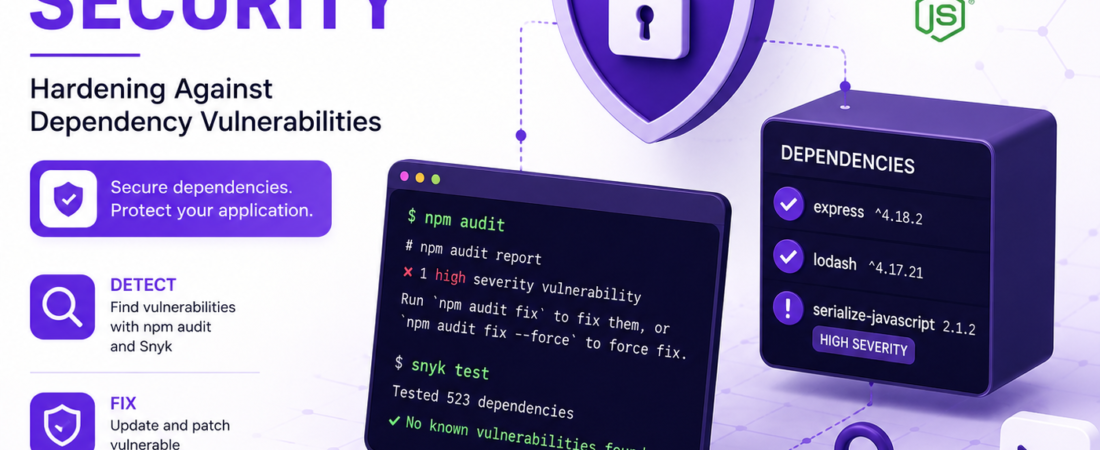
Learn to secure your Node.js applications from dependency vulnerabilities using Snyk and npm audit for better security
As a Node.js developer, I’ve encountered my fair share of security issues, particularly when it comes to dependency vulnerabilities. It’s a problem that can sneak up on you, even with the most rigorous testing and code reviews. In this article, I’ll share my experience with hardening Node.js applications against dependency vulnerabilities using Snyk and npm audit.
What Are Dependency Vulnerabilities and Why Do They Matter?
Dependency vulnerabilities occur when a package or module your application depends on has a known security issue. This can expose your application to attacks, even if your own code is secure. A single vulnerable dependency can compromise your entire application, making it crucial to identify and address these vulnerabilities.
How to Identify Dependency Vulnerabilities in Node.js Projects?
To identify dependency vulnerabilities in your Node.js project, you can use npm audit. This command scans your project’s dependencies and reports any known vulnerabilities.
npm auditThe output will list any vulnerabilities found, including the severity level and a recommendation for how to fix the issue.
Using Snyk to Scan for Dependency Vulnerabilities
Snyk is a powerful tool for identifying and fixing dependency vulnerabilities. It integrates seamlessly with npm and can be used to scan your project for vulnerabilities.
npm install -g snyk
snyk test
Snyk will then report any vulnerabilities it finds, along with recommendations for how to fix them.
What’s the Difference Between npm Audit and Snyk?
While both npm audit and Snyk can be used to identify dependency vulnerabilities, they have some key differences. npm audit is a built-in npm command, making it easy to use and integrate into your development workflow. Snyk, on the other hand, offers more advanced features, such as the ability to monitor your dependencies for new vulnerabilities and automate the process of keeping your dependencies up to date.
Pro Tip: Use both
npm auditand Snyk to get a comprehensive view of your application’s dependency vulnerabilities.
How to Fix Dependency Vulnerabilities in Node.js Projects?
Fixing dependency vulnerabilities typically involves updating the vulnerable package to a version that has addressed the security issue. This can be done using npm by running the following command:
npm install <package-name>@<version>Replace <package-name> with the name of the package and <version> with the version recommended by npm audit or Snyk.
Automating Dependency Updates with Snyk
Snyk offers a feature called “Snyk Patch” that can automatically apply patches to vulnerable dependencies. This can be a huge time-saver, especially for large projects with many dependencies.
snyk patchSnyk will then apply any available patches to your dependencies, ensuring your application is secure.
Can I Use npm Audit and Snyk Together?
Yes, you can use both npm audit and Snyk together to get a comprehensive view of your application’s dependency vulnerabilities. In fact, using both tools can help you catch more vulnerabilities and ensure your application is as secure as possible.
Pro Tip: Run
npm auditand Snyk regularly as part of your development workflow to catch dependency vulnerabilities early.
How Often Should I Run npm Audit and Snyk?
It’s a good idea to run npm audit and Snyk regularly, such as before each deployment or at least once a week. This will help you catch any new vulnerabilities that may have been introduced since the last scan.
FAQ
What is the most common type of dependency vulnerability in Node.js applications?
The most common type of dependency vulnerability in Node.js applications is a vulnerability in a transitive dependency, which is a dependency of one of your project’s dependencies. These vulnerabilities can be difficult to identify and require tools like Snyk to detect.
How do I know if a dependency vulnerability is severe?
The severity of a dependency vulnerability is typically indicated by a severity level, such as ‘high’, ‘medium’, or ‘low’. You can use this information to prioritize which vulnerabilities to fix first.
Can I use Snyk with other package managers like yarn?
Yes, Snyk supports multiple package managers, including yarn. You can use Snyk with yarn by running the following command: snyk test --yarn.
How do I prevent dependency vulnerabilities in my Node.js application?
To prevent dependency vulnerabilities, make sure to keep your dependencies up to date and use tools like Snyk to monitor your dependencies for new vulnerabilities.
Are there any alternative tools to Snyk for dependency vulnerability scanning?
Yes, there are alternative tools to Snyk, such as npm audit and OWASP Dependency Check. However, Snyk offers more advanced features and is widely used in the industry.
Conclusion
Hardening your Node.js application against dependency vulnerabilities is crucial to ensuring the security of your application. By using tools like npm audit and Snyk, you can identify and fix vulnerabilities in your dependencies. Remember to run these tools regularly and keep your dependencies up to date to prevent new vulnerabilities from being introduced. With the right tools and a little diligence, you can significantly reduce the risk of a security breach and keep your application secure.
Keep following SpiritCode for more articles on securing your applications and staying up to date with the latest developments in the world of software development.