
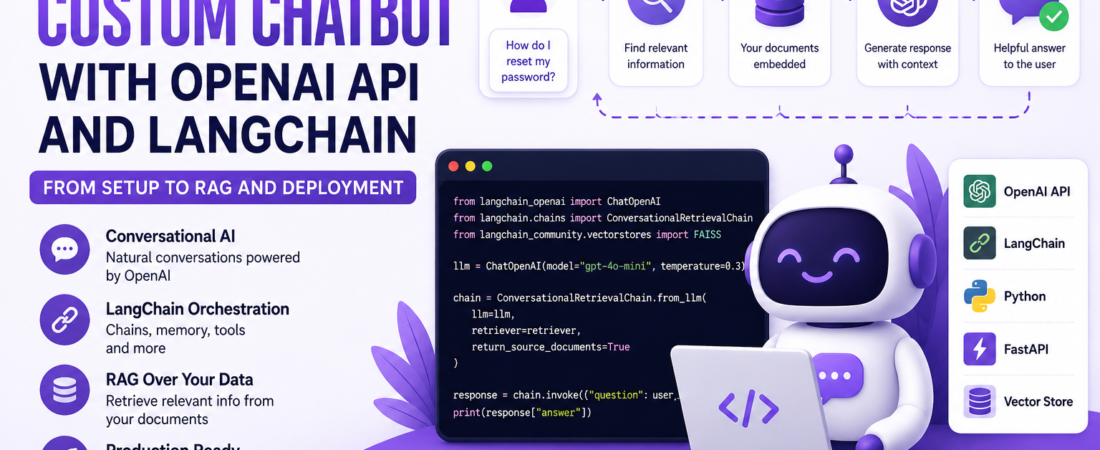
Meta Description: I walk through building a production-ready custom chatbot using the OpenAI API and LangChain in Python, from setup to RAG and deployment.
The first time I tried building a chatbot directly against the raw OpenAI API, I hit the same wall most developers hit: it works fine for a single question and answer, but the moment you need conversation memory, custom knowledge from your own documents, or the ability to call external tools, you end up hand-rolling a mess of prompt-stitching logic. That’s exactly the problem LangChain was built to solve, and it’s the stack I now default to whenever a client asks me for a “chatbot that knows our own data.”
In this guide, I’ll walk you through everything I actually do when building one of these from scratch: setting up the OpenAI API and LangChain, adding conversation memory, building a retrieval-augmented generation (RAG) pipeline over custom documents, and deploying the whole thing behind a FastAPI endpoint you can plug into a frontend.
What You’ll Need Before Starting
- Python 3.10 or newer
- An OpenAI API key (from platform.openai.com)
- Basic familiarity with Python and REST APIs
I’ll flag version-specific behavior throughout this guide, since LangChain’s API has changed significantly across major versions — code that worked in langchain 0.0.x often won’t run unmodified on 0.3.x, since much of the core functionality was split into separate packages (langchain-core, langchain-community, langchain-openai). I’m writing this against the modern split-package structure.
Step 1: Setting Up Your Environment
python -m venv venv
source venv/bin/activate  # on Windows: venv\Scripts\activate

pip install langchain langchain-openai langchain-community openai python-dotenv
Create a .env file to keep your API key out of source control — this is something I insist on even for throwaway prototypes, because I’ve seen API keys accidentally committed to public GitHub repos more times than I’d like to admit:
OPENAI_API_KEY=sk-your-key-here
from dotenv import load_dotenv
load_dotenv()
Step 2: The Simplest Possible Chatbot
Before adding any complexity, I always start with the minimal version to confirm the API connection works:
from langchain_openai import ChatOpenAI
from langchain_core.messages import HumanMessage, SystemMessage

chat_model = ChatOpenAI(
    model="gpt-4o-mini",  # swap for whichever model fits your budget/quality needs
    temperature=0.7,
)

response = chat_model.invoke([
    SystemMessage(content="You are a helpful assistant for a SaaS support team."),
    HumanMessage(content="How do I reset a customer's password?")
])

print(response.content)
A quick note on temperature: I set it low (0.0–0.3) for support and factual chatbots where I want consistent, predictable answers, and higher (0.7–1.0) for creative or brainstorming use cases. This single parameter has more impact on perceived “chatbot personality” than most people expect.
Step 3: Adding Conversation Memory
A raw call to the model has no memory — every request is stateless. To build an actual conversation, you need to track message history and pass it back on every turn. Here’s the pattern I use:
from langchain_core.messages import AIMessage

class ChatSession:
    def __init__(self, system_prompt: str):
        self.messages = [SystemMessage(content=system_prompt)]
        self.model = ChatOpenAI(model="gpt-4o-mini", temperature=0.3)

    def send(self, user_input: str) -> str:
        self.messages.append(HumanMessage(content=user_input))
        response = self.model.invoke(self.messages)
        self.messages.append(AIMessage(content=response.content))
        return response.content


session = ChatSession("You are a friendly onboarding assistant for a project management tool.")
print(session.send("Hi, how do I create a new project?"))
print(session.send("And how do I invite my team to it?"))
Pro tip: In production, I never let this message list grow unbounded. Every message you send counts against the model’s context window and your token bill. I usually implement one of two strategies: a sliding window that keeps only the last N exchanges, or a summarization buffer that periodically compresses older messages into a running summary using a cheaper model call. LangChain’s
ConversationSummaryBufferMemory(inlangchain.memory, still available in the community package) implements the second approach out of the box.
from langchain.memory import ConversationSummaryBufferMemory

memory = ConversationSummaryBufferMemory(
    llm=ChatOpenAI(model="gpt-4o-mini"),
    max_token_limit=1000,
)
Step 4: Building a RAG Pipeline Over Your Own Documents
This is where I see the real value of LangChain over a bare OpenAI API call. Most “custom chatbot” requests I get aren’t asking for a generic assistant — they want the bot to answer questions using their own documentation, product data, or knowledge base. That’s retrieval-augmented generation (RAG).
4.1 Loading and Splitting Documents
from langchain_community.document_loaders import DirectoryLoader, TextLoader
from langchain_text_splitters import RecursiveCharacterTextSplitter

loader = DirectoryLoader("./knowledge_base", glob="**/*.txt", loader_cls=TextLoader)
documents = loader.load()

text_splitter = RecursiveCharacterTextSplitter(
    chunk_size=1000,
    chunk_overlap=150,
)
chunks = text_splitter.split_documents(documents)
In my experience, chunk_size is the setting most worth tuning. Too small and you lose context within a chunk (answers get fragmented); too large and you waste tokens retrieving irrelevant surrounding text, and you risk diluting the embedding’s semantic focus. I generally start at 1000 characters with 150 of overlap and adjust based on how my documents are actually structured — FAQ-style content usually wants smaller chunks, long-form documentation wants bigger ones.
4.2 Creating Embeddings and a Vector Store
from langchain_openai import OpenAIEmbeddings
from langchain_community.vectorstores import Chroma

embeddings = OpenAIEmbeddings(model="text-embedding-3-small")

vector_store = Chroma.from_documents(
    documents=chunks,
    embedding=embeddings,
    persist_directory="./chroma_db",
)
I use Chroma for prototypes and small-to-medium document sets because it runs locally with zero infrastructure setup. For anything going into serious production with a large document corpus, I typically move to a managed vector database.
| Vector Store | Setup effort | Hosting | Best for |
|---|---|---|---|
| Chroma | Very low | Local / self-hosted | Prototypes, small datasets |
| FAISS | Low | Local (in-memory) | Fast local search, no persistence needed |
| Pinecone | Medium | Managed cloud | Production, large scale, low ops overhead |
| Weaviate | Medium | Managed or self-hosted | Hybrid search (keyword + vector) |
| pgvector | Medium | Your existing Postgres | Teams already running Postgres who want one less system to manage |
4.3 Building the Retrieval Chain
from langchain.chains import create_retrieval_chain
from langchain.chains.combine_documents import create_stuff_documents_chain
from langchain_core.prompts import ChatPromptTemplate

retriever = vector_store.as_retriever(search_kwargs={"k": 4})

prompt = ChatPromptTemplate.from_messages([
    ("system", """You are a support assistant. Answer the user's question
using ONLY the context below. If the answer isn't in the context,
say you don't have that information and suggest contacting support.

Context:
{context}"""),
    ("human", "{input}"),
])

document_chain = create_stuff_documents_chain(chat_model, prompt)
retrieval_chain = create_retrieval_chain(retriever, document_chain)

result = retrieval_chain.invoke({"input": "What's your refund policy?"})
print(result["answer"])
That explicit instruction — answer using only the context, and say when you don’t know — is one of the highest-leverage lines in this entire guide. Without it, the model will happily hallucinate a plausible-sounding answer even when your documents don’t contain one, which is exactly the failure mode that erodes user trust in a support chatbot the fastest.
Step 5: Combining Memory and Retrieval
Real chatbots need both memory and retrieval working together — a user might ask a follow-up question that only makes sense in the context of what they asked before. I handle this by rewriting the user’s question into a standalone query before retrieval, using the conversation history:
from langchain.chains import create_history_aware_retriever
from langchain_core.prompts import MessagesPlaceholder

contextualize_prompt = ChatPromptTemplate.from_messages([
    ("system", "Given the chat history and the latest user question, "
               "rewrite it as a standalone question that can be understood "
               "without the chat history. Do not answer it, just reformulate it."),
    MessagesPlaceholder("chat_history"),
    ("human", "{input}"),
])

history_aware_retriever = create_history_aware_retriever(
    chat_model, retriever, contextualize_prompt
)

full_chain = create_retrieval_chain(history_aware_retriever, document_chain)
This two-step process — rewrite, then retrieve — is what lets a user ask “What about for enterprise plans?” as a follow-up and have the bot correctly understand what “what about” refers to.
Step 6: Adding Tool Calling (Function Calling)
Sometimes a chatbot needs to do more than answer from documents — check an order status, look up account data, or trigger an action. I use OpenAI’s function-calling support through LangChain’s tool interface for this:
from langchain_core.tools import tool

@tool
def get_order_status(order_id: str) -> str:
    """Look up the current status of a customer order by its ID."""
    # In production this would call your actual order service/database
    orders = {"1234": "Shipped", "5678": "Processing"}
    return orders.get(order_id, "Order not found")

model_with_tools = chat_model.bind_tools([get_order_status])

response = model_with_tools.invoke("What's the status of order 1234?")

if response.tool_calls:
    for call in response.tool_calls:
        if call["name"] == "get_order_status":
            result = get_order_status.invoke(call["args"])
            print(result)
The docstring on the tool function matters more than most developers expect — the model uses it to decide whether and how to call the tool. I write these the same way I’d write documentation for a teammate: clear, specific, and unambiguous about what the function does and what its parameters mean.
Step 7: Deploying the Chatbot with FastAPI
Once the chain works locally, I wrap it in a FastAPI service so a frontend (or any other client) can talk to it over HTTP.
from fastapi import FastAPI
from pydantic import BaseModel

app = FastAPI()

# In production, store sessions in Redis or a database, not in memory
sessions: dict[str, list] = {}

class ChatRequest(BaseModel):
    session_id: str
    message: str

@app.post("/chat")
def chat(request: ChatRequest):
    history = sessions.get(request.session_id, [])

    result = full_chain.invoke({
        "input": request.message,
        "chat_history": history,
    })

    history.append(HumanMessage(content=request.message))
    history.append(AIMessage(content=result["answer"]))
    sessions[request.session_id] = history

    return {"answer": result["answer"]}
uvicorn main:app --reload
I learned this the hard way: storing session history in a plain in-memory dictionary works for local testing but breaks the moment you deploy more than one instance behind a load balancer — a user’s second request might land on a different instance with no memory of the first. For any real deployment, move session storage to Redis or a database keyed by
session_id.
Common Errors and How I Fixed Them
| Error | Likely Cause | Fix |
|---|---|---|
RateLimitError from OpenAI | Exceeded your API rate/usage limits | Implement exponential backoff retries, or upgrade your usage tier |
| Empty or generic answers from RAG chain | Chunk size too large/small, or irrelevant retrieval | Tune chunk_size/chunk_overlap, increase k in the retriever, inspect retrieved chunks directly |
ImportError on langchain.chains modules | Using code written for an older LangChain version | Check whether the import moved to langchain-core or langchain-community in your installed version |
| Bot “forgets” earlier context | Memory not persisted or not passed to the chain | Confirm chat_history is actually being appended and passed on every call |
| High latency per response | Large context window, unnecessary reasoning steps | Reduce k, use a smaller/faster model for simple queries, cache repeated queries |
Performance and Cost Considerations
In my experience, the biggest cost driver in a RAG chatbot isn’t the chat completion call — it’s re-embedding documents unnecessarily and retrieving more chunks than you need. A few things I always do:
- Cache embeddings. Don’t re-embed a document that hasn’t changed. I check content hashes before triggering a re-embed.
- Tune
kconservatively. Retrieving 10 chunks “to be safe” costs more tokens and often dilutes answer quality compared to a well-tuned 3-4. - Use a cheaper model for simple turns. Not every message needs your most capable model — I’ve routed simple greetings and small talk to a lighter model and reserved the stronger one for the actual RAG-backed answers.
- Stream responses. LangChain and the OpenAI API both support streaming, which dramatically improves perceived latency even when total generation time is unchanged.
Security Notes
- Never expose your OpenAI API key to the frontend. All model calls should go through your backend.
- Sanitize what goes into your prompts. If any part of the prompt comes from user input concatenated with system instructions, be aware of prompt injection risks, especially if your chatbot has tool-calling access to real systems.
- Rate limit your
/chatendpoint. A chatbot backed by a paid API is a direct cost target for abuse — if you haven’t already, this is exactly the kind of endpoint I’d protect the way I described in my Spring Boot rate limiting guide (the same principles apply regardless of backend language).
Frequently Asked Questions
Do I need LangChain to use the OpenAI API, or can I call it directly? You can call the OpenAI API directly with the openai Python package for simple use cases. I reach for LangChain once I need conversation memory management, document retrieval (RAG), tool calling orchestration, or the ability to swap model providers without rewriting my application logic.
What’s the difference between LangChain and LlamaIndex? Both are popular for building LLM applications. In my experience, LangChain has broader tooling for general-purpose chains, agents, and tool calling, while LlamaIndex has historically been more specialized and often simpler for document indexing and retrieval-focused use cases. Many teams use both together.
How much does it cost to run a chatbot built on the OpenAI API? Cost depends on the model and token volume — check OpenAI’s current pricing page directly, since rates change over time. In practice, embedding costs for RAG are usually small relative to chat completion costs, and the biggest lever you have is choosing a smaller model for simple turns and reserving larger models for complex queries.
Can I use a model other than OpenAI’s with LangChain? Yes — this is one of LangChain’s core selling points. Swapping ChatOpenAI for ChatAnthropic, ChatOllama, or another supported chat model class typically requires minimal code changes, since they implement the same interface.
How do I prevent my chatbot from answering questions outside its knowledge base? Constrain the system prompt explicitly to only answer from retrieved context, and instruct the model to say it doesn’t know when the context doesn’t contain the answer. I also test this directly with adversarial “outside scope” questions before shipping.
What model should I use for a customer support chatbot? I typically start with a smaller, cheaper model (like gpt-4o-mini) for most support queries, since retrieval-augmented answers rely more on good retrieval than on raw model power. I only reach for a larger model when I see the smaller one struggling with reasoning-heavy or ambiguous questions.
Wrapping Up
Building a custom chatbot with the OpenAI API and LangChain comes down to a handful of composable pieces: a chat model, conversation memory, an optional retrieval layer over your own documents, and — if you need it — tool calling for real actions. Start with the simplest version that answers a single question correctly, then layer in memory, then retrieval, then deployment. Trying to build all of it at once is how most chatbot projects stall out.
If this was useful, check out more AI and backend engineering guides here on SpiritCode — I regularly cover practical, production-tested approaches to building with LLMs, securing APIs, and deploying real applications, including the companion piece on rate limiting your API endpoints in Spring Boot to keep costs and abuse under control once your chatbot is live.