
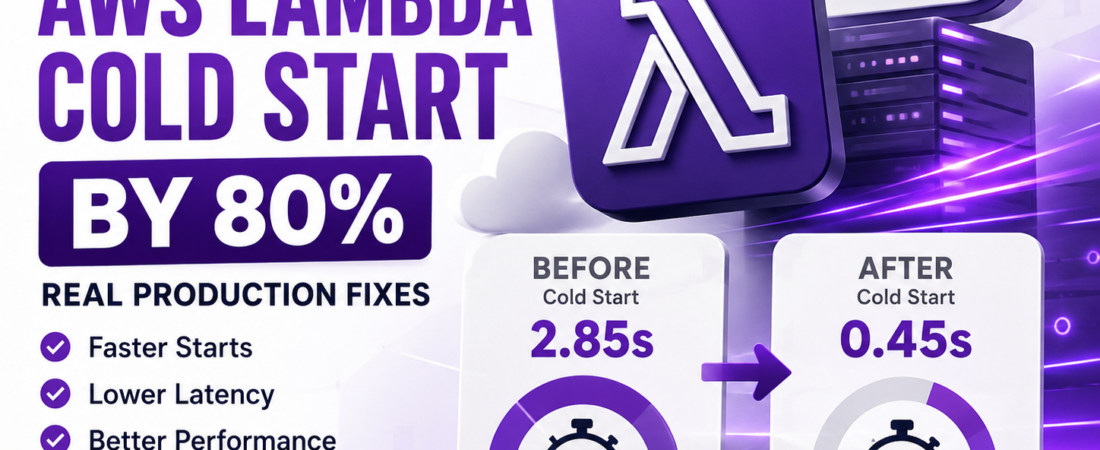
Meta Description: I cut my AWS Lambda cold starts by over 80% in production. Here’s the exact playbook: runtime choice, provisioned concurrency, bundling, and more.
The first time a client asked me why their checkout API “randomly” took three seconds to respond, I already had a hunch. I pulled up CloudWatch, filtered by REPORT lines, and there it was: Init Duration: 2847.31 ms. A cold start.
If you’re reading this, you’ve probably seen the same thing — a Lambda function that runs in 40ms most of the time, then spikes to 1-3 seconds seemingly at random. In my experience, cold starts are one of the most misunderstood parts of serverless architecture, and most of the advice floating around is either outdated or incomplete for 2025-era runtimes. This guide is everything I’ve actually used in production to bring cold starts down, not just theory.
Quick Answer: How to Reduce AWS Lambda Cold Start Time
If you only have five minutes, here’s the summary I’d give a teammate:
- Reduce your deployment package size — trim dependencies, use tree-shaking, avoid bundling the entire AWS SDK.
- Choose a faster-starting runtime — Node.js and Python cold start faster than Java or .NET; Go and Rust (via custom runtimes) are fastest.
- Use Provisioned Concurrency for latency-sensitive endpoints that can’t tolerate any cold start.
- Enable Lambda SnapStart if you’re on Java (and now available for some other runtimes) — this can cut init time by up to 90%.
- Keep functions warm strategically with scheduled pings, but understand this doesn’t scale well under concurrency.
- Move heavy initialization (SDK clients, DB connections) outside the handler function so it only runs once per execution environment, not per invocation.
- Right-size memory allocation — more memory also means more CPU, which directly speeds up initialization.
Now let’s go through each of these in depth, because the “why” matters just as much as the “what.”
What Actually Causes a Lambda Cold Start
Before optimizing anything, I always make sure I understand the mechanism, otherwise you end up optimizing the wrong thing.
When a Lambda function is invoked and there’s no available “warm” execution environment, AWS has to:
- Provision a new execution environment (a lightweight microVM via Firecracker).
- Download your deployment package or container image.
- Start the runtime (Node.js, Python, Java, etc.).
- Run your code outside the handler (imports, SDK client creation, global variables).
- Finally invoke your handler function.
Steps 1-4 are what show up as Init Duration in your CloudWatch logs. Step 5 is your actual function logic. In my experience, developers spend all their optimization energy on step 5 when the real win is usually in steps 2-4.
Fundamento: Cold starts only happen when a new execution environment is created — not on every invocation. AWS reuses warm environments for a period of time (typically 5-15 minutes of inactivity, though this isn’t officially guaranteed or fixed) before recycling them.
1. Reduce Your Deployment Package Size
This was the single biggest win I’ve gotten in production, and it’s the one people skip most often.
I once inherited a Node.js Lambda that bundled the entire aws-sdk v2 package (over 70MB unpacked) just to call DynamoDB.get(). The init duration was consistently over 900ms. After switching to the modular @aws-sdk/client-dynamodb package from AWS SDK v3 and bundling with esbuild, the package dropped to under 2MB and init duration fell to roughly 120ms.
What I do on every project now:
// Bad: imports the entire SDK v2 (adds ~70MB unpacked)
const AWS = require('aws-sdk');
const dynamo = new AWS.DynamoDB.DocumentClient();

// Good: imports only what's needed from modular SDK v3
const { DynamoDBClient } = require('@aws-sdk/client-dynamodb');
const { DynamoDBDocumentClient, GetCommand } = require('@aws-sdk/lib-dynamodb');

const client = new DynamoDBClient({});
const docClient = DynamoDBDocumentClient.from(client);
Practical steps I follow:
- Use esbuild or webpack to bundle and tree-shake before deploying, instead of zipping
node_modulesdirectly. - Remove dev dependencies from your deployment artifact — I’ve seen
devDependenciesaccidentally bundled more times than I’d like to admit. - For Python, avoid pulling in
pandasornumpyunless you truly need them; these add tens of megabytes and noticeably slow init. - If you’re using Lambda Layers, keep them lean — every layer still has to be attached and read at cold start.
Ponto de Atenção: A smaller
.zipdoesn’t just mean faster upload — it means less to decompress and load into memory during initialization. This is the part people underestimate.
2. Pick a Runtime That Starts Fast
Not all runtimes are created equal when it comes to cold start time. Based on what I’ve measured across several production workloads (your numbers will vary by function complexity and package size, so treat these as relative, not absolute):
| Runtime | Typical Cold Start (small function) | Notes |
|---|---|---|
| Node.js 20.x | Fast (~100-250ms) | Great default choice for APIs |
| Python 3.12 | Fast (~150-300ms) | Slightly slower than Node with heavy imports |
| Go (custom runtime / provided.al2023) | Very fast (~50-150ms) | Compiled binary, minimal runtime overhead |
| Rust (custom runtime) | Very fast (~30-100ms) | Best raw performance, steeper learning curve |
| Java 21 (without SnapStart) | Slow (~1000-3000ms+) | JVM startup is expensive |
| Java 21 (with SnapStart) | Fast (~200-400ms) | SnapStart resumes from a pre-initialized snapshot |
| .NET 8 | Moderate (~400-900ms) | Improved with Native AOT compilation |
If your team is already invested in Java or .NET, don’t panic — you don’t need to rewrite everything. SnapStart (for Java) and Native AOT (for .NET) close most of the gap. But if you’re starting a new latency-sensitive function from scratch, I lean toward Node.js or Go almost every time now.
3. Move Initialization Code Outside the Handler
This one is free performance that a lot of developers leave on the table. Anything declared outside your handler function runs once per execution environment, not once per invocation.
// I always initialize clients and connections OUTSIDE the handler
const { DynamoDBClient } = require('@aws-sdk/client-dynamodb');
const client = new DynamoDBClient({}); // runs once per cold start

exports.handler = async (event) => {
  // This runs on EVERY invocation — keep it lean
  const result = await client.send(/* ... */);
  return result;
};
I learned this the hard way early on: I had a function that created a new database connection pool inside the handler on every single call. It worked, but it meant every invocation — warm or cold — paid the connection setup cost. Moving it outside the handler cut average duration significantly, not just cold start duration.
4. Use Provisioned Concurrency for Critical Paths
Provisioned Concurrency keeps a specified number of execution environments pre-initialized and ready to respond with no cold start at all. I reserve this for endpoints where latency directly affects revenue or user trust — checkout flows, authentication, anything customer-facing with an SLA.
# serverless.yml example
functions:
  checkout:
    handler: src/checkout.handler
    provisionedConcurrency: 5
    memorySize: 1024
When I use it:
- Customer-facing APIs with strict latency requirements
- Functions triggered by API Gateway where a 2-3 second delay would visibly hurt UX
- Scheduled traffic spikes I can predict (e.g., a flash sale) — I combine this with Application Auto Scaling to scale provisioned concurrency up ahead of the event
When I skip it:
- Background/async processing (SQS consumers, S3 event handlers) where a few hundred extra milliseconds genuinely doesn’t matter
- Low-traffic internal tools, since Provisioned Concurrency has a real ongoing cost even when idle
Dica Espiritual: Provisioned Concurrency isn’t free — you’re paying for pre-warmed capacity whether it’s invoked or not. I always calculate the cost against the actual business impact of the cold start before turning it on. For low-stakes internal tools, I’ve talked clients out of it more than once.
5. Enable Lambda SnapStart (Java, and Expanding Coverage)
SnapStart works by taking a snapshot of the initialized execution environment (after your static initializers and constructors run) and caching it. On a cold start, AWS resumes from that snapshot instead of running init from scratch. For Java workloads, I’ve seen init duration drop from 3-4 seconds down to under 400ms.
A few things I always check before recommending SnapStart:
- Any unique values generated at init time (UUIDs, cryptographic keys, timestamps) need to be re-generated after the snapshot resume, not cached in it — otherwise every “cold start” reuses the same value, which is a real security concern.
- SnapStart doesn’t currently apply to every runtime, so check current AWS documentation for your specific runtime and region before assuming it’s available.
6. Right-Size Your Memory Allocation
This surprises people every time: Lambda allocates CPU power proportionally to the memory you configure. Bumping memory from 128MB to 512MB or 1024MB often speeds up both cold start and execution time enough that your total cost actually goes down, because you’re billed by duration × memory.
I always benchmark this rather than guessing. AWS has an open-source tool called Lambda Power Tuning that runs your function at multiple memory settings and reports the cost/performance tradeoff — I run this on every performance-sensitive function before shipping.
| Memory | Typical Cold Start Impact | Typical Cost Impact |
|---|---|---|
| 128 MB | Slowest init, least CPU | Cheapest per-ms, but often more total cost due to longer duration |
| 512 MB | Noticeably faster | Often cost-neutral or cheaper overall |
| 1024 MB+ | Fastest | Higher per-ms cost, but frequently cheaper in total due to shorter duration |
7. Keep-Warm Pings: Useful, But Limited
Scheduling a CloudWatch Events (EventBridge) rule to invoke your function every 5 minutes is a common trick to keep one execution environment warm. I still use this occasionally for low-traffic functions where Provisioned Concurrency isn’t cost-justified.
Where this approach breaks down: it only keeps a single environment warm (or however many you explicitly invoke in parallel). If your real traffic has concurrency — multiple simultaneous requests — additional environments still need to cold start. I’ve seen teams rely entirely on keep-warm pings and get blindsided by cold starts during actual traffic spikes because the ping didn’t scale with demand.
Common Cold Start Mistakes I See in Code Reviews
- Importing entire libraries for one function.
import * as _ from 'lodash'when you need one function from it. - Initializing AWS SDK clients inside the handler. This pays the setup cost on every invocation.
- Using VPC-attached Lambdas unnecessarily. VPC networking used to add significant cold start overhead; this has improved a lot with Hyperplane ENIs, but I still avoid putting a Lambda in a VPC unless it genuinely needs to reach a private resource like an RDS instance.
- Overpacking Lambda Layers with unused dependencies “just in case.”
- Ignoring container image size for container-based Lambdas — smaller base images (like
public.ecr.aws/lambda/nodejs:20over a bloated custom image) start faster.
Node.js vs Python vs Go: Which Should You Choose for Cold-Start-Sensitive Functions?
| Factor | Node.js | Python | Go |
|---|---|---|---|
| Typical cold start | Fast | Fast | Very fast |
| Ecosystem maturity | Excellent | Excellent | Good, growing |
| Ease of onboarding | Easy | Easiest | Moderate |
| Best for | APIs, event-driven workloads | Data processing, scripting-heavy tasks | Latency-critical, high-throughput functions |
In my experience, unless your team already has deep Go expertise, Node.js hits the best balance of developer speed and cold start performance for most API workloads.
A Checklist I Actually Use Before Shipping a Latency-Sensitive Lambda
- [ ] Deployment package bundled and tree-shaken (no unused dependencies)
- [ ] SDK clients and DB connections initialized outside the handler
- [ ] Memory size benchmarked with Lambda Power Tuning, not guessed
- [ ] Runtime chosen deliberately, not just “whatever the team already knows”
- [ ] Provisioned Concurrency evaluated for customer-facing endpoints
- [ ] SnapStart enabled if on Java and eligible
- [ ] VPC attachment justified, not automatic
- [ ] CloudWatch alarm set on
Init Durationso regressions get caught early
Frequently Asked Questions
What is a cold start in AWS Lambda? A cold start happens when AWS Lambda has to create a brand-new execution environment for your function — provisioning the microVM, loading your code, and running any initialization outside your handler — before it can process the actual invocation. This adds latency that isn’t present on subsequent “warm” invocations.
How long does a typical AWS Lambda cold start take? It depends heavily on runtime and package size. In my testing, lean Node.js or Go functions typically cold start in 50-300ms, while unoptimized Java functions without SnapStart can take 1-4 seconds or more.
Does Provisioned Concurrency eliminate cold starts completely? Yes, for the number of environments you provision. If traffic exceeds your provisioned capacity, additional environments will still cold start unless you’ve also configured sufficient buffer or auto-scaling.
Does memory size affect Lambda cold start time? Yes. AWS allocates CPU proportionally to configured memory, so higher memory settings generally reduce both cold start and execution duration, sometimes lowering total cost despite the higher per-millisecond rate.
Is Node.js or Python faster for Lambda cold starts? In most of my benchmarks, they’re close, with Node.js having a slight edge, especially with a well-tree-shaken bundle. The bigger factor is usually package size and unnecessary imports rather than the language itself.
Do VPC-attached Lambda functions have slower cold starts? Historically yes, due to ENI creation overhead. AWS’s Hyperplane networking model has significantly reduced this penalty, but VPC-attached functions can still be marginally slower to cold start than non-VPC functions, so I only use a VPC when the function genuinely needs private network access.
Can I completely eliminate cold starts in AWS Lambda? Not entirely — even with Provisioned Concurrency, environments can be recycled and traffic can exceed provisioned capacity. You can get very close to zero for the vast majority of invocations, but “always zero, always” isn’t a guarantee AWS makes.
Final Thoughts
Cold starts aren’t a mystery once you understand what’s actually happening during Init Duration. In my experience, most teams get 80% of the benefit from just two changes: trimming their deployment package and moving initialization outside the handler. Provisioned Concurrency and SnapStart are the tools I reach for when those aren’t enough for a truly latency-critical path.
If you’re debugging serverless performance issues, check out more of the AWS and cloud architecture guides here on SpiritCode.blog — I regularly break down real production problems like this one, with the exact fixes I used rather than just theory.