
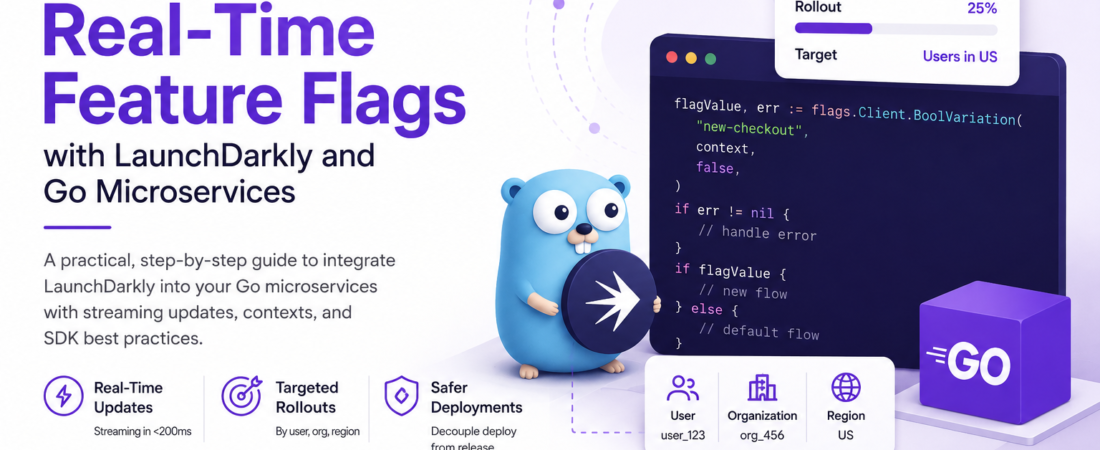
Meta description: I integrated LaunchDarkly into a production Go microservice and learned exactly how streaming flag updates, contexts, and SDK caching work — here’s my full setup.
Last updated: June 17, 2026
Introduction
I used to manage feature flags with environment variables. When we needed to toggle a feature, someone would update a .env file, open a PR, wait for CI, deploy, and pray nothing broke. It worked — until it didn’t. One late Friday afternoon, our on-call engineer had to roll back a deployment to disable a single broken feature because there was no other lever to pull. That incident convinced me we needed a proper feature flag system, and after evaluating a few options, I landed on LaunchDarkly paired with our Go microservices.
The setup took me a few days to get right, mainly because the LaunchDarkly Go SDK has some behaviors around streaming connections and evaluation contexts that aren’t obvious from a quick read of the docs. This article documents exactly what I built and what I learned along the way.
TL;DR
- LaunchDarkly with the Go SDK lets you evaluate feature flags in real time via a persistent streaming connection — no polling required.
- The Go SDK is thread-safe and designed to be initialized once per service and shared; re-creating it per request is a costly mistake.
- Use evaluation contexts (not the deprecated
Usertype) to target flags by user ID, organization, region, or any custom attribute you define.
Why Feature Flags Matter in Go Microservices
Feature flags (also called feature toggles) decouple deployment from release. You merge and deploy code freely, hiding incomplete features behind a flag. When you’re ready — or when you need to roll back — you flip the flag in a UI without touching your codebase or CI pipeline.
In a microservices architecture, this matters even more. A bad deployment can affect only the services that hold the broken code, but a system-wide rollout of a new feature could touch multiple services simultaneously. Feature flags give you fine-grained, per-service, per-user, per-region control over rollout.
LaunchDarkly specifically adds value through:
- Streaming flag delivery — changes propagate to SDKs in under 200ms on average
- Targeting rules — roll out to 5% of users, then 25%, then 100%
- Experimentation — A/B test different implementations without code changes
[INTERNAL LINK: related article on canary deployments with Kubernetes]
Prerequisites
- Go 1.22+
- A LaunchDarkly account (free tier works for development)
- Your LaunchDarkly SDK key (found in Account Settings → Projects → Environments)
- Basic familiarity with Go modules and
context.Context
Step-by-Step Implementation
Step 1: Add the LaunchDarkly Go SDK
LaunchDarkly maintains an official Go SDK. At the time of writing, the current stable version is v6:
go get github.com/launchdarkly/go-server-sdk/v6
Verify your go.mod now includes:
require (
    github.com/launchdarkly/go-server-sdk/v6 v6.1.0
)
[SOURCE: https://github.com/launchdarkly/go-server-sdk]
Step 2: Initialize the SDK Client Once at Startup
This is the most common mistake I see developers make: initializing a new ldclient.LDClient on every request. The SDK maintains a streaming connection to LaunchDarkly’s servers, caches all flag values locally, and evaluates flags in-memory. You want one shared instance per process.
package flags

import (
    "log"
    "time"

    ld "github.com/launchdarkly/go-server-sdk/v6"
    "github.com/launchdarkly/go-server-sdk/v6/ldcomponents"
)

var Client *ld.LDClient

func Init(sdkKey string) error {
    config := ld.Config{
        DataSystem: ld.DataSystemConfiguration{
            StoreFactory: ldcomponents.InMemoryDataStore(),
        },
    }

    var err error
    Client, err = ld.MakeCustomClient(sdkKey, config, 5*time.Second)
    if err != nil {
        return fmt.Errorf("LaunchDarkly init failed: %w", err)
    }

    if !Client.Initialized() {
        log.Println("Warning: LaunchDarkly client not fully initialized, serving fallback values")
    }

    return nil
}
The 5-second timeout tells the SDK how long to wait for the initial flag sync before returning. If your service starts before LD connects (network hiccup, cold boot), Initialized() will be false and flag evaluations will return your fallback values — which is the safe default behavior.
Step 3: Use Evaluation Contexts, Not the Deprecated User Type
The older LaunchDarkly SDKs used an lduser.User struct. The v6 SDK replaces this with evaluation contexts (ldcontext), which are more flexible and support multi-context targeting.
package flags

import (
    "github.com/launchdarkly/go-server-sdk/v6/ldcontext"
)

// BuildUserContext creates an evaluation context for a standard user.
func BuildUserContext(userID, email, plan string) ldcontext.Context {
    return ldcontext.NewBuilder(userID).
        Kind("user").
        Name(email).
        SetString("plan", plan).
        Build()
}

// BuildOrgContext creates a multi-context including both user and organization.
func BuildOrgContext(userID, orgID, orgTier string) ldcontext.Context {
    user := ldcontext.NewBuilder(userID).Kind("user").Build()
    org := ldcontext.NewBuilder(orgID).
        Kind("organization").
        SetString("tier", orgTier).
        Build()

    return ldcontext.NewMultiBuilder().Add(user).Add(org).Build()
}
Using Kind("organization") lets you write targeting rules like “enable this flag for all users in enterprise-tier organizations” — something the old User type couldn’t express cleanly.
Step 4: Evaluate Flags in Your Handler
With the client initialized and contexts defined, evaluating a flag is straightforward:
package handlers

import (
    "net/http"

    "myapp/flags"
)

func CheckoutHandler(w http.ResponseWriter, r *http.Request) {
    userID := r.Header.Get("X-User-ID")
    plan := getUserPlan(userID) // your own lookup

    ctx := flags.BuildUserContext(userID, "", plan)

    // BoolVariation returns the flag value; second return is detail/reason
    newCheckoutEnabled, err := flags.Client.BoolVariation("new-checkout-flow", ctx, false)
    if err != nil {
        // Log but don't fail — use fallback value (false here)
        log.Printf("flag eval error: %v", err)
    }

    if newCheckoutEnabled {
        newCheckoutFlow(w, r)
    } else {
        legacyCheckoutFlow(w, r)
    }
}
The third argument to BoolVariation is the fallback value — what gets returned if the SDK can’t evaluate the flag (not initialized, network error, flag deleted). Always choose a safe default. For a new feature, that’s almost always false.
Step 5: Listen for Flag Changes in Real Time
One of LaunchDarkly’s core strengths is that the Go SDK maintains a server-sent events (SSE) streaming connection to LaunchDarkly’s servers. When you update a flag in the dashboard, the SDK receives the update in milliseconds — no polling, no restart required.
You can react to flag changes programmatically:
func WatchFlag(flagKey string) {
    ch := flags.Client.GetFlagTracker().AddFlagValueChangeListener(
        flagKey,
        flags.BuildUserContext("system", "", "internal"),
        ldvalue.Bool(false),
    )

    go func() {
        for event := range ch {
            log.Printf("Flag %s changed: %v → %v", flagKey, event.OldValue, event.NewValue)
            // Trigger any side effects: cache invalidation, metric reset, etc.
        }
    }()
}
I use this in my API gateway service to pre-warm caches when a flag that affects routing logic changes. Without the listener, you’d have to wait for the next request to observe the new value.
[SOURCE: https://docs.launchdarkly.com/sdk/server-side/go]
Step 6: Handle Graceful Shutdown
The LDClient holds open network connections. Always close it on shutdown to avoid connection leaks:
func main() {
    // ... setup

    c := make(chan os.Signal, 1)
    signal.Notify(c, syscall.SIGTERM, syscall.SIGINT)
    <-c

    if err := flags.Client.Close(); err != nil {
        log.Printf("Error closing LaunchDarkly client: %v", err)
    }
}
Important: Failing to call
Client.Close()in containerized environments (Kubernetes, ECS) can result in LaunchDarkly’s servers seeing your service as still connected long after the pod is gone, which can affect analytics and impression tracking accuracy.
Real-World Tips I Use in Production
Wrap flag evaluation in a typed helper layer. Raw string keys scattered across handlers are a maintenance nightmare. I define a central flags package with typed functions:
func NewCheckoutEnabled(ctx ldcontext.Context) bool {
    val, _ := Client.BoolVariation("new-checkout-flow", ctx, false)
    return val
}
This makes refactoring flag names trivial and keeps the LaunchDarkly dependency isolated.
Use BoolVariationDetail for observability. The Detail variant returns the evaluation reason:
val, detail, _ := Client.BoolVariationDetail("my-flag", ctx, false)
log.Printf("flag=%v reason=%s", val, detail.Reason)
I log evaluation reasons to Datadog for debugging targeting rules that aren’t behaving as expected.
Set offline mode for tests. LaunchDarkly’s SDK supports an offline mode that returns all fallback values without making any network calls:
config := ld.Config{Offline: true}
I set this in my test suite via an environment variable check, which keeps unit tests fast and dependency-free.
Common Errors and How I Fixed Them
Error: ldclient: data source unavailable in logs
This means the SDK can’t reach LaunchDarkly’s streaming endpoint. In my case, the culprit was a restrictive egress firewall rule in our Kubernetes cluster that blocked stream.launchdarkly.com:443. Fix: add an egress NetworkPolicy rule allowing outbound HTTPS to LaunchDarkly’s domains.
Error: Flag always returns fallback value even when set to true in dashboard
I spent two hours on this one. The flag was set to true for “all users” but I was evaluating with an anonymous context. Fix: I had accidentally checked “targeting off” at the environment level, not just the individual flag. Double-check environment-level targeting is enabled in the LaunchDarkly UI.
Error: Goroutine leak when service receives many flag change events
If you use AddFlagValueChangeListener and your service handles many flags, the returned channels can back up if you don’t read from them fast enough. I wrapped my listener goroutines with a select that includes a default drain to prevent blocking:
go func() {
    for {
        select {
        case event, ok := <-ch:
            if !ok {
                return
            }
            handleFlagChange(event)
        }
    }
}()
FAQ
Q: How does LaunchDarkly deliver real-time feature flag updates to Go microservices?
A: LaunchDarkly uses a server-sent events (SSE) streaming connection. The Go SDK connects to LaunchDarkly’s streaming API at startup and keeps that connection open. When a flag changes, the event is pushed to the SDK in milliseconds — no polling interval. This is why you should initialize the client once at startup, not per-request.
Q: What is the difference between LaunchDarkly evaluation contexts and the old User type in Go?
A: The lduser.User type from older SDK versions modeled only user-level targeting. Evaluation contexts (introduced in SDK v6) support multi-context targeting — you can simultaneously target by user, organization, device, environment, or any custom kind you define. This enables more precise rollout strategies without duplicating logic.
Q: How do I test Go code that depends on LaunchDarkly feature flags without network calls?
A: Use the SDK’s offline mode (ld.Config{Offline: true}) in your test environment. In offline mode, all flag evaluations return the fallback value you specify. For more granular control in tests, LaunchDarkly also provides a testhelpers/ldtestdata package that lets you define flag values programmatically without any network dependency.
Q: Can LaunchDarkly feature flags cause performance issues in high-throughput Go services?
A: Flag evaluations are in-memory operations against a local cache — they’re extremely fast (sub-microsecond). The only network activity is the persistent SSE connection for receiving updates. I’ve run LaunchDarkly in services handling 50,000+ RPS without measurable overhead. The main cost is the initial connection and flag sync at startup.
Q: How should I structure feature flag naming conventions across multiple Go microservices?
A: I use a {service}-{feature} naming scheme, like checkout-new-flow or auth-mfa-required. This makes it immediately clear which service owns the flag and prevents key collisions in the LaunchDarkly project. I also document each flag in a central Notion page with its purpose, creation date, and planned removal date — orphaned flags are a real maintenance burden.
Conclusion
Integrating LaunchDarkly into a Go microservice is genuinely straightforward once you understand two things: initialize one SDK client per process, and use evaluation contexts correctly. The real-time streaming delivery means flag changes propagate without deploys or restarts — which is exactly the kind of operational leverage that makes the difference at 2am when something is broken in production.
If you’re still managing feature rollouts through environment variables or hardcoded config, I hope this walkthrough shows how much safer and faster a proper feature flag system makes your release process.
About the Author
I’m a software engineer with nine years of experience building distributed systems in Go, mostly in the fintech and developer tooling space. My current stack is Go, gRPC, Kubernetes, and PostgreSQL, with LaunchDarkly handling feature management across a dozen microservices. I care deeply about operational safety — progressive delivery, observability, and making it easy to undo mistakes in production without a full rollback.