
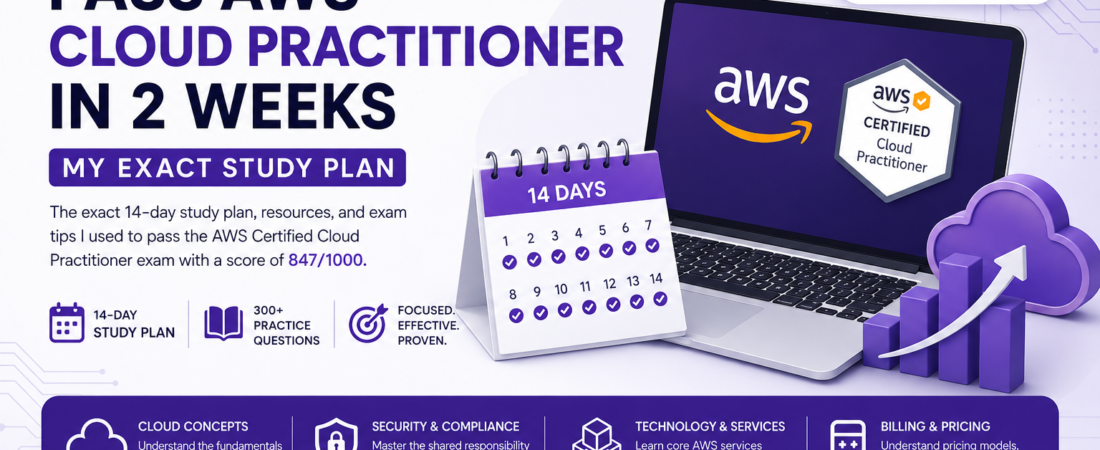
Meta description: I passed the AWS Certified Cloud Practitioner exam in 14 days with zero prior cloud certs. Here’s the exact study plan, resources, and exam tips I used to score 847/1000.
Last updated: June 2026
Two years ago I was a developer who could name maybe six AWS services — EC2, S3, RDS, Lambda, and two more if you gave me a minute. A client asked me whether their architecture was “well-architected” and I had nothing. That embarrassment pushed me to finally sit the AWS Certified Cloud Practitioner (CLF-C02) exam. I studied for exactly 14 days, scored 847 out of 1000, and I’m going to show you precisely how I did it.
This isn’t a “just watch this course” post. I’ll give you a day-by-day breakdown, the specific things the exam actually tests (vs. what people waste time on), and the two gotchas that almost tripped me up on exam day.
TL;DR
- The CLF-C02 exam is 65 questions in 90 minutes — you need 700/1000 to pass; it’s very achievable in 2 weeks.
- Focus 70% of your time on four domains: Cloud Concepts, Security, Technology, and Billing & Pricing.
- Do at least 300 practice questions before exam day; pattern recognition matters more than memorization.
Why This Certification Still Matters
The AWS Cloud Practitioner certification is the entry point to the entire AWS certification path. More importantly, it’s increasingly required by employers as a baseline — even for non-cloud roles. Developers, PMs, and solutions architects all benefit from speaking the same AWS vocabulary.
The trade-off I’ll be honest about: CLF-C02 is a broad, shallow exam. It doesn’t make you an AWS expert. You will not learn to build anything from studying for it. What it does give you is a structured mental model of AWS services, pricing models, and the shared responsibility model — and that framing genuinely makes you faster when you start using AWS for real.
[INTERNAL LINK: related article on AWS Solutions Architect Associate study guide]
[SOURCE: https://aws.amazon.com/certification/certified-cloud-practitioner/]
Prerequisites
Practically none. AWS recommends six months of cloud exposure, but that’s conservative. You need:
- Basic understanding of what a server is
- Familiarity with concepts like networking (IP addresses, firewalls) at a surface level
- 1–2 hours of focused study per day for 14 days
If you’ve built anything that runs on the internet — even a personal project — you’re ready.
The 14-Day AWS Cloud Practitioner Study Plan
Day 1–2: Understand the Exam Structure First
Before studying content, study the exam itself. Download the official CLF-C02 exam guide from AWS. The four domains and their weights are:
| Domain | Weight |
|---|---|
| Cloud Concepts | 24% |
| Security & Compliance | 30% |
| Cloud Technology & Services | 34% |
| Billing, Pricing & Support | 12% |
Security & Compliance + Cloud Technology = 64% of your exam. This is where you spend most of your time.
Pro Tip: AWS publishes the exact sample questions for CLF-C02 on their certification page. Do these on Day 1 to calibrate where you are before you start studying.
Day 3–5: Core Services Deep Dive
These are the services that appear on nearly every exam. Learn what each one does, its pricing model, and when you’d choose it over an alternative:
Compute: EC2 (instance types, pricing models — On-Demand vs Reserved vs Spot vs Savings Plans), Lambda, Elastic Beanstalk, ECS, EKS at a conceptual level.
Storage: S3 (storage classes — Standard, Intelligent-Tiering, Glacier), EBS vs EFS vs S3 distinctions, AWS Backup.
Databases: RDS, Aurora, DynamoDB, Redshift, ElastiCache — know what each is optimized for.
Networking: VPC, subnets, Security Groups vs NACLs, Route 53, CloudFront, Direct Connect vs VPN.
# A useful mental model I used: ask three questions about every service
# 1. What problem does it solve?
# 2. What does it cost? (per hour, per request, per GB?)
# 3. When would I NOT use it?
Day 6–7: The Shared Responsibility Model
This topic appears in every section of the exam, not just Security. AWS is responsible for security of the cloud (hardware, hypervisor, network infrastructure). You are responsible for security in the cloud (OS patches, IAM policies, encryption configuration, data).
Specific gotcha: RDS is a managed service. AWS patches the underlying OS. You still manage DB users, encryption at rest choices, and security group rules. The line is fuzzier with managed services — know it.
Day 8–9: IAM, Compliance, and the Well-Architected Framework
IAM is the most tested security topic. Know:
- Users, Groups, Roles, Policies (and the difference between identity-based and resource-based policies)
- Principle of least privilege
- Multi-Factor Authentication (MFA) — AWS strongly recommends it for root accounts
- IAM roles for EC2 vs IAM users — roles are preferred for services
The AWS Well-Architected Framework has six pillars. Know them by name and one key concept each: Operational Excellence, Security, Reliability, Performance Efficiency, Cost Optimization, Sustainability.
Day 10–11: Billing, Pricing, and Support Plans
This domain is only 12% of the exam but it’s almost entirely free points if you study it. Know:
- AWS Pricing Calculator vs Cost Explorer vs AWS Budgets — different tools, different purposes
- Total Cost of Ownership (TCO) calculator for on-premises vs cloud comparisons
- Support plans: Basic (free), Developer ($29/mo), Business ($100/mo+), Enterprise On-Ramp, Enterprise — know what’s included at each tier
Pro Tip: The Business support plan is the minimum level that gives you 24/7 access to Cloud Support Engineers via phone. This is a common exam question phrased in multiple ways.
Day 12–13: Practice Exams — Minimum 300 Questions
This is not optional. I used two sources:
- Tutorials Dojo CLF-C02 Practice Exams — the closest thing to the real exam in terms of difficulty and phrasing. Do all six practice tests.
- AWS Skill Builder — the official platform has a free CLF-C02 practice question set.
When you get a question wrong, don’t just note the right answer — read the explanation for every wrong answer choice. Understanding why the distractors are wrong is how you recognize the pattern when the question is phrased differently on the real exam.
[SOURCE: https://tutorialsdojo.com/aws-certified-cloud-practitioner/]
Day 14: Review and Relax
Do a single 65-question timed practice exam in the morning to simulate real conditions. Review anything you missed. In the afternoon, stop studying. Seriously. The marginal value of cramming on Day 14 is near zero; arriving rested and focused is worth more.
Real-World Tips I Used
Learn the service categories, not individual services. AWS has 200+ services. You won’t memorize all of them. Instead, learn the categories — Migration, Analytics, ML/AI, IoT — and know 1–2 representative services per category. If you see an unfamiliar service name on the exam, the category gives you enough context to reason about the answer.
Use the elimination method. On the real exam, two of the four answers are usually obviously wrong. Get to two options, then apply your knowledge to pick between them. This is faster and more reliable than trying to recall the “right” answer cold.
Flag and move. The exam interface lets you flag questions. If a question is taking more than 90 seconds, flag it and move on. You have ~83 seconds per question on average, but the easy ones take 20 seconds, which gives you time for the hard ones.
Common Mistakes and How I Avoided Them
Mistake: Studying EC2 pricing in exhaustive detail. The exam tests whether you know the concept of Reserved Instances vs Spot Instances, not the exact discount percentages. Don’t memorize numbers.
Mistake: Ignoring the Global Infrastructure section. I almost skipped Regions, Availability Zones, and Edge Locations. They showed up in four questions on my actual exam. Know that a Region has multiple AZs, an AZ has multiple data centers, and Edge Locations are for CloudFront caching.
Mistake: Confusing AWS Config with AWS CloudTrail. CloudTrail logs API calls (who did what). AWS Config tracks resource configuration changes over time (what changed). Both are tested. A question about auditing an API call → CloudTrail. A question about tracking when a security group rule changed → Config.
FAQ
Q: How long does it take to study for the AWS Cloud Practitioner exam from scratch? A: Most people pass with 2–4 weeks of part-time study (1–2 hours/day). With focused effort and prior technical experience, 14 days is very achievable. Complete beginners to tech may need 4–6 weeks.
Q: What is the passing score for the AWS Certified Cloud Practitioner CLF-C02 exam? A: The passing score is 700 out of 1000. AWS uses scaled scoring, so it doesn’t correspond directly to a percentage of correct answers — but roughly 70% correct gets you there.
Q: Is the AWS Cloud Practitioner exam worth it for experienced developers? A: Yes, for two reasons. First, it systematizes knowledge you probably have scattered across projects. Second, it’s the fastest path to AWS certification on your resume, which matters in job searches even for senior roles.
Q: What is the difference between AWS CLF-C01 and CLF-C02? A: CLF-C02, released in September 2023, added more emphasis on Cloud Technology & Services (up to 34%) and introduced questions on newer services including Amazon EventBridge, AWS DataSync, and AWS Control Tower. If you find old study materials referencing CLF-C01, they’re still mostly valid but check for updated domain weights.
Q: Can I pass the AWS Cloud Practitioner exam without taking a paid course? A: Yes. I passed using AWS’s free Skill Builder content, the official exam guide, and Tutorials Dojo practice exams (~$15). A paid course can accelerate learning, but it’s not required. The free AWS resources are genuinely good.
Conclusion
The AWS Cloud Practitioner exam is the most accessible AWS certification and one of the highest-ROI study investments a developer can make. Two focused weeks, 300+ practice questions, and a clear understanding of Security + Technology domains is all it takes. The cert doesn’t make you a cloud architect — but it gives you the vocabulary and framework to grow into one.
About the Author: I’m a software engineer and technical writer with 8+ years of experience across backend development, DevOps, and cloud infrastructure. I hold multiple AWS certifications and have helped teams migrate production workloads to AWS. I write at spiritcode.blog, where I focus on the practical side of software engineering — the stuff that actually matters when you’re shipping real systems.
© SpiritCode — spiritcode.blog