
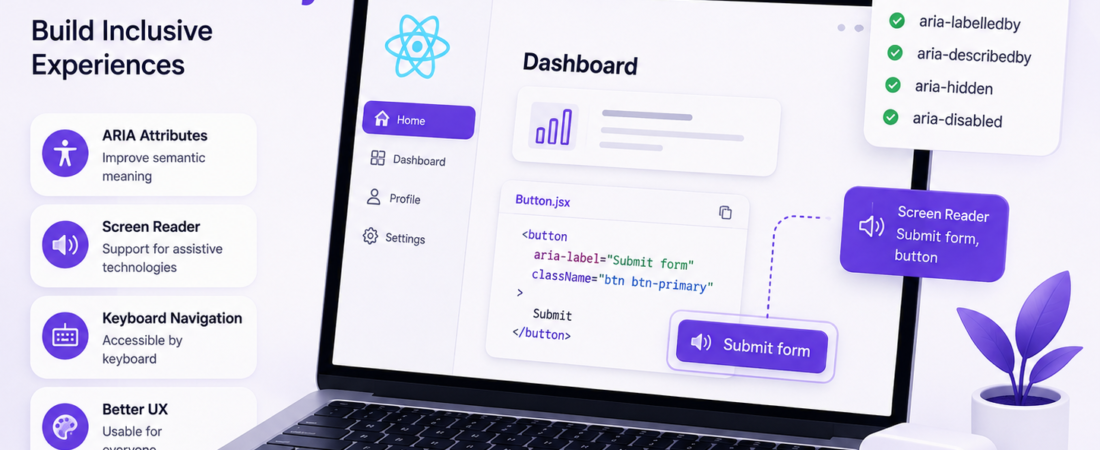
Learn how to implement accessibility features in a React 18.2.0 application for visually impaired users using ARIA attributes
# Implementing Accessibility Features for Visually Impaired Users in a React 18.2.0 Application Using ARIA Attributes
As a frontend developer, I’ve worked on several projects where accessibility was an afterthought. However, I recently had the opportunity to work on a project that required me to implement accessibility features for visually impaired users from the ground up. I chose to use React 18.2.0 and ARIA attributes to achieve this goal. In this article, I’ll share my experience and provide a step-by-step guide on how to implement accessibility features in a React application.
## What are ARIA Attributes and How Do They Improve Accessibility in React Applications?
ARIA attributes, or Accessible Rich Internet Applications attributes, are a set of attributes that can be added to HTML elements to provide more information about the element’s purpose and state. This information is then used by screen readers and other assistive technologies to provide a better experience for visually impaired users. In React, ARIA attributes can be used to improve the accessibility of components such as buttons, forms, and navigation menus.
### How Do I Choose the Right ARIA Attributes for My React Components?
Choosing the right ARIA attributes for your React components can be overwhelming, especially for complex components such as menus and trees. To make this process easier, I recommend using the ARIA Authoring Practices Guide, which provides a comprehensive list of ARIA attributes and their usage. Additionally, you can use tools such as the WAVE Web Accessibility Evaluation Tool to test your components and identify areas for improvement.
## How Do I Implement ARIA Attributes in My React Components?
Implementing ARIA attributes in your React components is straightforward. You can add ARIA attributes to your JSX elements just like you would add any other attribute. For example, to add an `aria-label` attribute to a button, you can use the following code:
“`jsx
import React from ‘react’;
const Button = () => {
return (
<button aria-label=”Submit form”>Submit</button>
);
};
“`
In this example, the `aria-label` attribute provides a text description of the button’s purpose, which can be read by screen readers.
### What Are Some Common ARIA Attributes Used in React Applications?
Some common ARIA attributes used in React applications include:
* `aria-label`: provides a text description of an element’s purpose
* `aria-labelledby`: references the ID of an element that provides a text description of an element’s purpose
* `aria-describedby`: references the ID of an element that provides additional information about an element
* `aria-hidden`: hides an element from screen readers
* `aria-disabled`: indicates that an element is disabled
> **Pro Tip:** When using `aria-label` and `aria-labelledby`, make sure to provide a clear and concise text description of the element’s purpose. This will help ensure that visually impaired users can understand the purpose of the element.
## How Do I Test My React Application for Accessibility?
Testing your React application for accessibility is crucial to ensure that it provides a good experience for visually impaired users. There are several tools available to test accessibility, including:
* WAVE Web Accessibility Evaluation Tool
* Lighthouse
* axe DevTools
These tools can help you identify areas for improvement and provide recommendations for fixing accessibility issues.
### What Are Some Common Accessibility Issues in React Applications?
Some common accessibility issues in React applications include:
* Missing or duplicate IDs
* Insufficient color contrast
* Missing or incomplete ARIA attributes
* Inconsistent navigation
> **Pro Tip:** Use a consistent naming convention for your IDs and ARIA attributes to make it easier to identify and fix accessibility issues.
## FAQ
### What is the difference between ARIA attributes and semantic HTML?
ARIA attributes provide additional information about an element’s purpose and state, while semantic HTML provides a clear structure and meaning to an element. Both are important for accessibility and should be used together.
### How do I handle accessibility in a complex React application?
Handling accessibility in a complex React application requires a thorough understanding of ARIA attributes and semantic HTML. It’s also important to test your application regularly and use tools such as WAVE and Lighthouse to identify areas for improvement.
### Can I use ARIA attributes with other frontend frameworks?
Yes, ARIA attributes can be used with other frontend frameworks such as Angular and Vue.js. However, the implementation may vary depending on the framework.
### How do I prioritize accessibility issues in my React application?
Prioritizing accessibility issues in your React application requires a thorough understanding of the issues and their impact on visually impaired users. It’s also important to consider the complexity of the issue and the resources required to fix it.
### What are some resources for learning more about accessibility in React applications?
There are several resources available for learning more about accessibility in React applications, including the ARIA Authoring Practices Guide, the React documentation, and online courses such as Accessibility in React on Udemy.
## Conclusion
Implementing accessibility features in a React application is crucial to provide a good experience for visually impaired users. By using ARIA attributes and semantic HTML, you can improve the accessibility of your React components and ensure that your application is usable by everyone. Remember to test your application regularly and use tools such as WAVE and Lighthouse to identify areas for improvement. With this knowledge, you can create React applications that are accessible and usable by everyone.
Keep following SpiritCode for more articles on React and frontend development.