
Meta description: I show you exactly how I set up real-time OpenAI API streaming in FastAPI — including the SSE setup, async generators, and a gotcha that cost me two hours.
Last updated: June 2026
Introduction
The first time I tried to stream OpenAI responses in a FastAPI app, I got a perfectly functional endpoint that returned… nothing. For three seconds. Then dumped the entire completion at once. I had stream=True set and everything — but I didn’t understand how Server-Sent Events (SSE) work, and FastAPI’s default JSONResponse was silently buffering every token before sending them.
That was a frustrating afternoon. Since then, I’ve shipped streaming chat UIs in production, debugged broken connections, and learned the exact setup that works reliably. In this article, I’ll walk you through the complete implementation — from the OpenAI client config to the frontend EventSource call.
TL;DR
- Use
StreamingResponsewith anasync generatorin FastAPI — notJSONResponse. - Set
stream=Truein the OpenAI client call and iterate overchunk.choices[0].delta.content. - On the frontend, consume the stream with the browser’s native
EventSourceAPI orfetchwith a readable stream.
Why Streaming OpenAI Responses Matters
Latency perception is everything in conversational AI. Without streaming, your user stares at a blank screen for 4–10 seconds waiting for GPT-4 to finish thinking. With streaming, they see the first token in under a second — the same experience they get on ChatGPT itself.
Beyond UX, streaming is often cheaper from a timeout perspective. Long completions on slow networks frequently hit proxy or load balancer timeouts (usually 30–60 seconds). Streaming keeps the connection alive with a steady drip of data.
[INTERNAL LINK: related article on OpenAI API cost optimization]
Prerequisites
Before you start, make sure you have:
- Python 3.10+ (I tested this with 3.11.6)
fastapi>=0.110.0anduvicorn[standard]openai>=1.12.0— the v1 client API is significantly different from v0- An OpenAI API key set as
OPENAI_API_KEYin your environment
Install everything in one shot:
pip install fastapi "uvicorn[standard]" openai python-dotenv
Pro Tip: Always pin your
openaiversion inrequirements.txt. The SDK has had breaking changes between minor versions, andopenai>=1.0.0without a ceiling is a future headache.
Step-by-Step Implementation
Step 1: Set Up the FastAPI App and OpenAI Client
Create a file called main.py. The key here is initializing the AsyncOpenAI client — not the regular OpenAI client. Using the sync client inside an async endpoint blocks the event loop.
from fastapi import FastAPI
from fastapi.responses import StreamingResponse
from openai import AsyncOpenAI
import os
from dotenv import load_dotenv

load_dotenv()

app = FastAPI()
client = AsyncOpenAI(api_key=os.getenv("OPENAI_API_KEY"))
Using AsyncOpenAI means every API call is a proper coroutine, and FastAPI can handle other requests while waiting on OpenAI’s servers.
Step 2: Write the Async Generator
This is the core of the whole approach. An async generator yields token chunks as they arrive from the OpenAI stream. FastAPI’s StreamingResponse will drain this generator and push each chunk to the client immediately.
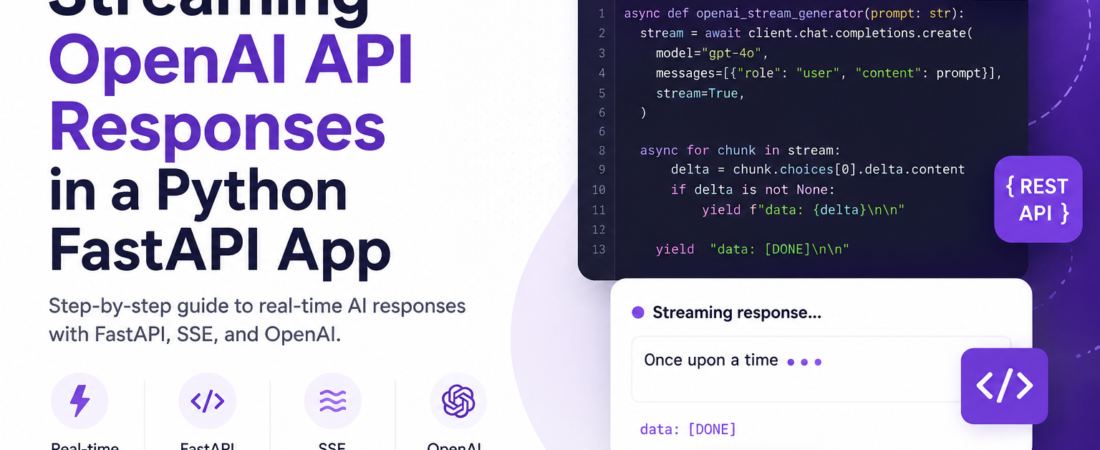
async def openai_stream_generator(prompt: str):
    stream = await client.chat.completions.create(
        model="gpt-4o",
        messages=[{"role": "user", "content": prompt}],
        stream=True,
    )

    async for chunk in stream:
        delta = chunk.choices[0].delta.content
        if delta is not None:
            yield f"data: {delta}\n\n"

    yield "data: [DONE]\n\n"
A few details worth calling out here. First, the if delta is not None check matters — the first and last chunks often arrive with None content and will cause a TypeError if you try to format them directly. Second, the data: ... \n\n format is the SSE wire format — the double newline tells the client where one event ends and the next begins.
[SOURCE: https://developer.mozilla.org/en-US/docs/Web/API/Server-sent_events/Using_server-sent_events]
Step 3: Create the Streaming Endpoint
Wrap the generator in a StreamingResponse and set the correct media type:
from fastapi import Request
from pydantic import BaseModel

class ChatRequest(BaseModel):
    prompt: str

@app.post("/chat/stream")
async def stream_chat(request: ChatRequest):
    return StreamingResponse(
        openai_stream_generator(request.prompt),
        media_type="text/event-stream",
        headers={
            "Cache-Control": "no-cache",
            "X-Accel-Buffering": "no",
        },
    )
The X-Accel-Buffering: no header is critical if you’re running behind nginx. Without it, nginx buffers the entire response before forwarding — which completely defeats the purpose of streaming. I burned two hours debugging this in a staging environment before I found this.
Step 4: Run the Dev Server
uvicorn main:app --reload --port 8000
Test it quickly with curl:
curl -X POST http://localhost:8000/chat/stream \
  -H "Content-Type: application/json" \
  -d '{"prompt": "Tell me a short joke"}' \
  --no-buffer
You should see tokens printing one by one. If the whole response dumps at once, check your media_type and the X-Accel-Buffering header.
Step 5: Consume the Stream on the Frontend
The cleanest approach in modern browsers is the fetch API with a ReadableStream reader:
async function streamChat(prompt) {
  const response = await fetch("/chat/stream", {
    method: "POST",
    headers: { "Content-Type": "application/json" },
    body: JSON.stringify({ prompt }),
  });

  const reader = response.body.getReader();
  const decoder = new TextDecoder();

  while (true) {
    const { done, value } = await reader.read();
    if (done) break;

    const chunk = decoder.decode(value);
    const lines = chunk.split("\n\n").filter(Boolean);

    for (const line of lines) {
      const text = line.replace("data: ", "");
      if (text === "[DONE]") return;
      document.getElementById("output").innerText += text;
    }
  }
}
This approach handles chunked delivery correctly and gives you fine-grained control over how you display tokens.
Real-World Tips I Use in Production
Add a timeout. OpenAI can occasionally hang on long completions. Wrap your generator with an asyncio.timeout context manager (Python 3.11+):
import asyncio

async def openai_stream_generator(prompt: str):
    async with asyncio.timeout(60):
        stream = await client.chat.completions.create(...)
        async for chunk in stream:
            ...
Log token usage separately. When streaming, the final chunk includes usage data in chunk.usage. Capture it for cost tracking:
async for chunk in stream:
    if chunk.usage:
        print(f"Total tokens: {chunk.usage.total_tokens}")
Handle disconnects gracefully. If a user closes the tab mid-stream, FastAPI will raise a GeneratorExit exception inside your generator. Catch it and clean up any resources:
async def openai_stream_generator(prompt: str):
    try:
        stream = await client.chat.completions.create(...)
        async for chunk in stream:
            yield ...
    except GeneratorExit:
        await stream.close()
Common Errors and How I Fixed Them
openai.APIConnectionError: Connection error — This usually means your OPENAI_API_KEY isn’t loaded. I always add a sanity check at startup: assert os.getenv("OPENAI_API_KEY"), "Missing API key".
Response arrives all at once in production — Almost always an nginx buffering issue. Add X-Accel-Buffering: no to your response headers, or set proxy_buffering off; in your nginx config block.
AttributeError: 'NoneType' object has no attribute 'content' — You’re not guarding against None deltas. Add if delta is not None before yielding.
CORS errors on the frontend — Add CORSMiddleware to your FastAPI app and include EventSource-compatible headers:
from fastapi.middleware.cors import CORSMiddleware

app.add_middleware(
    CORSMiddleware,
    allow_origins=["http://localhost:3000"],
    allow_methods=["*"],
    allow_headers=["*"],
)
[SOURCE: https://platform.openai.com/docs/api-reference/streaming]
FAQ
Q: How do I stream OpenAI responses in FastAPI without blocking the event loop? A: Use the AsyncOpenAI client (not OpenAI) and async for to iterate over chunks. Pair it with FastAPI’s StreamingResponse and an async generator function. Avoid any synchronous OpenAI calls inside async endpoints — they will block other requests.
Q: What is the correct media type for SSE streaming in FastAPI? A: Set media_type="text/event-stream" on your StreamingResponse. This tells the browser and any intermediate proxies that the response is a live event stream, not a static payload to buffer.
Q: Why is my OpenAI stream buffering in nginx and not showing tokens in real time? A: Add the header X-Accel-Buffering: no to your FastAPI response, or add proxy_buffering off; to your nginx location block. Without this, nginx accumulates the entire stream before forwarding it downstream.
Q: How do I handle errors in the middle of an OpenAI streaming response in FastAPI? A: Wrap your generator body in a try/except block. If an openai.APIError occurs mid-stream, yield a formatted error event (e.g., data: {"error": "stream interrupted"}\n\n) so the frontend can handle it gracefully rather than silently hanging.
Q: Can I use OpenAI function calling or tool use with streaming in FastAPI? A: Yes. Tool call deltas arrive in chunk.choices[0].delta.tool_calls. You need to accumulate the argument chunks across multiple events (they arrive as partial JSON strings) and only execute the tool call when the stream signals finish_reason: "tool_calls".
Conclusion
Streaming OpenAI responses in FastAPI comes down to three things: use AsyncOpenAI, return a StreamingResponse with an async generator, and get your headers right for whatever proxy sits in front of your app. Once those pieces are in place, the experience is rock-solid.
About the Author
I’m a backend engineer with over eight years of experience building Python APIs and integrating LLM services into production applications. My current stack is FastAPI, PostgreSQL, and the OpenAI and Anthropic APIs. I’ve shipped streaming chat features for SaaS products with tens of thousands of daily active users, and I write here about the things that actually tripped me up along the way.