
Meta description: I spent years writing documentation nobody read — here’s the exact technical writing framework I now use to create clear, useful, developer-friendly docs that actually get maintained.
Last updated: May 14, 2025
Three years into my engineering career, my team lead pulled me aside after a sprint review. “Your code is great,” she said. “Your docs are unreadable.” I was confused — I’d written docs. Paragraphs of them. The problem was that I was writing for myself, not for the reader who’d be staring at my README at 11pm trying to fix a production incident. That feedback changed how I think about technical writing entirely.
If you’re an engineer who dreads writing documentation — or writes it but nobody uses it — this guide gives you the practical framework I use to write docs people actually read.
TL;DR
- Good technical writing is about the reader’s goal, not your implementation details — always start with “what does this person need to do?”
- Structure everything with the Divio documentation system: tutorials, how-to guides, references, and explanations are four distinct types with different purposes.
- Write docs in the same PR as the code — treating docs as a separate task means they never happen.
Why Technical Writing Matters for Engineers
Most engineers see writing as a soft skill — something PMs and tech writers handle. In my experience, that mindset costs teams more time than almost any other mistake. Poor documentation leads to repeated Slack questions, slower onboarding, and systems that only one person understands.
Good developer documentation is also a force multiplier for your own career. Engineers who can communicate clearly in writing get promoted faster, lead bigger projects, and build larger reputations in open-source communities. The ability to write a clear RFC, a useful README, or a precise incident postmortem is genuinely rare.
The Google Developer Documentation Style Guide — one of the most widely referenced standards in the industry — defines the goal of technical writing as “helping users accomplish tasks accurately and efficiently.” That framing is everything.
[SOURCE: https://developers.google.com/style]
Prerequisites
This guide assumes you:
- Write or maintain software documentation (READMEs, API docs, runbooks, RFCs)
- Have basic familiarity with Markdown
- Are comfortable with Git — we’ll write docs as part of the code workflow
- Have read at least one documentation site and thought “this could be better”
Step-by-Step: A Technical Writing Framework for Engineers
Step 1: Identify the Documentation Type Before You Write a Single Word
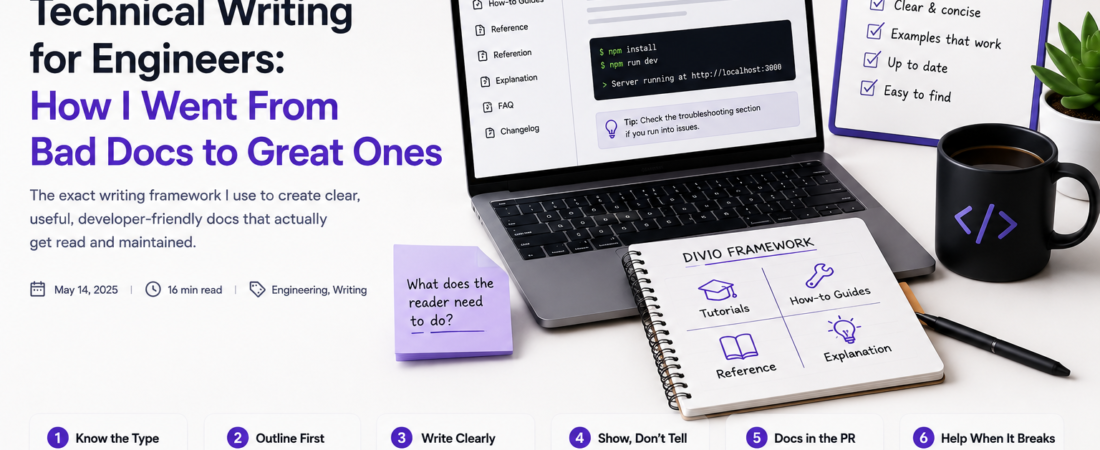
The biggest mistake I made early in my career was treating all documentation as the same thing. It’s not. The Divio documentation system — which I’ve used on every major project since 2021 — defines four distinct types:
- Tutorials: learning-oriented, lead a beginner through a complete task
- How-to guides: task-oriented, solve a specific problem for a practitioner
- Reference: information-oriented, describe the system accurately and completely
- Explanation: understanding-oriented, explain why decisions were made
[SOURCE: https://docs.divio.com/documentation-system/]
Before writing anything, I ask: which type is this? A README that tries to be all four ends up being none of them.
Step 2: Write the Outline First Using the User’s Goal
Start with the question: “What does the reader need to accomplish?” Not “What does my system do?” That inversion matters more than any other technique I’ve learned.
Here’s my actual outline template for a how-to guide:
## [Task title — action verb + outcome, e.g. "Set up local development"]

### Prerequisites
- [What the reader needs before starting]

### Steps
1. [First action — one action per step]
2. [Second action]

### Expected outcome
[What success looks like, including output or screenshots]

### Troubleshooting
- [Error X → fix Y]
This structure forces me to think from the reader’s perspective. If I can’t fill out “expected outcome,” my mental model of the feature isn’t clear enough to document it yet.
Step 3: Use Plain, Direct Language — the Active Voice Rule
I re-read my first draft and replace every passive construction. “The configuration file is loaded by the server” becomes “The server loads the configuration file.” Every time.
My checklist for language:
# Things I always search-and-replace in first drafts
"in order to"     → "to"
"it is possible"  → "you can"
"the above"       → "the previous section" (explicit references only)
"simply"          → [delete — it's condescending]
"just"            → [delete — same reason]
"easily"          → [delete — not for the person debugging at midnight]
The Flesch-Kincaid reading ease score is a useful objective check. I target 60–70 for developer documentation. You can check it in Hemingway App or with this Python snippet:
import textstat

with open("README.md", "r") as f:
    text = f.read()

score = textstat.flesch_reading_ease(text)
print(f"Flesch Reading Ease: {score}")  # Target: 60-70
Step 4: Make Code Examples Runnable — Every Single One
Nothing destroys trust in documentation faster than a code example that doesn’t work. My rule: if I can’t run it, it doesn’t ship.
For shell commands, always include the expected output as a comment:
# Install dependencies
npm install

# Expected output:
# added 247 packages in 3.2s

# Start the dev server
npm run dev

# Expected output:
# Server running at http://localhost:3000
For API documentation, I use real request and response examples — not placeholders:
curl -X POST https://api.example.com/v1/users \
  -H "Authorization: Bearer sk_test_abc123" \
  -H "Content-Type: application/json" \
  -d '{"email": "test@example.com", "name": "Jane Doe"}'

# Response (201 Created):
# {
#   "id": "usr_1234",
#   "email": "test@example.com",
#   "created_at": "2025-05-14T10:30:00Z"
# }
I keep a docs/examples/ directory in every project with tested, runnable scripts for every major use case.
Step 5: Write Docs in the Same PR as the Code
This is a workflow change, not a writing technique, but it’s the most important habit I’ve built. I add this check to our PR template:
## Documentation checklist
- [ ] README updated if setup steps changed
- [ ] API reference updated if endpoints changed
- [ ] CHANGELOG entry added
- [ ] Migration guide added if breaking changes introduced
When docs are part of the PR review, teammates catch inaccuracies before they go live. When docs are a separate task, they accumulate technical debt faster than the code itself.
Step 6: Add a Troubleshooting Section to Every Guide
This is the section readers skip to first during an incident. I populate it from real support questions, Slack threads, and GitHub issues. Here’s a real example from an internal service I maintain:
## Troubleshooting

**`ECONNREFUSED` when connecting to Redis**
This usually means the Redis container isn't running. Check with:
`docker ps | grep redis`
If it's not listed, run: `docker-compose up -d redis`

**Build fails with `Cannot find module '@company/shared'`**
The internal package registry requires VPN access. Connect to VPN and re-run:
`npm install --registry https://npm.internal.company.com`
Every error message I’ve ever had to Google twice goes into this section.
Real-World Tips I Use in Production
Write the README before you write the code for new projects. This sounds backwards but it’s a discipline borrowed from README-driven development. If I can’t explain what the project does and how to use it in plain English, I don’t have a clear enough design yet.
Use Vale for automated style linting. Vale is a command-line prose linter that enforces style rules on Markdown files. I run it in CI on every docs change:
brew install vale
vale sync
vale README.md
I use the Google and Microsoft style packages, which catch passive voice, condescending language, and inconsistent terminology automatically.
Keep a “docs debt” label in your issue tracker. Every time someone asks a question that should have been in the docs, I open an issue with that label. It makes documentation gaps visible and trackable, not invisible.
Pro Tip: The best signal that documentation is working is when support questions stop repeating. Track your five most common Slack questions every quarter and check whether they’re answered in your docs. If they’re not, that’s your documentation roadmap.
Common Errors and How I Fixed Them
Mistake: Writing docs as a description of the implementation, not a guide for the user.
I used to write things like: “The UserService class extends BaseService and uses a repository pattern to abstract database access.” That’s useful for code review, not for someone trying to create a user. I rewrote it as: “To create a user, call UserService.create() with an email and password. The method returns a User object or throws DuplicateEmailError if the address is already registered.”
Mistake: Using internal jargon without defining it.
My team used “plinko” internally to describe a cascading retry mechanism. Our docs were full of “the plinko system will handle retries automatically.” New engineers had no idea what this meant. I did a global replace and explained it the first time: “The retry orchestrator (internally called ‘plinko’) will automatically retry failed requests up to three times with exponential backoff.”
Gotcha: Docs drift — code changes, docs don’t.
The only real fix here is ownership. Every module or service should have a named docs owner in a CODEOWNERS-style file. When that file changes, the owner gets automatically tagged in PRs. Without ownership, docs become nobody’s responsibility and decay within six months.
[INTERNAL LINK: related article on engineering team communication best practices]
FAQ
Q: How do software engineers improve their technical writing skills quickly?
A: The fastest path is to read great documentation daily — study how Stripe, Twilio, and the AWS CLI docs are structured. Then practice by rewriting one piece of your own documentation per week using the Divio framework. Getting a peer review from someone outside your team is also invaluable because they’ll immediately expose assumptions you didn’t know you were making.
Q: What is the best tool for writing developer documentation in 2025?
A: For open-source projects, I use Docusaurus v3 (React-based, excellent versioning) or MkDocs Material (simpler Python-based setup). For internal engineering docs, Notion works well for discoverability but struggles with versioning. For API reference specifically, I use OpenAPI (Swagger) specs rendered with Redoc — it keeps documentation in sync with the code because it generates from annotations.
Q: How do I write a good README for a GitHub repository?
A: A great README has six sections in this order: one-sentence description, badges (build status, version, license), a quick-start code block that works in under 5 minutes, a features list, a full usage guide or link to docs, and a contributing section. The quick-start block is the most important — if a developer can’t run something real in 5 minutes, most will abandon the repo.
Q: What is the difference between a tutorial and a how-to guide in technical documentation?
A: A tutorial takes a complete beginner through a learning journey — it’s about building understanding, even if the example project isn’t something they’d use in production. A how-to guide solves a specific real-world problem for someone who already understands the basics. Tutorials sacrifice realism for learning clarity; how-to guides sacrifice completeness for practical focus. Confusing the two is the most common documentation mistake I see.
Q: How do I convince my engineering team to write better documentation?
A: Frame it as self-interest, not altruism. Calculate how much time your team spends answering repeated questions on Slack or in meetings — at most companies it’s 3–5 hours per engineer per week. Good documentation eliminates that. Also, make docs part of the definition of done for every feature, not an optional extra. Once it’s a PR requirement, the habit forms quickly.
Conclusion
Technical writing is a skill, and like any skill, it improves with deliberate practice and the right framework. The shift from “describing my system” to “helping the reader accomplish their goal” was the single biggest improvement in the quality of my documentation — and it took less than a day to internalize.
If this guide was useful, share it with an engineer on your team who writes painful docs. And if you have a technique that’s worked well for you — a linter, a template, a review process — drop it in the comments. I’m always updating my workflow.
About the Author
I’m a software engineer with 12 years of experience building developer tools, APIs, and the infrastructure that runs them. I’ve contributed to documentation for several open-source projects and helped three engineering teams go from zero docs culture to a state where onboarding takes days instead of weeks. My current stack is TypeScript, Go, and AWS — and I believe every line of code deserves an equally well-crafted line of documentation.