
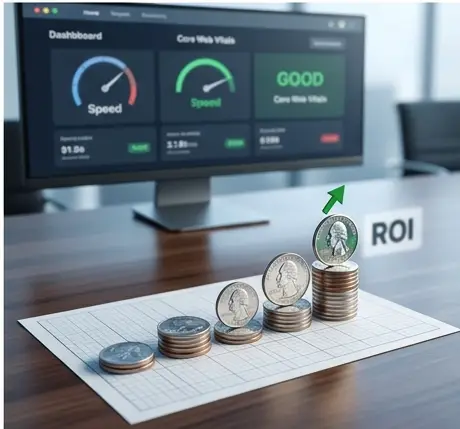
The High-Stakes Reality of Performance as ROI
In my years of consulting for major US retailers, I’ve seen the same pattern repeated: a marketing team spends millions on Black Friday top-of-funnel traffic, only to watch the conversion rate crater because the site feels “heavy.”
I once performed an audit for a luxury apparel brand that was seeing a mysterious 15% drop in mobile conversions. After digging into the data, we realized their Largest Contentful Paint (LCP) had drifted from 2.2 seconds to 4.5 seconds following a “visual refresh.” In the US e-commerce landscape, performance isn’t a vanity metric; it’s a direct line on your P&L statement. When I shaved 2 seconds off that LCP, the revenue recovered almost instantly.
If you’re running Next.js, you have the best tools in the shed, but they aren’t magic. You have to wield them with intent. Let’s dive into how I optimize the “Big Three” to ensure your site stays profitable under pressure.
LCP: Winning the “First Impression” War
LCP is where most e-commerce sites bleed money. On a product page, your LCP is almost always the hero image. If that image isn’t visible within the first 2.5 seconds, your bounce rate will climb.
The next/image Power Play
I see developers use next/image and assume the job is done. It’s not. For high-traffic sites, you must signal to the browser exactly what matters. I use priority and the newer fetchPriority attribute to move the hero image to the front of the line.
TypeScript
// How I structure a high-performance Hero component
import Image from 'next/image';

export default function Hero({ src, alt }) {
  return (
    <div className="relative w-full h-[500px]">
      <Image
        src={src}
        alt={alt}
        fill
        priority // Tells Next.js to preload this
        fetchPriority="high" // Modern browser hint for the highest task priority
        sizes="(max-width: 768px) 100vw, 50vw"
        className="object-cover"
      />
    </div>
  );
}
Why this works: priority adds a <link rel="preload"> tag to your document head. In my experience, pairing this with fetchPriority="high" can shave 300–500ms off your LCP by ensuring the browser doesn’t wait for the CSS to finish parsing before it starts grabbing that critical image.
CLS: Eliminating the “Jumpy” UI
Nothing kills trust faster than a user trying to click “Add to Cart” and hitting an accidental ad or a shifted link instead. In high-traffic e-commerce, Cumulative Layout Shift (CLS) is usually caused by dynamic content: personalized banners, third-party ads, or late-loading font faces.
The Skeleton Strategy
When I’m architecting Product Listing Pages (PLP), I never let a container “grow” into its content. I use strict aspect-ratio boxes and skeletons.
- Aspect Ratio Boxes: Always reserve space for images using the
widthandheightprops innext/image. - Ad Slots: If you use third-party scripts (like Google Publisher Tags), wrap them in a div with a min-height. It’s better to have a white gap for a second than a sudden 200px layout shift.
TypeScript
// Reserving space for dynamic content
const AdSlot = () => (
  <div className="min-h-[250px] w-full bg-gray-50 flex items-center justify-center">
    {/* Ad script loads here without shifting the footer down */}
    <div id="div-gpt-ad-12345" />
  </div>
);
INP: The New Standard for “Snappiness”
Interaction to Next Paint (INP) has replaced FID as a Core Web Vital, and for good reason. It measures how long it takes for the UI to actually react to a click. On a heavy e-commerce page with thousands of DOM nodes (like a mega-menu or a filtered search), long-running JavaScript tasks can “lock” the main thread.
Optimizing the Main Thread
When I see high INP scores, I look for “Long Tasks” in the performance profiler. Often, it’s a massive JSON payload being parsed or a complex filter logic running synchronously.
My go-to move? Yielding to the main thread. I use requestIdleCallback or break up heavy logic into smaller chunks so the browser can squeeze in a UI update between calculations.
TypeScript
// Breaking up a heavy filtering task to keep the UI responsive
const handleFilterChange = (criteria: FilterCriteria) => {
  // Use transition to prioritize the immediate UI feedback
  startTransition(() => {
    const results = performHeavyFiltering(criteria);
    setFilteredProducts(results);
  });
};
Infrastructure: TTFB and the Edge
You can’t have a fast LCP if your Time to First Byte (TTFB) is slow. For my US-based clients with global reach, I rely heavily on the Vercel Edge Runtime.
By moving logic (like A/B testing or geolocation-based currency switching) to the Edge, we eliminate the round-trip to a centralized server. Instead of a 200ms wait for a server-side rendered (SSR) response, the Edge can compute the personalized headers and fire back the HTML in under 50ms.
The Performance Journey
In the world of high-traffic e-commerce, performance is not a “set it and forget it” task. It’s a culture. Every new tracking pixel, every high-res video, and every third-party widget is a potential tax on your conversion rate.
My philosophy is simple: Measure, Optimize, Protect. Use the Vercel Speed Insights dashboard daily. If you see your LCP creeping up, treat it like a site-down emergency. Because in the US market, a slow site is a down site.
Stay fast, stay profitable.